RTX 5070 Ti: the card that secretly reaches 107°C (and how to check it)

RTX 5070 Ti GPU hotspot graphics card temperature

Your RTX 5070 Ti displays 68°C under Windows while reaching nearly 107°C internally. Brazilian repairers have uncovered the secret with a tool from Nvidia.

68°C displayed, 107°C in reality: the double game of RTX 50

107°C. This is the actual temperature measured at the hottest point of a Gigabyte RTX 5070 Ti. Meanwhile, GPU-Z, HWiNFO, and MSI Afterburner were quietly showing 68°C You might have thought that your card was fine. It was throttling without you knowing.

The story comes from two Brazilian repairmen, Paulo Gomes and Sidnelson, who used MODS — an internal diagnostic tool from Nvidia that no one is supposed to have — to read a data that Nvidia has intentionally hidden since the launch of the RTX 50 in January: the hotspot temperature. And what they found is painful.

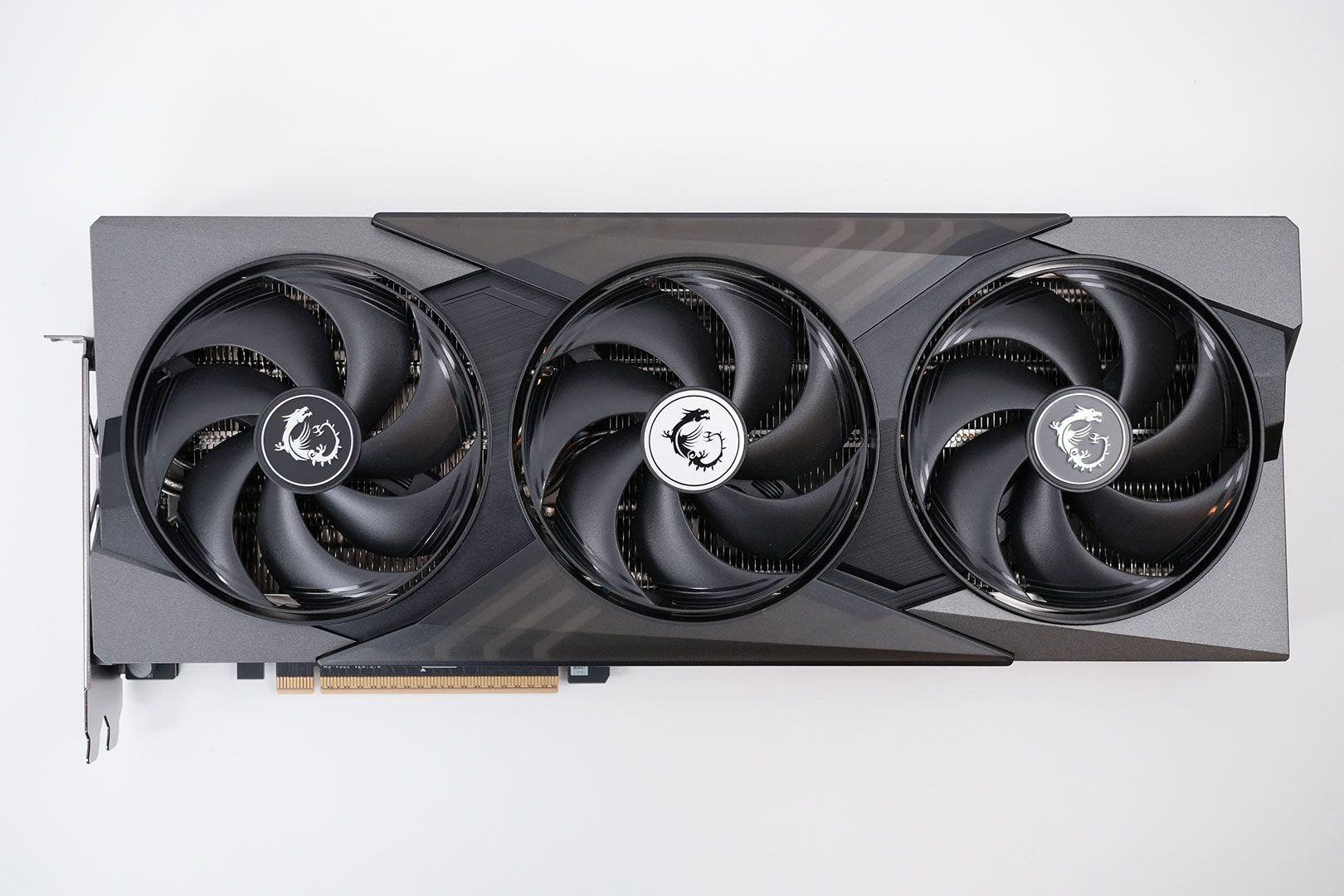
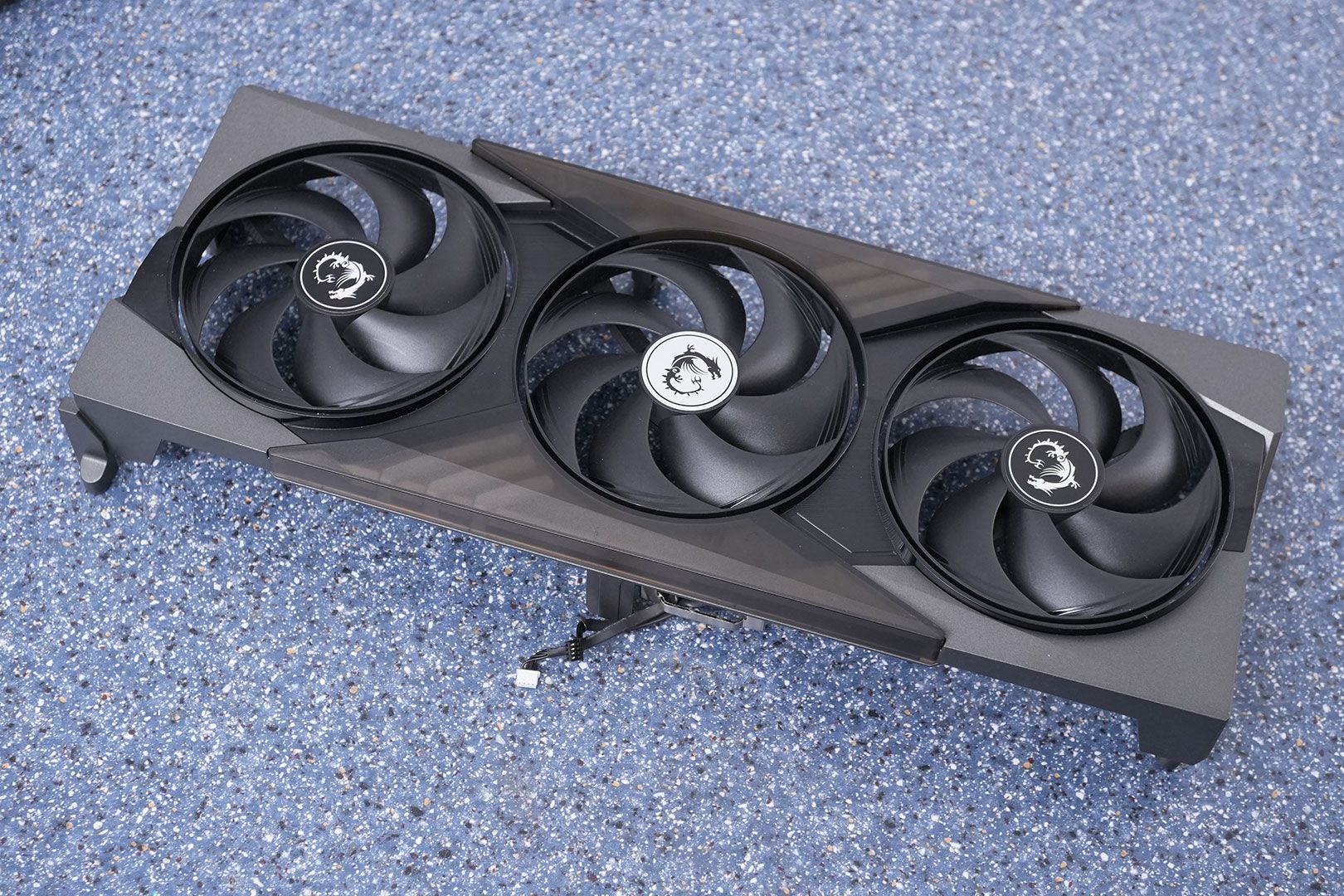
MSI RTX 5070 Ti Gaming Trio OC vue de face Click to enlarge

Nvidia has cut access to the hotspot sensor. The sensor is still there.

Quick reminder for those who are new. On previous generations (RTX 40, RTX 30), all monitoring software could read two temperatures: the average GPU temperature and the hotspot temperature — the hottest point of the die. The difference between the two is what tells you if the cooling is doing its job well or if one corner of the GPU is burning while the rest is quiet.

With the RTX 50 (Blackwell), Nvidia has removed access to this data from its public API. Result: GPU-Z first displayed 255°C (invalid value), then simply hid the field. HWiNFO, MSI Afterburner — same story. No one can see the hotspot anymore. Well... almost no one.

The physical sensor has not disappeared. It is still soldered on the PCB, still active, still measuring. Nvidia just decided that you don't need to know what it says.

MODS: the secret tool that revealed everything

MODS, for Modular Diagnostic Software , it's Nvidia's internal diagnostic suite. The kind of tool reserved for factories, authorized repair centers, and engineers. No official download, no nice graphical interface — it runs on Linux command line, via SSH.

Paulo Gomes and Sidnelson, two Brazilian technicians specialized in GPU repair, got their hands on it. And when they launched the thermal test on a Gigabyte RTX 5070 Ti that a customer had brought to them for performance issues, the diagnosis was clear.

Average GPU temperature under Windows: 67-68°C . Normal. Nothing alarming. But in the MODS logs, the hotspot was hitting 107°C — the exact throttling threshold set by Nvidia in the card's BIOS. The GPU would reduce its frequencies to survive, and the user had no way of knowing with conventional tools. They would just see their FPS drop without explanation.

Five exceedances of the 107°C threshold during a single test. Five invisible throttlings.

Data What you see (GPU-Z / HWiNFO) What MODS shows
Average GPU Temperature 67-68°C 67-68°C
Hotspot temperature Not available / hidden 104-107°C
Throttling detected No Yes (5 times during the test)
Throttling threshold Not displayed 107°C (BIOS limit)
VRM Temperature Not available Readable via MODS
Swipe to view more

The culprit: dry thermal paste at the factory exit

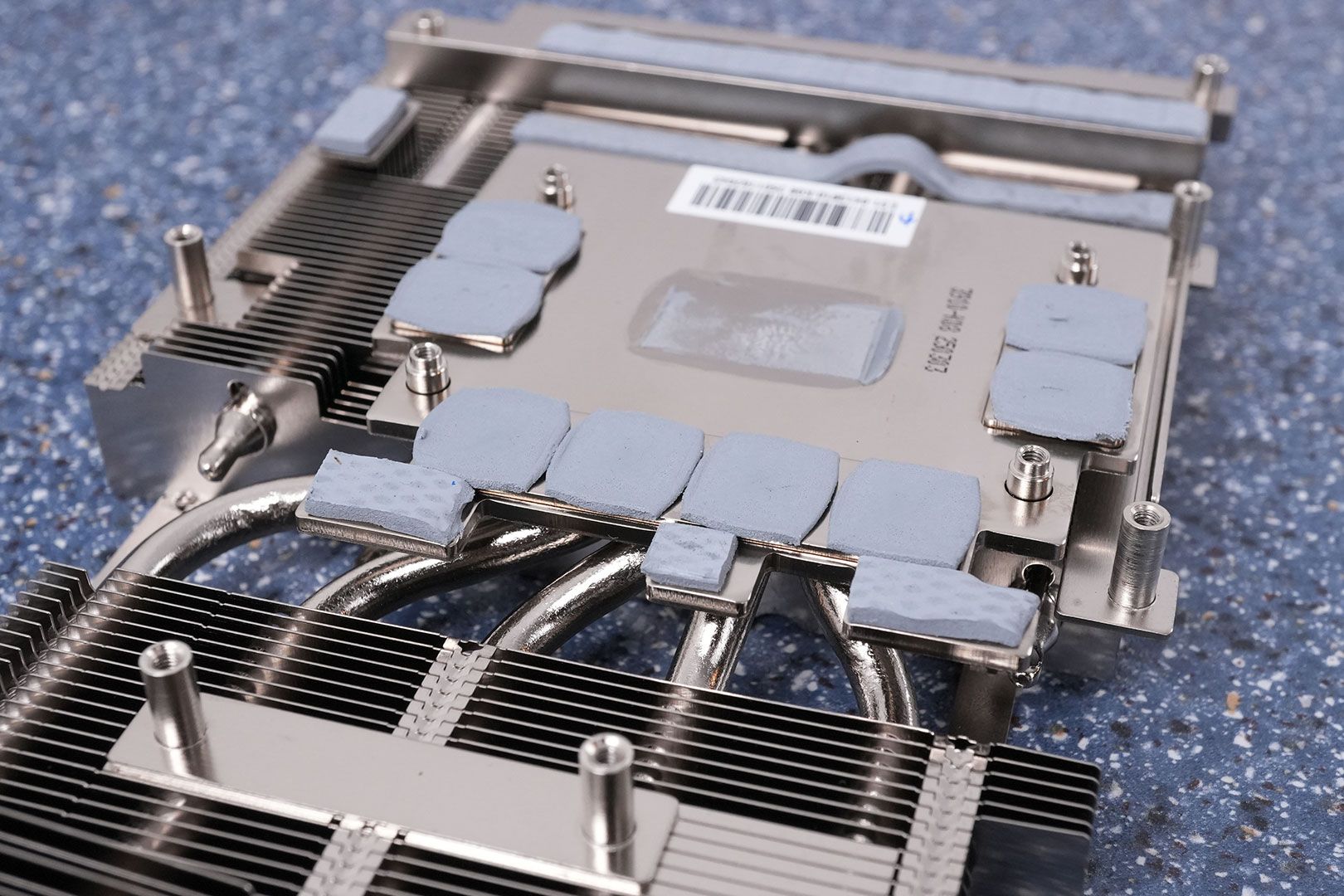
After dismantling the card, the team found exactly what we feared. The thermal paste between the GPU die and the base of the cooling system was dry and poorly distributed . The center of the GPU — where it heats up the most — had almost no thermal contact. The paste had accumulated on the edges, leaving the core of the die to cook in its own juice.

RTX 5070 Ti démontage du système de refroidissement Click to enlarge

The replacement by thermal paste SnowDog Husky lowered the hotspot from 107°C to around 100°C. It is still high, but below the throttling threshold. The card then passed the MODS test without a hitch.

Sidnelson explains that this is not the first time he has seen this. His workshop has received "many graphics cards" with the same issue — poorly applied or degraded paste, insufficient contact between the die and the radiator. In all these cases, the average temperature seemed normal. The hotspot, however, told a completely different story.

The good news: HWMonitor 1.65 restores the hotspot

CPUID, the publisher of HWMonitor, has just released the version 1.65 which bypasses Nvidia's restriction and displays the hotspot temperatures on the RTX 50. Two new sensors appear: Hotspot (junction die GPU temperature) and Hotspot 2 (temperature of the power supply module VRM). No need for MODS, no need for Linux — it works directly under Windows.

It's a first step, but it's far from enough. HWiNFO and GPU-Z haven't followed yet. And above all, the fact that a third-party editor had to reverse-engineer access to a sensor that Nvidia intentionally blocks... raises questions. Why hide such a critical piece of data for diagnosing a 900-dollar card?

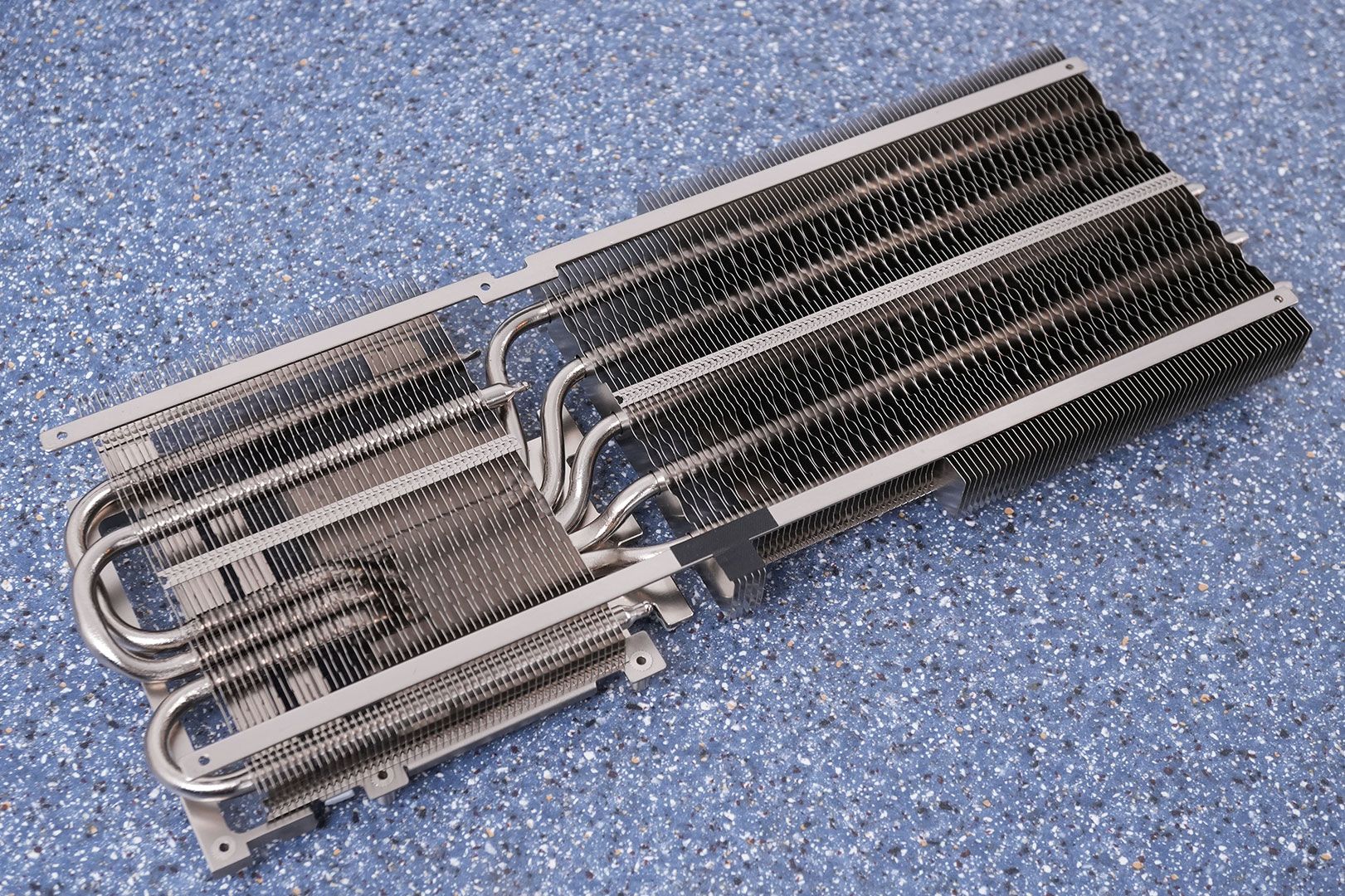
Détail des heatpipes du système de refroidissement RTX 5070 Ti Click to enlarge

How to check if your RTX 50 is affected

If you have an RTX 5070 Ti, a 5070, a 5080 or even a 5090, here's what you can do now:

  1. Install HWMonitor 1.65 — it's free, it takes 30 seconds, and you'll see directly if your hotspot exceeds 100°C under load. If the Hotspot value stays below 90°C in-game, your card is fine.
  2. Monitor your GPU frequencies — in HWiNFO64, look at the "GPU Core Clock" while you play. If the frequencies drop suddenly while the displayed temperature remains low (like 70°C), it's a sign of hidden throttling.
  3. Adjust your fan curve — in MSI Afterburner, set the fans to 75% at 70°C. It doesn't solve a thermal paste issue, but it can limit the damage in the meantime.
  4. As a last resort: repaste — if the hotspot still explodes, replacing the thermal paste with a quality product (Thermal Grizzly Kryonaut, SnowDog Husky, Noctua NT-H2) can lower the temperature by 5 to 10°C. But be careful: dismantling the cooler voids the warranty for most manufacturers.

If your hotspot exceeds 105°C, contact the customer service of your manufacturer (Gigabyte, MSI, ASUS, PNY...) for an RMA. You don't have to accept a €900 card throttling out of the box.

Surface de contact du cooler RTX 5070 Ti avec le GPU Click to enlarge

Are all RTX 50 affected?

No. Do not fall into the general panic. The documented case concerns a Gigabyte RTX 5070 Ti with a thermal paste application defect. This doesn't mean that all RTX 5070 Ti cards are poorly assembled, nor that all RTX 50 will burn.

But — and that's where it gets tricky — Igor's Lab reported VRMs reaching 107°C on other models, notably PNY RTX 5070. So the issue may not be isolated to a single manufacturer or model. Without accessible hotspot data, it's impossible to know how many cards are truly affected.

And that's exactly the problem. Nvidia removed the only data that allowed to detect an invisible cooling defect. A user who sees 68°C in MSI Afterburner will think everything is fine. He will never know that his card throttles due to a hot spot at 107°C, that his FPS could be 15-20% higher, or that the die is undergoing thermal stress that will reduce its lifespan.

The real scandal is Nvidia's silence
We're going to be direct. Hiding the hotspot temperature on cards that cost between 750 and 2300€ is not just a questionable technical choice. It's a trust issue.

The hotspot temperature has been around for years on GPU-Z and HWiNFO. It is the most useful data for diagnosing a thermal issue. Nvidia removed it just as a new generation is released with ever higher TDPs and denser chips. The timing is... how to say... suspicious.

AMD, for its part, has never hidden the hotspot on Radeon cards. You can see the Junction Temperature and the Edge Temperature in any monitoring tool. No restrictions.

The question everyone is asking: did Nvidia know that some partner cards had thermal paste issues coming out of the factory, and chose to hide the data rather than recall them? We don't have the answer. But asking the question is already a problem.

What is the GPU hotspot?

The hotspot (also called junction temperature), is the hottest point on the GPU die. Unlike the average temperature which smooths out the readings across the entire chip, the hotspot shows you the worst case. A difference of 15-20°C between average temperature and hotspot is normal. Beyond a 30°C difference, there is likely a thermal contact issue.

Is my RTX 5070 Ti throttling, is it serious?

Yes and no. Thermal throttling protects the chip — it won't fry. But you lose performance that you paid for. In the documented case here, simply replacing the thermal paste was enough to go below the throttling threshold. If the problem persists after a repaste, it's a cooler mounting defect and justifies an RMA.

Is HWMonitor 1.65 reliable for measuring the hotspot?

The initial feedback is positive. CPUID bypassed Nvidia's restriction by exploiting an undocumented path to the sensor. The values are consistent with those of MODS. It is the best option available on Windows in July 2026.

Is 100°C of hotspot dangerous?

100°C hotspot is high but technically within Nvidia specifications (throttle at 107°C). On RTX 40, a healthy hotspot typically runs between 75 and 95°C. Above 100°C, you are in the red zone — the card won't explode, but its lifespan could be affected in the long term.

Why is Nvidia hiding this temperature?

Nvidia has not provided any official explanation. The most widespread theory: to avoid bad buzz on social networks when people compare hotspots between cards. Others think it's to cover up quality issues with certain AIB partners. In both cases, it's a bad reason to deprive users of essential diagnostic data.