GPU Shield Adapter at €49: is this fuse necessary to protect an RTX 5090 in 2026?

GPU Shield Adapter RTX 5090 12V-2x6

Cooler Master monitors each pin of the 12V-2x6 and promises to limit damage. Useful with an RTX 5090 or just psychological assurance?

A fuse at €49 for a graphics card costing over €2,000

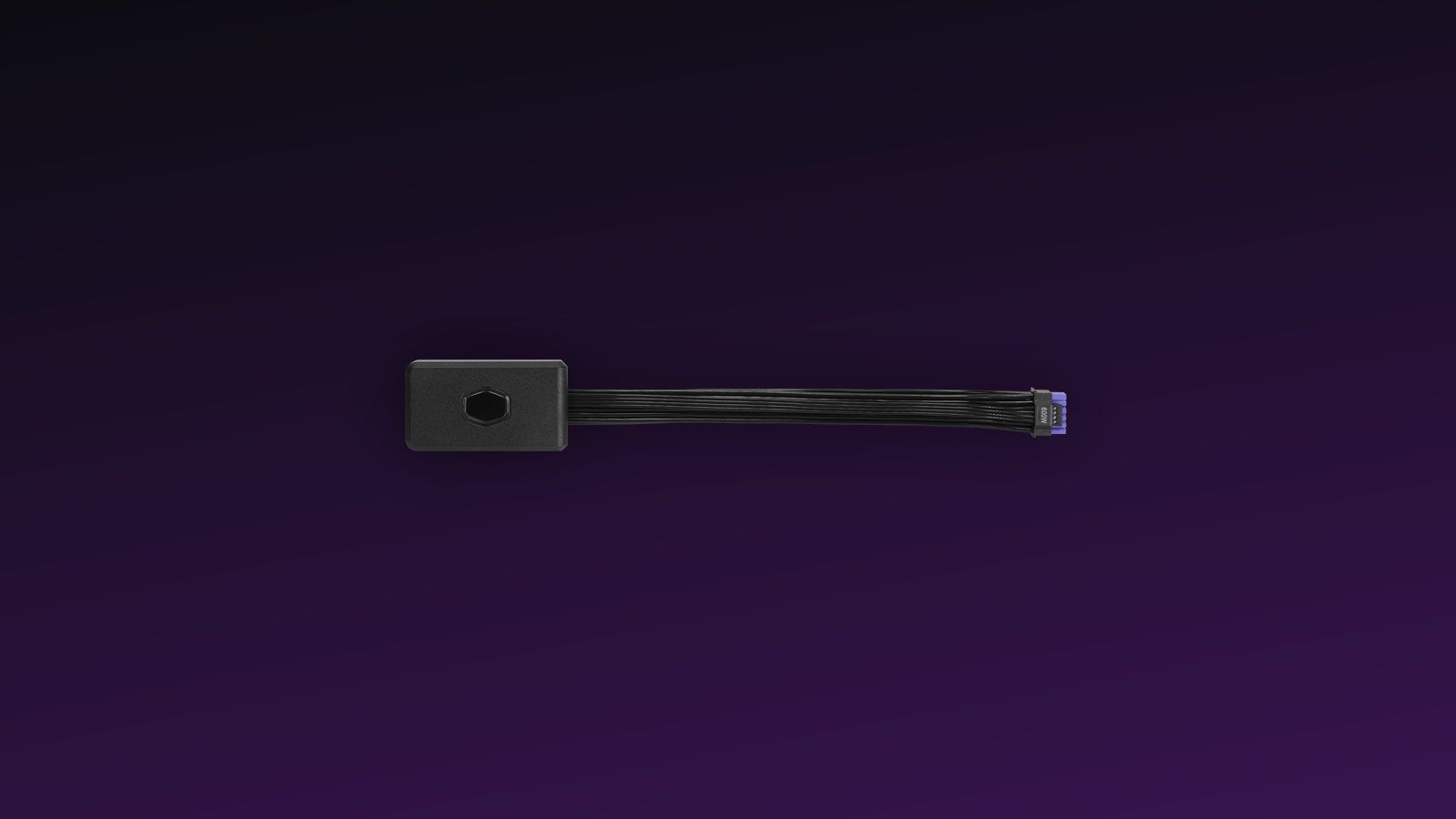
Cooler Master now sells a small case to slide between the power supply and the graphics card. Its name: GPU Shield Adapter . Official price in the United States: 49.99 dollars. Its mission is to separately monitor the pins of the 12V-2x6 connector, warn if the current goes awry, and intervene before the plastic starts to cook. On paper, it is exactly the product that the somewhat nervous RTX 5090 owners were waiting for.

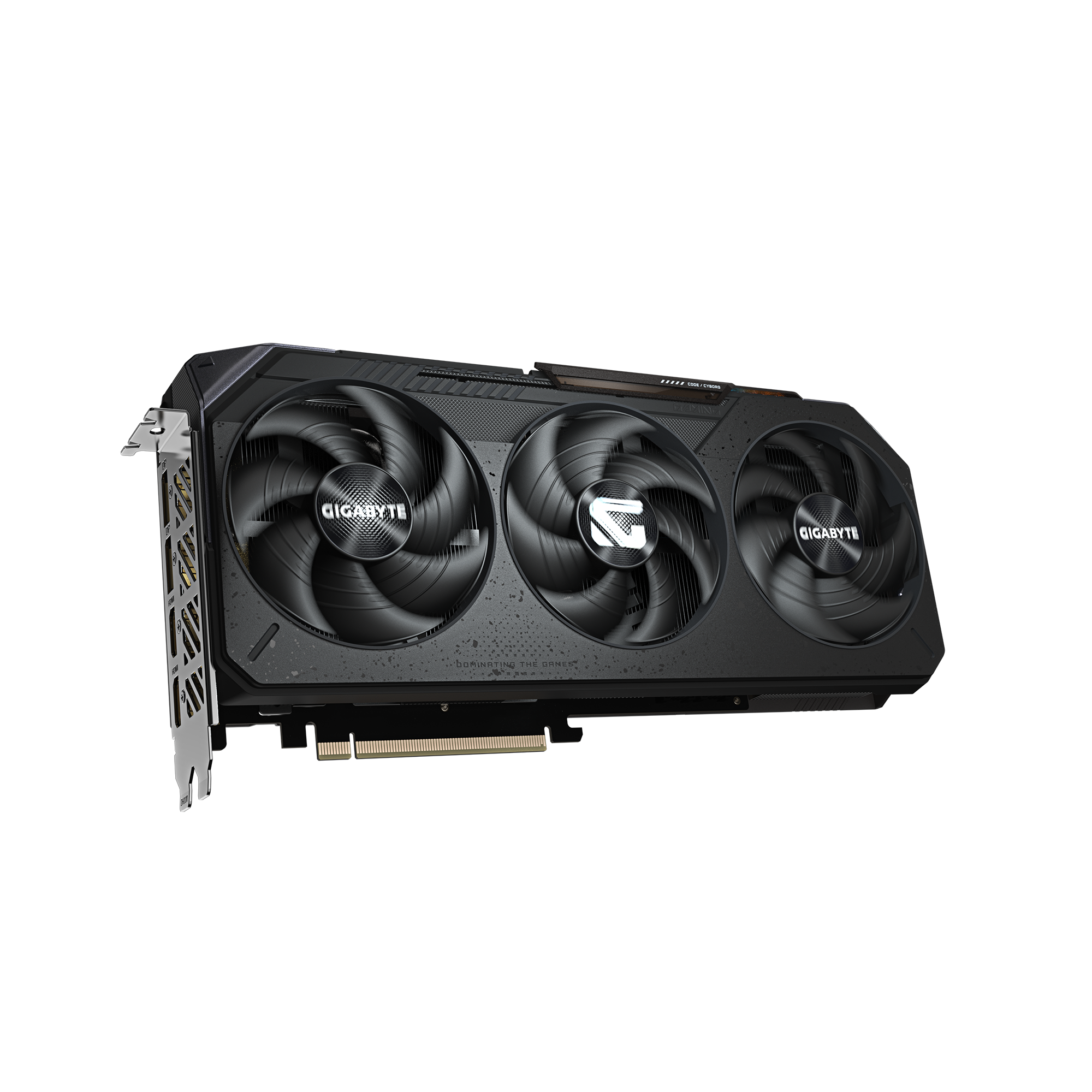
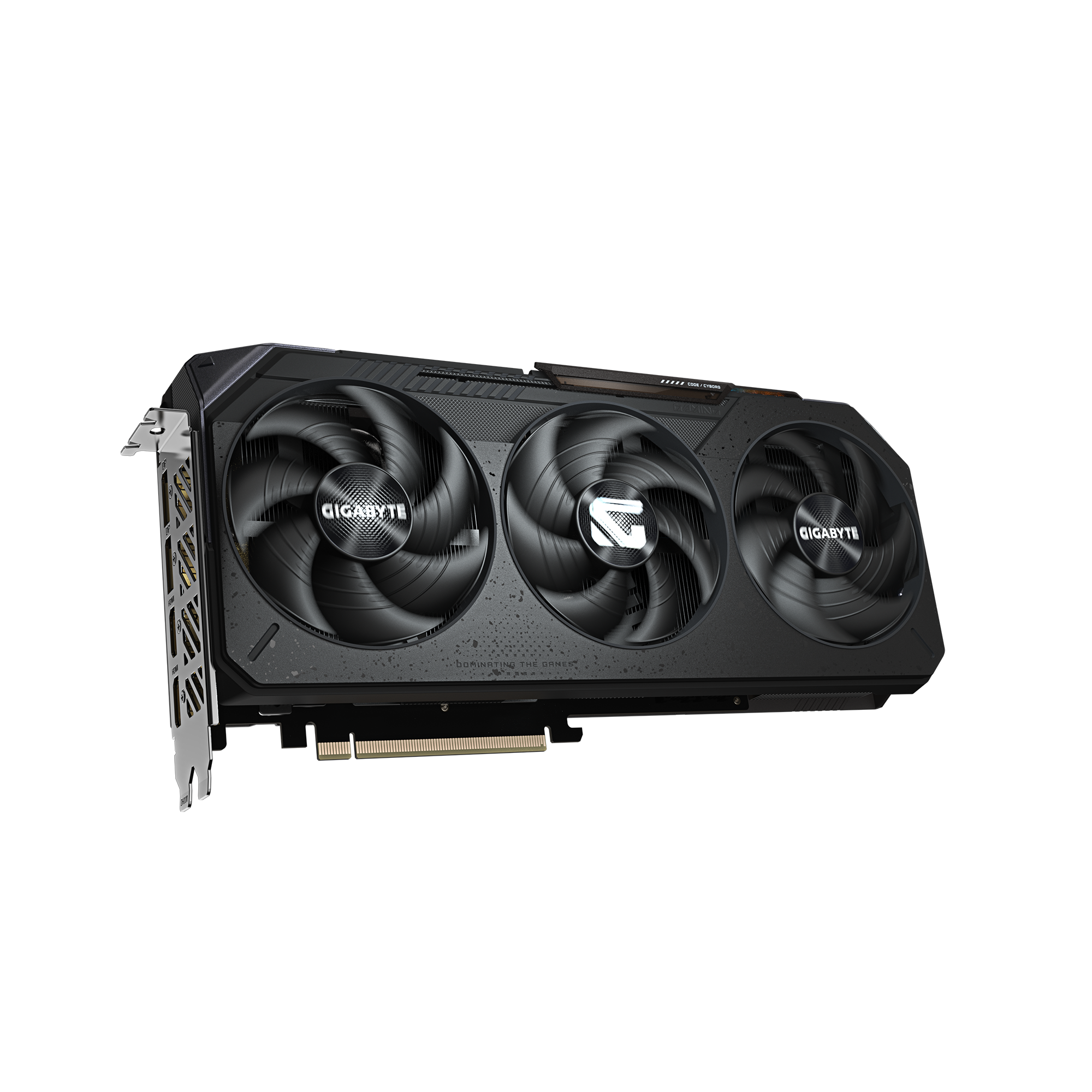
And we understand them. The RTX 5090 Founders Edition is announced at 575 W and can almost saturate, on its own, the 600 W provided by its 16-pin cable. Cases of damaged connectors have still been documented despite the transition from 12VHPWR to 12V-2x6. Not an epidemic, but enough incidents for an accessory like this to find its audience.

Cooler Master GPU Shield Adapter sur fond sombre Click to enlarge

There remains a simple question: is it a real electrical protection or a psychological assurance with a light ring ? After reviewing the Cooler Master sheet and the initial announcements, our response is nuanced. The concept is relevant. Independent evidence is still lacking.

To replace the card in its range and check its power envelope, you can also consult our complete file on the RTX 50 Blackwell .

What the Cooler Master GPU Shield Adapter really does

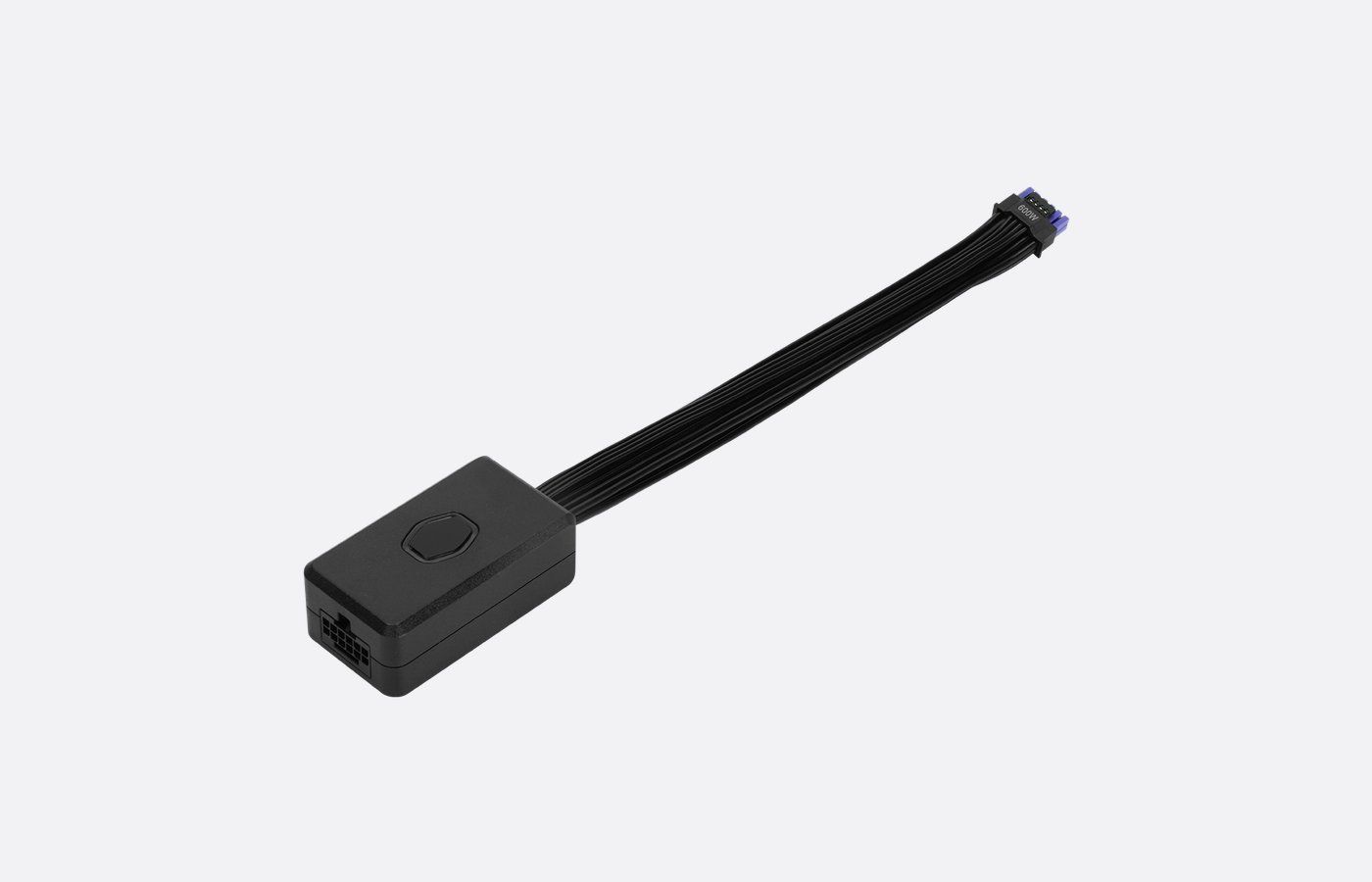
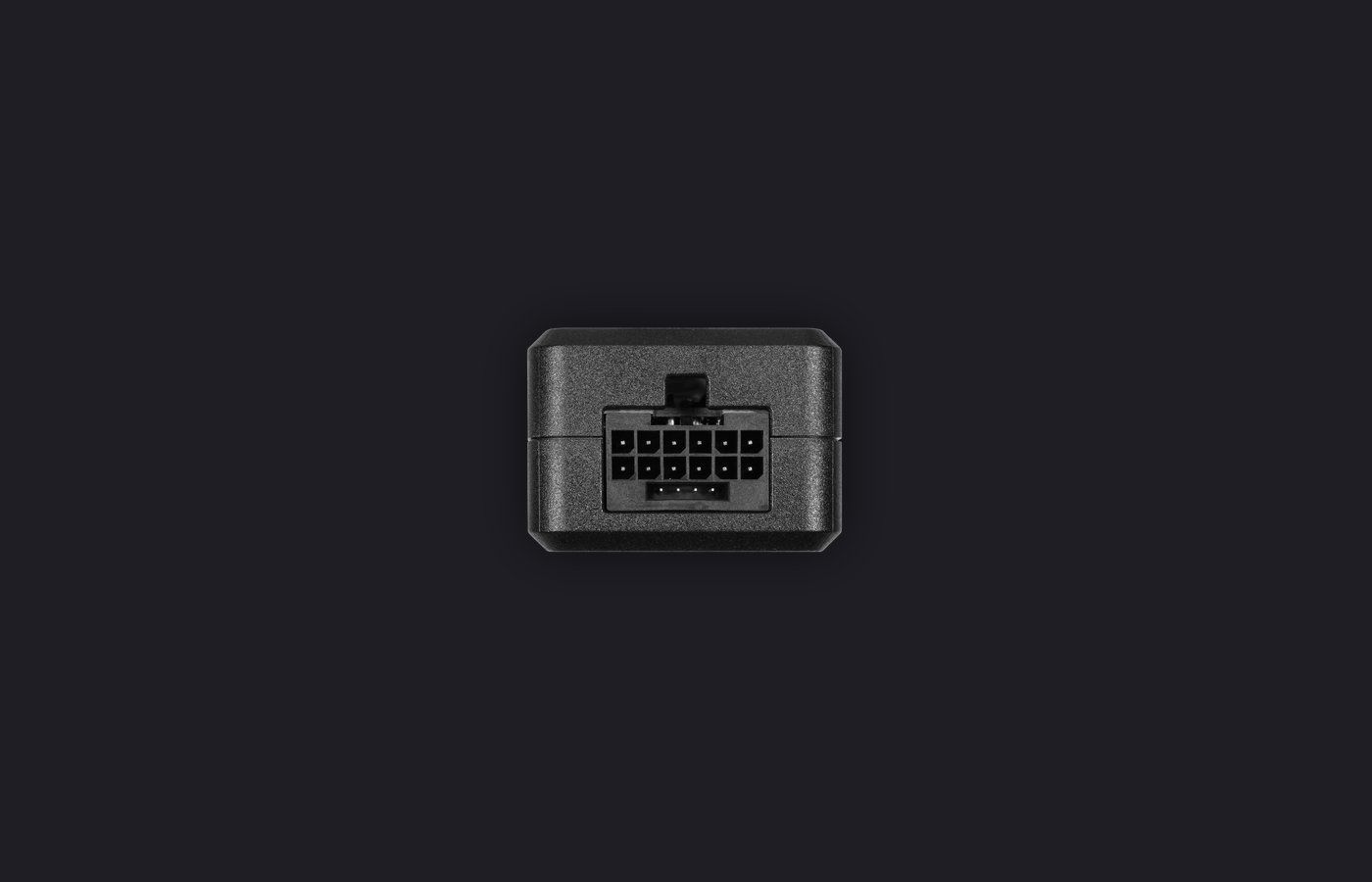
The GPU Shield is not a passive adapter or just a sleeved cable. It is a 200 mm inline electronic module, reference CMA-CEPC16XXBK1-GL, equipped with a 12+4 pin connector on each side. You plug the cable from the power supply into the module, then the module into the graphics card. It is supposed to work with 12V-2x6 or 12VHPWR compatible cards and power supplies, regardless of the brand of the power supply.

Its most interesting function is the pin by pin current monitoring . A connector can remain below its total limit while allowing too much current to pass through a single contact. It is this local imbalance that heats up, further increases electrical resistance, and can ultimately blacken or melt the plastic. Measuring only the total watts is therefore not enough.

Module GPU Shield Adapter et câble 12V-2x6 Click to enlarge

Cooler Master adds a multicolor LED ring and a buzzer. If the module detects an abnormal current, it must change its visual state and sound an alarm. In the event of a severe anomaly, the brand refers to "automatic active protection" and a mode that reduces system consumption. However, the public specification does not detail either the method used to enforce this reduction or the time before intervention.

  • Individual monitoring of the six 12 V lines;
  • real-time light alert and sound warning ;
  • two-color connector for better visibility if it is fully inserted;
  • power reduction announced during a critical anomaly;
  • one-year product warranty on the American version.

Why the 12V-2x6 can still heat up on a RTX 5090

The 12V-2x6 corrects some of the flaws of the first 12VHPWR. Its power pins make contact earlier, while the small detection pins are shorter. In short, the card should only allow its full power when the plug is sufficiently pushed in. It's better. It's not magic.

Connecteur bicolore du GPU Shield Adapter Click to enlarge

At 575 W, an RTX 5090 draws about 48 amps at 12 volts. Perfectly distributed over six contacts, this results in around 8 A per line. But the distribution is never perfect. A slightly loose pin, a connector engaged at an angle, a heavily bent cable just behind the connector, or a contaminated contact can shift some of the current to neighboring lines. The temperature then rises in a very small area.

The measurements published by Igor’s Lab on the subject show that GPUs do not actively distribute current between the inputs. Depending on the cable, the power supply, and the quality of each contact, two pins can handle much more than the others. This is the right angle of attack for the GPU Shield: it looks for local anomalies before a global sensor sees anything.

Be careful with shortcuts. A photo of a melted connector does not automatically prove a design flaw in all RTX 5090s. The causes can accumulate: incomplete insertion, lateral stress on the cable, mechanical tolerance, wear, very high power, or third-party cable. The risk exists. It remains rare on the scale of the installed base.

Point What is confirmed What remains unclear
Surveillance Current measured individually per pin Frequency and accuracy of measurements
Alert Integrated LED ring and buzzer Exact threshold and sound level
Active protection Announced power consumption reduction Method, delay, and behavior according to the GPU
Compatibility 12+4 pin connector, 200 mm cable Detailed validation card by card
US warranty One year for the product Coverage for damage to the graphics card
Swipe to view more

The real problem: no independent test yet validates the cutoff

As of September 13, 2026, there are hands-on reviews, photos, and many excerpts from the press release. What is not found is the test that matters: a fully loaded RTX 5090, a controlled imbalance on a pin, ammeter clamps, and an accurate measurement of the GPU Shield's response.

Some presentations of the integrated GPU Shield in the MWE Gold V4 power supplies mention an intervention around 9 A per pin. Problem: Cooler Master does not publish this threshold on the commercial sheet of the standalone adapter. Therefore, one should not automatically apply the characteristics of a complete power supply to this small module. As long as the brand does not provide the trigger curve, the allowable duration, and the cutoff mechanism, we remain conditional.

Even caution for the word "protection". The GPU Shield can clearly detect and alert . It is already useful. Its ability to prevent all damage will depend on the reaction speed, the type of fault, and what happens if the user does not hear the buzzer. A poor contact can heat up quickly. At this power level, a few seconds and a few millimeters matter.

Another somewhat annoying detail: we are adding two electrical interfaces and an additional cable in a chain that we are trying to make more reliable. The module is designed for that, of course, but each connection must be perfectly clipped. A poorly installed accessory can create the problem it was supposed to monitor.

The warranty controversy: three years in China, one year in the United States

The Chinese launch attracted attention with a price of 359 yuan and a announced three-year warranty. Several media outlets, including VideoCardz, also reported a promise of compensation if the connector melted under the conditions specified by the warranty. It was a strong argument: Cooler Master was no longer just selling an alarm, it seemed to be assuming part of the risk.

The American page is much less generous. It shows 49.99 dollars, stock shipped from California and a one-year product warranty . No clear commitment promises to reimburse a RTX 5090 or a damaged power supply. The contrast is a bit sharp. If the protection is reliable enough to cover a meltdown for three years in one market, why limit the discussion to twelve months elsewhere?

For France, let's not confuse legal warranty and commercial warranty. An accessory sold by a professional in the European Union normally benefits from the legal conformity warranty, but this does not automatically mean that damages caused to a graphics card worth several thousand euros will be reimbursed. It will be necessary to read the local conditions when a French distributor lists the product. For now, no massive French public price is confirmed. The €49 in the title is therefore an order of magnitude, not an official all-inclusive price set in stone.

GPU Shield, native ATX 3.1 cable or classic adapter: what to choose?

The best base remains a serious ATX 3.1 block with a native 12V-2x6 cable sized for 600 W. The fewer connections there are, the fewer points there are to check. The GPU Shield then comes as an additional monitoring layer, not as an excuse to recycle a dubious cable or a borderline power supply.

The four 8-pin adapters provided with some cards can work properly when connected with four separate PCIe cables. They simply take up a lot of space and multiply the connections. For a RTX 5090 in a new setup, buying the right power supply directly is cleaner. For a machine already built with a good native cable, the GPU Shield mainly provides the pin alert that most blocks lack.

Solution Advantage Limit Our opinion
12V-2x6 native ATX 3.1 cable Single chain, designed for 600 W No pin measurement on most blocks The basic choice
GPU Shield Adapter Pin alert and announced active protection $49.99, unpublished thresholds, one more connector Interesting for a RTX 5090
4 × 8 pin adapter Compatible with older power supplies Bulky and depends on the wiring used Acceptable if mounted exactly as intended
Non-certified third-party cable Sometimes more flexible or nicer Variable quality and pinout To be avoided without explicit manufacturer validation
Swipe to view more

Before buying, already do these five checks

A GPU Shield will never compensate for a sloppy setup. Before pulling out the credit card, turn off the PC, cut the power, and inspect the cable. On an RTX 5090, this two-minute check is worth more than a hastily placed gadget.

  • Use the cable supplied or explicitly approved by the manufacturer of your power supply. Modular cables are not universal, even if their connectors look similar.
  • Push the 12V-2x6 until it clicks, with no visible space between the two shells. Pull very lightly to confirm that the latch holds.
  • Avoid a tight bend just at the outlet. Leave a few centimeters straight before guiding the cable towards the side panel.
  • Do not force the case panel against the connector. A huge card in a narrow case is the classic recipe for creating lateral stress.
  • After the first heavy gaming sessions, check that there is no smell, no discoloration, and no abnormally hot spots. PC powered off, of course.

If your power supply is already limited, start there. NVIDIA recommends 1,000 W for the RTX 5090 Founders Edition, with a 600 W PCIe Gen 5 cable or the intended adapter. A poor-quality power supply does not become healthy just because a lighting module is added.

Our verdict: useful on a RTX 5090, but not yet proven

At 49.99 dollars, the Cooler Master GPU Shield Adapter is not absurd. Compared to the price of an RTX 5090, fifty euros represents a small premium to get an audible alert, a visual control, and above all a separate pin measurement. Technically, it is much more relevant than an RGB cable or a thermometer stuck randomly.

It will not be called a miracle fuse. Cooler Master keeps the thresholds and the exact behavior of the active protection to itself, no independent laboratory has yet published a triggering test, and the one-year American warranty dampens enthusiasm. The product inspires more confidence through its idea than through the available data.

Our advice is therefore simple. On a heavily used RTX 5090, especially in a compact case or with an overclocked card, the GPU Shield may be worth it for peace of mind. On a properly wired RTX 5070 with a good ATX 3.1 power supply, it is much less urgent. And if your budget is tight, put the €50 first into a better power supply or a case that doesn't ruin the cable bend radius.

Are you still hesitating to invest in the very high-end? Our point on the RTX 5090 displayed at over 4,000 € shows how much the price of the card changes the risk calculation.

Choose your delivery country to see prices based on your location

Filters

RTX 5060 Ti

RTX 5060 Ti

101 Listed Products

Starting at

370€

RTX 5080

RTX 5080

82 Listed Products

Starting at

1,325€

RTX 5060

RTX 5060

77 Listed Products

Starting at

316€

RTX 5070 Ti

RTX 5070 Ti

57 Listed Products

Starting at

1,155€

RTX 5070

RTX 5070

54 Listed Products

Starting at

695€

9060 XT

9060 XT

48 Listed Products

Starting at

385€

RTX 3050

RTX 3050

47 Listed Products

Starting at

221€

9070 XT

9070 XT

45 Listed Products

Starting at

779€

9070

9070

41 Listed Products

Starting at

559€

RTX 5050

RTX 5050

32 Listed Products

Starting at

319€

RTX 5090

RTX 5090

29 Listed Products

Starting at

4,849€

RTX 3080

RTX 3080

25 Listed Products

Starting at

726€

RTX 3060

RTX 3060

24 Listed Products

Starting at

379€

RTX 3070

RTX 3070

23 Listed Products

Starting at

500€

RTX 3090

RTX 3090

19 Listed Products

Starting at

2,093€

RTX 3060 Ti

RTX 3060 Ti

17 Listed Products

Starting at

490€

RTX 3070 Ti

RTX 3070 Ti

17 Listed Products

Starting at

653€

6900 XT

6900 XT

15 Listed Products

Starting at

699€

7600

7600

15 Listed Products

Starting at

287€

RTX 3080 Ti

RTX 3080 Ti

13 Listed Products

Starting at

807€

RTX 4080

RTX 4080

12 Listed Products

Starting at

1,290€

RTX 2060

RTX 2060

12 Listed Products

Starting at

28€

GTX 1660 Super

GTX 1660 Super

11 Listed Products

Starting at

239€

6500 XT

6500 XT

11 Listed Products

Starting at

223€

6700 XT

6700 XT

10 Listed Products

Starting at

441€

RTX 4060 Ti

RTX 4060 Ti

10 Listed Products

Starting at

632€

RTX 4090

RTX 4090

9 Listed Products

Starting at

189€

GTX 1650

GTX 1650

8 Listed Products

Starting at

313€

RTX 4070

RTX 4070

8 Listed Products

Starting at

990€

RTX 4060

RTX 4060

8 Listed Products

Starting at

553€

RTX 4070 Super

RTX 4070 Super

8 Listed Products

Starting at

1,201€

GTX 1660 Ti

GTX 1660 Ti

7 Listed Products

Starting at

346€

7800 XT

7800 XT

7 Listed Products

Starting at

690€

GTX 1660

GTX 1660

7 Listed Products

Starting at

230€

6600 XT

6600 XT

7 Listed Products

Starting at

449€

RTX 4080 Super

RTX 4080 Super

6 Listed Products

Starting at

1,690€

B570

B570

6 Listed Products

Starting at

306€

7900 XT

7900 XT

5 Listed Products

Starting at

797€

6800 XT

6800 XT

5 Listed Products

Starting at

589€

RTX 4070 Ti

RTX 4070 Ti

5 Listed Products

Starting at

1,148€

A750

A750

4 Listed Products

Starting at

230€

RTX 2060 Super

RTX 2060 Super

4 Listed Products

Starting at

325€

GTX 1050 Ti

GTX 1050 Ti

4 Listed Products

Starting at

166€

RTX 4070 Ti Super

RTX 4070 Ti Super

4 Listed Products

Starting at

1,284€

6600

6600

4 Listed Products

Starting at

308€

RTX 2070

RTX 2070

4 Listed Products

Starting at

458€

RTX 3090 Ti

RTX 3090 Ti

3 Listed Products

Starting at

2,159€

7600 XT

7600 XT

3 Listed Products

Starting at

472€

A770

A770

3 Listed Products

Starting at

392€

6800

6800

3 Listed Products

Starting at

479€

RTX 2080 Super

RTX 2080 Super

3 Listed Products

Starting at

299€

6750 XT

6750 XT

3 Listed Products

Starting at

649€

RTX 2080

RTX 2080

3 Listed Products

Starting at

1,361€

6400

6400

3 Listed Products

Starting at

255€

RTX 2070 Super

RTX 2070 Super

3 Listed Products

Starting at

1,394€

B580

B580

2 Listed Products

Starting at

319€

6950 XT

6950 XT

2 Listed Products

Starting at

1,220€

7700 XT

7700 XT

2 Listed Products

Starting at

765€

7900 GRE

7900 GRE

2 Listed Products

Starting at

623€

RTX 2080 Ti

RTX 2080 Ti

2 Listed Products

Starting at

841€

6650 XT

6650 XT

2 Listed Products

Starting at

543€

7900 XTX

7900 XTX

1 Listed Products

Starting at

1,700€

FAQ on the Cooler Master GPU Shield Adapter
Can the GPU Shield definitely prevent a connector from melting?

No. It monitors the current of each pin, alerts and announces a power reduction in the event of a critical anomaly. Without independent testing of the thresholds and reaction time, it is impossible to guarantee that it will stop all overheating scenarios.

Is it compatible with all RTX 5090?

The module uses the 12+4 pin format designed for 12V-2x6 and 12VHPWR. Cooler Master presents it as brand-independent for the power supply. However, it is necessary to check the available space in the case and use wiring validated by the power supply manufacturer.

Is the 12V-2x6 safer than the 12VHPWR?

Yes, its geometry makes complete insertion more reliable thanks to the shortened detection pins and modified power contacts. But a poor insertion, high stress on the cable, or an imbalance between pins can still cause local heating.

How much does the GPU Shield Adapter cost in France?
Cooler Master lists it at 49.99 dollars in the United States. China received it at 359 yuan. As of September 13, 2026, the price and availability in France are not officially established; a range of 49 to 55 € seems plausible, but remains an estimate.
Is it better to buy the Shield GPU or change the power supply?
If your PSU is not ATX 3.1, lacks power, or does not have a suitable native 12V-2x6 cable, first change the power supply. The GPU Shield is an additional monitoring layer, not a remedy for a shaky electrical base.

What sources were used?

The features and the price come from the official Cooler Master product page . The power and wiring requirements of the RTX 5090 are detailed in the NVIDIA user guide . For the current imbalance, we have cross-checked the analyses of Igor’s Lab and the technical announcements published during Computex 2026.