Resident Evil Requiem on PC: all optimal graphic settings in 2026

resident evil requiem PC settings RE requiem graphic optimization resident evil 9 best settings

6 million sales in 18 days and your PC is lagging? We explain every graphic setting of RE Requiem, from ray tracing to DLSS 4.5, with the optimal configurations according to your card.

The RE Engine pushes, but your GPU too

6 million copies in 18 days. 276,000 simultaneous players on Steam at peak. Resident Evil Requiem became the best-selling game of 2026 in the United States even before March was over. And for good reason: Capcom delivered a survival horror that hurts — the nerves, and sometimes the GPU.

The RE Engine, already behind the remakes of RE2, RE4, and Devil May Cry 5, has received a serious facelift. Path tracing, hair strands, DLSS 4.5 Multi Frame Generation... The menu of graphic options looks like a starred restaurant menu. Except that activating everything at once is the best way to turn your PC into a toaster.

This guide reviews each graphic setting , its real impact on performance, and gives you the optimal settings according to your hardware. Whether you play on a GTX 1660 at 1080p or an RTX 5090 at 4K path tracing, you're covered.

Leon S. Kennedy exploration dans Resident Evil Requiem Click to enlarge

The settings that really matter (and the ones you can safely lower)

Not all graphic settings are equal. Some eat up 15% of FPS for a visual gain that you will never see in full action. Others cost nothing and change everything. We dissected each option.

Texture quality

It's the basics. Below High, the surfaces become blurry and it breaks the immersion — especially in a game where you spend your time examining battered police station walls. Go as high as your VRAM allows. With 8 GB of VRAM, stay on High. 10 GB and more, you can switch to Max without any worries. The cost in FPS is almost zero, it's mainly the VRAM that suffers.

Texture filtering (Anisotropic)

Put x16 and forget. Impact on FPS? Negligible - we're talking less than 1%. On the other hand, ground and wall textures seen at an angle become significantly sharper. There's no reason to lower this setting, even on a potato.

Quality of shadows

One of the most impactful settings in the game. Going from Low to Max, it's 4 to 6% fewer FPS, plus a VRAM consumption that increases by a good gigabyte. High is the sweet spot. You keep detailed shadows - frankly important in a survival horror game where half of the gameplay takes place in the dark - without ruining your performance. Max is reserved for powerful setups.

Mesh quality

Basically, it's the level of detail of the 3D models. The difference between Low and High is subtle - you really have to get the camera close to the objects to see it. Low or Standard are more than enough. It's one of the first things to lower if you're looking for free FPS.

Hair Strands (hair strands)

The ultimate VRAM trap. Leon and Grace's hair looks amazing in High — but it eats up video memory like nobody's business. With 6-8 GB of VRAM, switch to Low or Off. 10 GB? Normal. 12 GB and more, you can treat yourself to High. If you have regular stutters, it's often the first culprit.

Volumetric fog

The atmosphere of RE Requiem relies heavily on fog - the smoky corridors of Rhodes Hill Hospital, the mist over the ruins of Raccoon City. But in terms of performance, Normal is largely sufficient . Low removes some density in the outdoors, but nothing dramatic. On the other hand, switching to Max is greedy for a marginal visual gain.

Ambient Occlusion (AO)

An adjustment that many underestimate. The AO adds micro-shadows in the corners, under the furniture, between the fingers of the characters. It gives depth to everything. Keep in High — the cost is low and the visual difference is clear, especially in dark environments. And in RE Requiem, dark environments make up 90% of the game.

Subsurface Scattering

This setting controls how light passes through translucent materials — skin, ears, leaves. It looks nice, but the impact is about 4% on FPS. Low does the job without us noticing the loss. On a tight setup, it's an easy sacrifice.

Screen Space Reflections (SSR)

The reflections on the puddles, the windows, the wet floors of the hospital. The impact on performance is minimal, and disabling SSR makes some scenes visually flat. Guard activated. If you activate ray tracing later, it will take over automatically.

Particle lighting

When an explosion illuminates the dust particles, when Leon's flashlight diffuses in the fog — that's it. Leave enabled. The cost is reasonable and the atmosphere of the game depends on it. Disabling that in a survival horror is like watching a horror movie with the lights on.

Motion Blur, Lens Distortion, Lens Flare

Three settings that are mostly a matter of preference. Motion blur divides: some find it immersive, others find it vomit-inducing — especially in a game that already scares. Distortion and lens flares add a "cinematic" effect that can hinder readability. Our advice: all Off. You gain a bit of clarity and a few FPS in the process.

VFX Quality

The visual effects of explosions, fire, boss transformations. In Low, some effects lose density — but honestly, when a Blister Head charges at you, you don't look at the quality of blood particles. Standard is a good compromise. Low if you're really struggling.

Ray Tracing vs Path Tracing: the real debate of RE Requiem

It is THE subject that has been inflaming forums since the release. RE Requiem offers three lighting rendering modes, and the performance difference between each one is massive.

Rasterization (Ray Tracing Off)

The classic rendering. No real-time ray tracing, reflections and lighting are done through approximate techniques (SSR, shadow maps). It's the fastest mode, and honestly, the RE Engine already does a remarkable job without RT. On a 4K RTX 4090, you're getting around 109 FPS For mid-range cards, this is the royal road.

Ray Tracing (High / Normal)

The intermediate mode — and probably the best quality/performance ratio for the majority of players. Reflections, shadows, and global lighting are now done with hybrid ray tracing. The game takes on another visual dimension — the dark corridors of Rhodes Hill are breathtaking.

The cost? On an RTX 4090 in 4K, we fall to around 78 FPS — soit une perte de 28%. C'est significatif, mais avec DLSS Quality, ça reste très jouable. Passer de High RT à Normal RT te fait regagner 10-15 FPS si t'es juste.

One thing to know: the RT in RE Requiem produces visible noise in certain scenes. This is normal — it's the number of rays that is insufficient for a perfectly clean render. DLSS Ray Reconstruction helps a lot to clean that up.

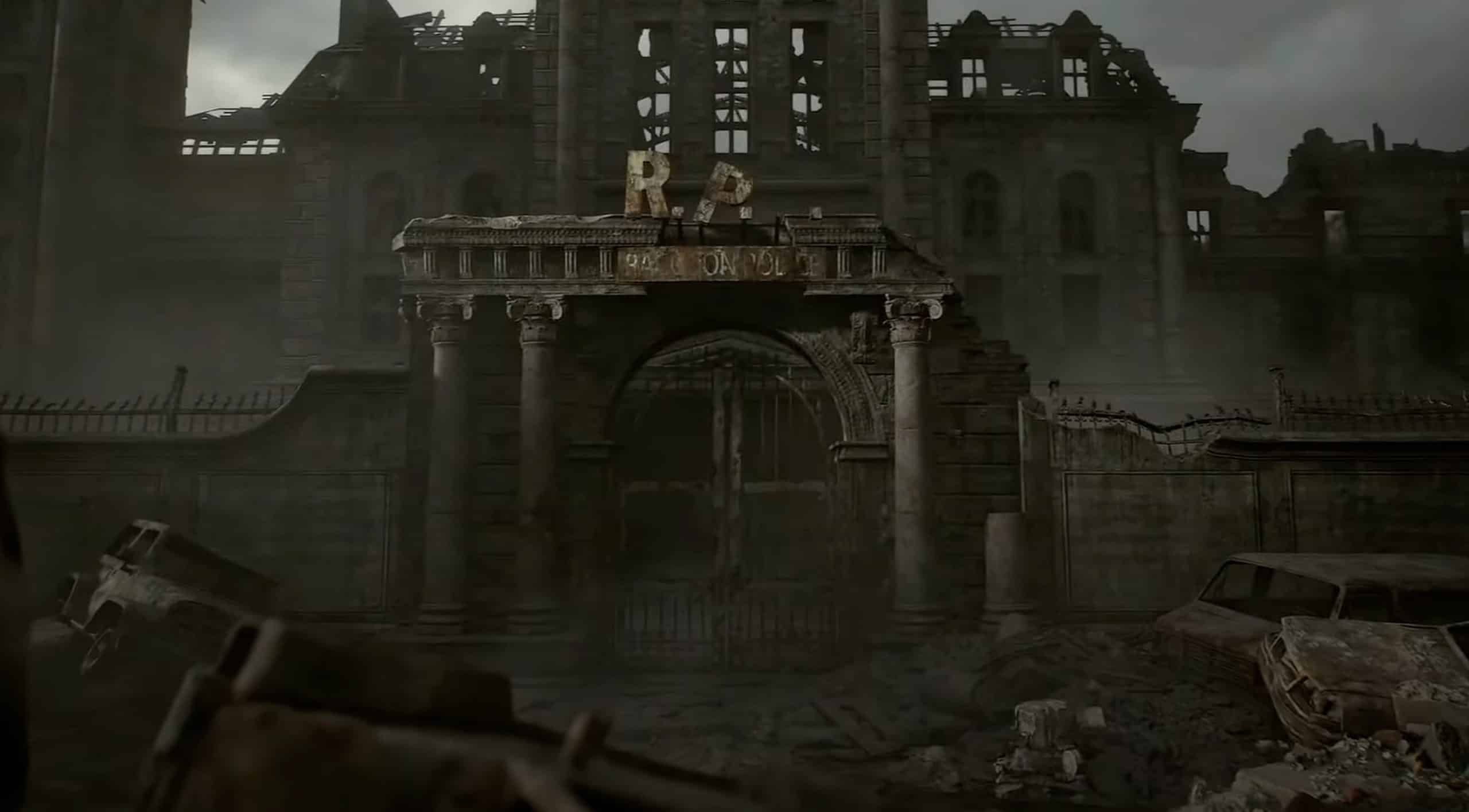
Raccoon City en ruines dans Resident Evil Requiem Click to enlarge

Path Tracing: the visual slap (if your GPU survives)

Path tracing simulates the complete path of each light ray. Each surface reflects, absorbs, and diffuses light in a physically correct way. The result is spectacular — RE Requiem in path tracing, it's the most beautiful horror game ever released on PC. Point.

But the price is brutal. A RTX 5090 In 4K path tracing with DLAA runs between 24 and 27 FPS natively. Yes, the card at €2000. To achieve playable framerates, DLSS Performance + Frame Generation is mandatory. With DLSS MFG x4 on RTX 5090, we go back to around 180 FPS — but it's heavy upscaling.

Path tracing is exclusive to NVIDIA. Activating it automatically forces DLSS, Ray Reconstruction, and Frame Generation x2. You cannot use FSR 3.1.5 with path tracing—it is locked by the game. AMD players who still want to benefit from it must go through the OptiScaler mod on NexusMods, which reroutes the rendering via XeFG. It works, but it's tinkering.

GPU 4K Rasterization Ray Tracing 4K Chemin Tracing 4K (DLSS Perf + FG)
RTX 5090 170+ FPS 100-120 FPS ~180 FPS (MFG x4)
RTX 4090 109 FPS 78 FPS ~90 FPS (FG x2)
RTX 5080 120-140 FPS 80-95 FPS ~145 FPS (MFG x4, 1440p)
RTX 4070 Super 75-85 FPS 50-60 FPS Not recommended
RX 9070 XT 70-80 FPS 55-65 FPS (FSR) Not available
RTX 5060 Ti 65-75 FPS 45-55 FPS Not recommended
GTX 1660 30-40 FPS (1080p) N/A N/A
Swipe to view more

DLSS 4.5 vs FSR 3.1.5: which one to choose

RE Requiem supports both upscaling technologies, and the choice obviously depends on your graphics card. But even among NVIDIA gamers, the question of the optimal mode arises.

DLSS 4.5 (NVIDIA RTX)

NVIDIA's solution clearly has the advantage in RE Requiem. The DLSS Ray Reconstruction does a remarkable job of cleaning up ray tracing noise — a real game-changer in dark scenes. The image quality in Quality mode is almost indistinguishable from native. And the Multi Frame Generation (available on the RTX 50 series) allows to multiply the frames generated by 2, 3, or 4. On an RTX 5080 laptop in 1440p path tracing, we go from 51 FPS base to 145 FPS with MFG x4.

Recommended setting: DLSS Quality for the best compromise sharpness/performance. If your base FPS exceeds 60, enable Frame Generation x2. Beyond x2, the added latency starts to be felt — enable NVIDIA Reflex On + Boost to compensate.

FSR 3.1.5 (AMD and all GPUs)

FSR is available for everyone — AMD, NVIDIA, Intel. In Quality mode, the rendering is good, although slightly below DLSS in terms of sharpness in dark areas. The FSR 3 Frame Generation adds about 5-10ms of latency, but it remains playable.

Important limitation: FSR does NOT work with path tracing. The game blocks it. If you want path tracing with an AMD card, you have to go through OptiScaler. Otherwise, stick with classic ray tracing + FSR Quality — it's already very beautiful.

Ambiance horrifique Resident Evil Requiem Click to enlarge

Our optimal configurations by GPU level

We have compiled three ready-to-use profiles. Copy and paste these settings and play.

Budget Profile: GTX 1660 / RX 5500 XT / RTX 5060 (1080p, 60 FPS)

  • Preset — Custom
  • Textures — Medium (High if 8 GB VRAM)
  • Shadows — Normal
  • Hair Strands — Off
  • Mesh — Low
  • Volumetric fog — Low
  • OA — Normal
  • SSR — On
  • Ray Tracing — Off
  • Upscaling — FSR Quality
  • Motion Blur / Lens — Off
  • FPS Cap — Monitor Hz - 3

With these settings, you should aim for 55-70 FPS at 1080p depending on the areas. Interiors are more forgiving than exteriors — the open-air ruins of Raccoon City are the most demanding parts of the game.

Mid-range Profile: RTX 4060 Ti / RTX 5070 / RX 9070 XT (1440p, 80+ FPS)

  • Preset — Custom
  • Textures — High
  • Shadows — High
  • Hair Strands — Normal
  • Mesh — Standard
  • Volumetric fog — Normal
  • OA — High
  • SSR — On
  • Ray Tracing — Normal (High if RTX 5070+)
  • Upscaling — DLSS Quality / FSR Quality
  • Frame Gen — x2 if base > 60 FPS
  • NVIDIA Reflex — On + Boost
  • Ray Reconstruction — On (NVIDIA)

The absolute sweet spot. At 1440p with these settings, the game looks beautiful and runs between 70 and 100 FPS depending on the scenes. Normal ray tracing brings a real difference in reflections and lighting without demolishing performance like High.

Ultra Profile: RTX 5080 / RTX 4090 / RTX 5090 (4K, 60+ FPS)

  • Textures — Max
  • Shadows — Max
  • Hair Strands — High
  • Mesh — High
  • All the rest — Max / High
  • Ray Tracing — High (or Path Tracing on RTX 5090)
  • Upscaling — DLSS Quality or Balanced
  • Frame Gen — x2 to x4 depending on the card
  • Ray Reconstruction + Reflex — On

There, you take advantage of everything the RE Engine has to offer. If you have an RTX 5090, try path tracing with DLSS Performance + MFG x4 - visually, it's another planet. The scenes in the Rhodes Hill hospital with path tracing are among the most beautiful ever rendered in real-time.

System optimizations: settings outside the game

The RE Requiem options menu doesn't do everything. A few tweaks on the Windows and drivers side can make a difference, especially on modest configurations.

  • Accelerated GPU Planning — Activate it in Windows 11 > Settings > Display > Graphics > Default settings. Reduces latency and stabilizes frametimes.
  • XMP Profile in BIOS — If your DDR5 RAM is not running at its nominal speed, you are losing FPS for nothing. Check in the BIOS and enable the XMP/EXPO profile.
  • Up-to-date GPU drivers — NVIDIA and AMD have released "Game Ready" / "Day One" drivers for RE Requiem. Make sure you are on top of it.
  • Close background apps — Discord, Chrome with 47 tabs, OBS... All of this eats up RAM and CPU. The scripted areas of the game (cinematics, transitions) are particularly sensitive to CPU load.
  • Power Supply — 650W minimum recommended. If your PC shuts down during a boss fight, it's not a jump scare, it's your PSU giving up.

Quick summary: which setting for which impact

Setting Impact FPS Visual Impact Recommendation
Textures Low (VRAM) High Max if VRAM OK
Anisotropic filter Almost zero Average x16 always
Shadows Medium (4-6%) High Élevé
Mesh Low Low Faible / Standard
Hair Strands Medium (VRAM) Average According to VRAM
Volumetric fog Average Average Normal
OA Low High Élevé
Solid State Relay Low Average Activated
Subsurface Medium (~4%) Low Low
Particles Low High (ambient) Activated
VFX Average Average Standard
Motion Blur Low Subjective Off
Ray Tracing High (28%+) Very high Normal/High according to GPU
Path Tracing Solid Maximum RTX 5090 only
Swipe to view more

FAQ

Does RE Requiem run on a GTX 1660?

Yes, this is the official minimum config. At 1080p with our Budget settings (Medium textures, RT off, FSR Quality), you should be getting around 35-45 FPS. Not 144 Hz, but it's playable. The RE Engine is well optimized for older GPUs.

Is path tracing really worth it?

Visually, it's a slap in the face. The lighting effects in the hospital corridors, the reflections on wet surfaces — it's like being on another planet. But in reality, only the RTX 5090 manages to achieve playable framerates in 4K, and even then with heavy Performance DLSS. High ray tracing is a much better compromise for 99% of players.

DLSS or FSR for RE Requiem?

If you have an NVIDIA RTX card, DLSS without hesitation. The Ray Reconstruction cleans up RT noise impressively, and Multi Frame Generation (RTX 50 series) offers a massive FPS boost. On AMD, FSR 3.1.5 Quality does a good job in rasterization and classic RT. The only limitation: no FSR with path tracing.

Why do I have stutters even with a good GPU?

Often it's Hair Strands that silently pumps all your VRAM. Lower this setting and check your VRAM consumption in the game overlay. Another common culprit: the XMP/EXPO profile not activated in BIOS — your DDR5 3200 actually running at 2400 MHz.

Is the game playable in 4K without upscaling?

In pure rasterization, an RTX 4090 outputs 109 FPS in native 4K. It's playable. With RT, it drops to 78 FPS — still OK. But in path tracing, even an RTX 5090 needs DLSS. In short, yes for rasterization if you have the GPU, but for RT/PT, upscaling is almost mandatory.

Is HDR worth it in RE Requiem?

Absolutely. If your screen supports it, enable it. RE Requiem relies heavily on light/dark contrasts, and HDR brings depth to blacks and brightness peaks (explosions, flashlight) that enhances immersion. Enable HDR in Windows AND in the game.