Best Gaming PC Water Cooling 2026: AIO or Custom Loop Buying Guide, Noise and Sizes

gaming PC water cooling best water cooling AIO cooler liquid cooling

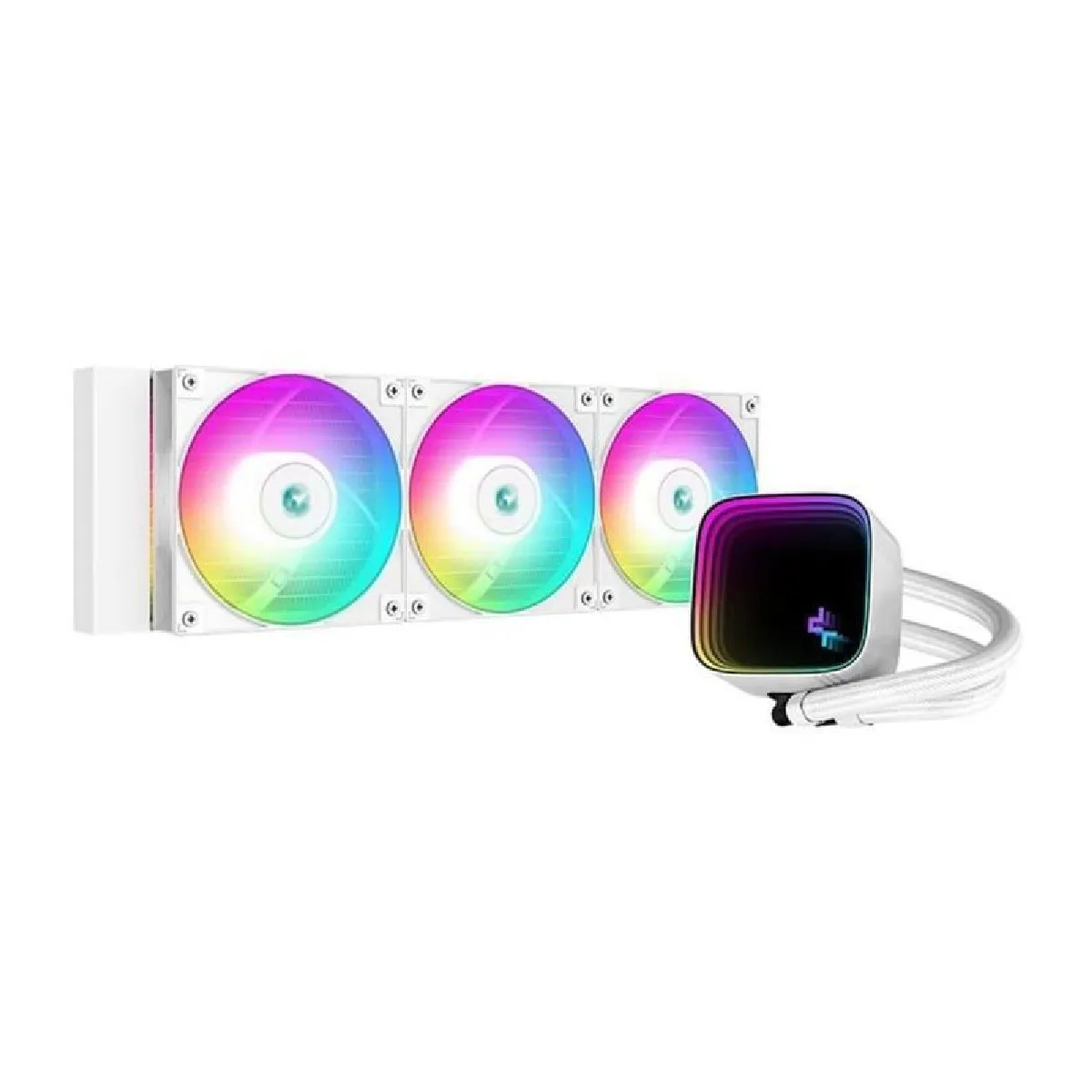
Gaming PC water cooling buying guide for 2026: who it is for, AIO or custom loop, which radiator size (240, 280, 360, 420 mm), how to keep it quiet and which AIO to pick for your profile, plus a compatibility checklist before you buy.

Which water cooling should you pick for a gaming PC in 2026? The short answer

For the vast majority of gaming PCs, the right water cooling is an AIO (all-in-one, sealed and pre-filled): it installs much like an air cooler, needs no coolant maintenance and frees up space around the socket. A custom loop remains an enthusiast project. Here is the pick by profile:

  • Mid-range gaming PC, standard case: a 240 mm AIO is enough.
  • Best noise/temperature balance: a 280 mm AIO if your case takes two 140 mm fans, otherwise a 360 mm.
  • Ryzen 9, Core Ultra 9, long rendering or streaming sessions: a 360 mm AIO.
  • Silence first, large case: a 420 mm AIO, which cools just as well at lower fan speeds.
  • You also want to cool the graphics card, or a one-off look: a custom loop, if you accept the build and the maintenance.

Still weighing an air cooler? Read our guide to choosing a CPU air cooler. And if you already know you want an AIO and need the model-by-model ranking, go straight to our 240, 280 and 360 mm AIO comparison.

What exactly is PC water cooling?

Water cooling, or liquid cooling, is a system in which a liquid circulates in a closed circuit to carry heat from the processor to a radiator, which dissipates it with fans.

The circuit is made of:

  • A water block on the CPU
  • A pump (often built into the water block)
  • A radiator (120/240/280/360/420 mm depending on the model)
  • Fans
  • Sealed, pre-filled tubes

⚙️ The principle is simple: the liquid passes over the CPU, warms up, flows to the radiator, cools down, and starts again.

The result is a quieter, more stable PC that can handle heavy loads such as gaming, multitasking or streaming.

Why choose water cooling for your gaming PC?

Here are the real reasons (not the ones from the ads):

✔️ Lower temperatures

A good 280 or 360 mm AIO mainly pulls ahead under sustained heavy load, especially with Ryzen 7000/9000 and Intel Core Ultra 200 chips.

✔️ Much quieter

At the same load, the fans on a large radiator can spin slower → less noise.

✔️ Great looks

RGB, clean tubing, LCD screens on some models… it is a bonus, but we know it matters.

✔️ More room around the socket

A huge air cooler can get in the way of tall RAM or airflow. With an AIO, only the water block sits on the CPU.

The right choice in 2026 depends mostly on your case. A 280 mm model often offers the best balance between noise and performance, while a 360 mm makes more sense for a Ryzen 9 or Core Ultra 9 under long loads. Also check radiator thickness and the clearance above your RAM.

Water cooling sizes: which one to choose?

Here is a clear table to help you compare:

Size Best for Strengths Check first
120 mm Small case, low-power CPU Compact and easy to fit Often noisy and rarely better than a good air cooler
240 mm Mid-range gaming PC Good size-to-cooling balance Limited for high-end CPUs at full load
280 mm High-performance gaming build Excellent balance of noise and temperatures Needs two 140 mm fan mounts
360 mm Ryzen 9, Core Ultra 9 and long loads High cooling capacity Case support and RAM clearance
420 mm Very large case, silence first Excellent temperatures at low fan speeds Expensive, bulky and rarely supported
Swipe to view more

AIO or custom water cooling: which one for a gaming PC?

An AIO is a factory-sealed circuit: pump and water block on one end, radiator and fans on the other, joined by two tubes. A custom loop is an open circuit you build yourself: separate water blocks for the CPU and often the graphics card, a standalone pump and reservoir, radiators, soft or hard tubing and fittings, then filling and leak testing.

If you only cool the processor, a good 360 mm AIO already does the job very well: the gap to a custom loop comes down to a few degrees. A custom loop really pays off when it also cools the graphics card, or when the look of the PC is a project in itself.

Criterion AIO Custom loop
Installation Like an air cooler: water block, radiator, cables Several hours: cutting, fittings, filling, leak testing
Maintenance None for the coolant, dust the radiator Regular coolant changes and fitting checks
CPU cooling Very good at 280 and 360 mm Excellent, small gap if only the CPU is cooled
Graphics card Not cooled (except dedicated kits) Possible with a block made for the exact model
Upgradability Whole kit replaced at end of life Reusable, expandable parts
Who is it for? The vast majority of gamers Enthusiasts, showcase PCs, very power-hungry CPU and GPU
Swipe to view more

Top gaming PC water cooling (DropReference picks)

We looked for a balance of performance, noise, compatibility and build quality, with one model per profile. Each product page was checked on November 5, 2026. For a broader model-by-model ranking, see our AIO comparison.

For a mid-range gaming PC: ARCTIC Liquid Freezer III Pro 240

The sensible pick if your case only takes a 240 mm radiator or your processor is not a power-hungry high-end chip. You get the same strengths as the bigger models in the range: P12 Pro fans, a contact frame for Intel LGA1851/LGA1700, offset mounting toward the CPU hotspot and a small fan for the motherboard power stages.

ARCTIC Liquid Freezer III Pro 240

240 mm AIO for mid-range gaming PCs, with P12 Pro fans, an Intel contact frame and a built-in VRM fan.

Pros
  • P12 Pro fans, quieter at low speed
  • LGA1851/LGA1700 contact frame included
  • Fan cables routed inside the tube sleeve
Cons
  • 240 mm is limited for a high-end CPU at full load
  • No screen
FranceCheck the price in my country

Best value: ARCTIC Liquid Freezer III Pro 360

Still available in black and white in 2026, with A-RGB versions, it remains a safe bet for a Ryzen 9 or Core Ultra 9. It supports AM4, AM5, LGA1700 and LGA1851 sockets. The fan cables run inside the tube sleeve, leaving a single visible cable to the motherboard for a clean build.

For silence in a large case: ARCTIC Liquid Freezer III Pro 420

Three 140 mm P14 Pro fans on a 420 mm radiator: at the same load they can spin slower than on a 360 mm, so the PC stays quieter. The catch is compatibility: few cases take a 420 mm radiator. Check yours with our pick of cases for a 420 mm AIO.

All water cooling stock

If you want to see all stock directly across retailers and make up your own mind, you can do it all right here on DropReference!

Choose your delivery country to see prices based on your location

Filters

ARCTIC Liquid Freezer III Pro 360 3x120mm AIO Black

70€

(18 Vendors)
5 (1)
Type: Watercooling
Top cooling Shhh Big setup Case size
ARCTIC Liquid Freezer III Pro 360 3x120mm A-RGB Black

78€

(13 Vendors)
5 (1)
Brand: Arctic
Top cooling Shhh Big setup Case size
ARCTIC Liquid Freezer III Pro 360 AIO 360mm White

80€

(16 Vendors)
5 (1)
Brand: Arctic
Top cooling Shhh Big setup Case size
DeepCool LE360 V2 AIO 360mm ARGB

69€

(8 Vendors)
Type: Watercooling
Top cooling Shhh Big setup Case size
DeepCool LE520 WH AIO 120mm White

34€

(7 Vendors)
Brand: Deepcool
Top cooling Shhh Big setup
DeepCool Mystique 360 ARGB AIO Black

99€

(8 Vendors)
Brand: Deepcool
Top cooling Shhh Big setup Case size
Corsair iCUE LINK TITAN AIO 360mm LCD Black

193€

(18 Vendors)
Brand: Corsair
RGB Big setup Case size
Thermalright Trofeo Vision 360 ARGB White AIO 360mm

157€

(3 Vendors)
5 (1)
Brand: Thermalright
Top cooling Big setup Case size
Lian Li Galahad II 360 Trinity ARGB 360mm Black

141€

(4 Vendors)
5 (1)
Brand: Lian Li
Top cooling RGB Big setup Case size
be quiet! Silent Loop 3 AIO 240mm Black

92€

(18 Vendors)
Brand: Be Quiet
Good cooling Shhh Big setup
ASUS Ryujin III AIO 240mm Black

146€

(13 Vendors)
Brand: Asus
Not the best RGB Noisy Big setup
Be Quiet Pure Loop 3 AIO 360mm PWM

78€

(18 Vendors)
Brand: Be Quiet
Good cooling Shhh Big setup Case size
NZXT Kraken Elite 240 AIO Black

114€

(11 Vendors)
Brand: NZXT
RGB Big setup
NZXT Kraken Elite 240 RGB AIO White

129€

(7 Vendors)
Brand: NZXT
RGB Big setup
be quiet! Silent Loop 3 AIO 360mm 3x120mm PWM fans

109€

(19 Vendors)
Brand: Be Quiet
Good cooling Shhh Big setup Case size
Phanteks Glacier One 360M25-LCD AIO Liquid CPU Cooler 360mm White

130€

(4 Vendors)
Brand: Phanteks
Top cooling Big setup Case size
Thermalright FW 360 AIO ARGB Black

79€

(3 Vendors)
Type: Watercooling
Top cooling Big setup Case size
DeepCool LM360 AIO 360mm 2.4in IPS display

69€

(7 Vendors)
Brand: Deepcool
Top cooling Shhh Big setup Case size
Thermalright Mjolnir Vision 360 UB PRO ARGB White AIO 360mm

84€

(4 Vendors)
Brand: Thermalright
Top cooling Big setup Case size
Corsair Nautilus 360 RS ARGB 360mm White

100€

(16 Vendors)
Brand: Corsair
RGB Big setup Case size
Corsair Nautilus 360 RS AIO 360mm Black PWM

115€

(11 Vendors)
Brand: Corsair
RGB Big setup Case size
Corsair Nautilus 240 RS LCD AIO 240mm White

60€

(14 Vendors)
Brand: Corsair
RGB Big setup
Thermalright Aqua Elite 360 ARGB V4 3x120mm PWM ARGB Purple

55€

(1 Vendors)
Brand: Thermalright
Top cooling Big setup Case size
Deepcool LS720 SE White AIO 360mm

117€

(5 Vendors)
Brand: Deepcool
Top cooling Shhh Big setup Case size
GIGABYTE EAGLE 360 AIO 360mm

61€

(8 Vendors)
Brand: Gigabyte
Not the best RGB Noisy Big setup Case size

Checklist before you buy (and install) your water cooling

These are the points that ruin a build far more often than raw performance:

  • Case mounts: note the sizes supported at the front and top (240, 280, 360, 420 mm). A 280 mm radiator needs 140 mm mounts, not 120 mm.
  • Radiator + fan thickness: in the top position, the stack can hit your RAM or the motherboard heatsinks. Add both thicknesses and compare with the clearance listed by the case maker.
  • Socket and mounting kit: make sure the product page lists your socket (AM5, LGA1851…) and that the kit is included.
  • Connections: find the pump header on your motherboard (often AIO_PUMP) and the number of fan or ARGB headers you need.
  • Tube length: for a front mount, make sure the tubes reach the socket without strain.

Placing the radiator correctly

The rule to remember: the pump must never be the highest point of the loop, because that is where air collects, making it noisy and wearing its bearings. Top-mounted as exhaust is ideal. At the front, preferably mount the radiator with the tubes at the bottom.

Making your water cooling quiet

  • Keep the pump at a constant speed instead of letting it ramp up and down all the time.
  • Set the radiator fans on a gentle curve based on coolant temperature if your AIO or motherboard allows it, rather than on CPU temperature spikes.
  • A bigger radiator (280 or 420 mm) allows slower fans for the same cooling.

Water cooling vs air cooler: which one should you really choose?

Because we also have to be honest:

✅ Water cooling pros

  • Better temperatures under sustained heavy load
  • Quieter with a large radiator
  • Better looks
  • Ideal for high-end CPUs

❌ Water cooling limits

  • More expensive than an air cooler
  • The pump can fail, although it is rare
  • Sometimes a shorter lifespan
  • Slightly longer installation
  • The radiator can be tricky to fit depending on your case

If you want simple, reliable and affordable → Air cooler Examples: Be Quiet Pure Rock / DeepCool AK620 / Noctua NH-U12A / NH-D15

If you want performance + silence + looks → Water cooling Examples: Arctic Liquid Freezer III / Corsair TITAN / NZXT Kraken / MSI S360

To choose the right air cooler, follow our CPU air cooler guide.

Conclusion

In 2026, an AIO remains the best water cooling for most gaming PCs: strong, quiet and visually clean. Pick the size based on your case and processor, place the radiator correctly, and keep a custom loop for a passion project or a PC that also cools its graphics card.

Whether you want affordable water cooling, an RGB model, a 360 mm for a high-end CPU or a premium setup with an LCD screen, there are options for every budget today.

And with the DropReference stock shown just above, you know where to find your water cooling at the best price, in real time.

FAQ

1. What is water cooling for a gaming PC?

Water cooling is a liquid cooling system that uses a closed circuit to move CPU heat to a radiator. It usually delivers better temperatures under heavy load and quieter operation than a regular air cooler.

2. Water cooling or air cooler: which should I choose?

Water cooling is ideal if you want performance + silence + looks. An air cooler is better if you want a low price, maximum reliability and zero maintenance. Both are valid depending on your budget and CPU.

3. What size of water cooling should I choose for a gaming PC?

240 mm → regular gaming 280 mm → best noise/performance balance 360 mm → high-end CPU (Ryzen 7/9, Core Ultra 7/9) 420 mm → maximum silence in a large case Choose mainly based on the space in your case.

4. Can water cooling leak or fail?

Modern AIOs are very reliable. Leaks are extremely rare. The only part that can age is the pump, but lifespan is usually beyond 5 to 7 years with normal use.

5. Is water cooling compatible with AMD Ryzen and Intel?

Yes. Most recent AIOs support AM4 / AM5 on AMD and LGA1700 / LGA1851 on Intel. Always check the product page and that the right mounting kit is included.

6. Is a custom water cooling loop worth it for a gaming PC?

Only if you also want to cool the graphics card or enjoy the build itself. For the processor alone, a good 360 mm AIO gets within a few degrees, with no maintenance and no build risk.