Best Stream Deck in 2026: MK.2, Neo, +, XL or Mini?

Stream Deck Elgato Streaming Productivity

Compare Stream Deck MK.2, Neo, +, XL, Mini and Scissor Keys: keys, dials, use cases, compatibility and the checks to make before buying.

Which Stream Deck should you choose in 2026? The quick verdict

The best Stream Deck depends less on your experience than on the controls you want at your fingertips. Our versatile pick is the Stream Deck MK.2: its 15 LCD keys keep important commands visible without turning your desk into a control room. Neo makes more sense for getting started with office shortcuts or carrying your controller around. Stream Deck+ becomes interesting when you genuinely need four dials; XL mainly suits setups requiring 32 immediately accessible keys. Mini remains suitable for a small, stable set of shortcuts.

This guide compares documented specifications and use cases, not laboratory test results. We have not measured latency or key lifespan. These recommendations are buying advice, not a promise of quantified productivity gains. We also cover Scissor Keys: its 15-key layout resembles MK.2, but its switch mechanism is different.

Before choosing, write down the actions you would actually use every day. Opening an app, muting a microphone and changing a scene do not need the same control surface as running a show with several cameras. A larger grid does not automatically add software features.

Model LCD keys Additional controls Our recommendation
Mini 6 No dials A few fixed shortcuts
Neo 8 Two navigation touch points and Infobar Office, calls and travel
MK.2 15 No dials Streaming and versatile use
Stream Deck+ 8 Four push dials and touch strip Audio and continuous adjustments
XL 32 No dials Production and direct access to many actions
Scissor Keys 15 Scissor switches and ¼-inch mounting thread MK.2 alternative depending on your preferred feel
Swipe to view more

What does a Stream Deck do, and what does it not do?

A Stream Deck is a shortcut controller for a computer. Its display keys show icons for the actions you assign. Using the software and plugins where needed, it can open an application, send a keyboard shortcut, change an OBS scene or run several commands in sequence. Profiles group commands by activity; Smart Profiles can follow the active application.

It does not replace a graphics card, microphone or audio interface. Stream Deck+ controls software mixing: its dials do not provide XLR microphone inputs by themselves. Check the separate equipment your setup needs. Do not confuse it with a handheld gaming console either: similar names do not mean this device runs games on its own.

Its main benefit is making a command visible and easy to find. If you already know your keyboard shortcuts and repeat very few actions, a keyboard may be enough. A controller only makes sense when you spend time configuring it around your habits.

Stream Deck MK.2: the versatile 15-key choice

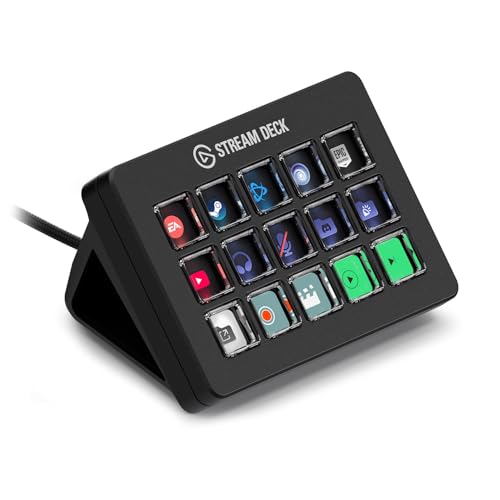
With a grid of 15 LCD keys, MK.2 provides useful space for scenes, microphone controls, sources and a few utilities. It stays compact and has a detachable USB-C cable and removable stand. Its customizable faceplate is an aesthetic detail; the number of accessible commands matters more when choosing.

We favor it for a first streaming setup whose needs are already defined, or for switching between work and gaming. Keep urgent actions on the main page and occasional operations in folders. Pages and folders increase the number of available actions, but they do not make every action visible at once.

Its limits are straightforward: there are no dials or dedicated navigation touch points like Neo’s. Using a key to change pages consumes some of your grid. Black and white models serve the same 15-key need: choose the finish and exact listing, not an imagined performance difference based on color.

Product photo of the black Stream Deck MK.2 with fifteen LCD keys Click to enlarge

Stream Deck Neo: eight thoughtfully arranged office keys

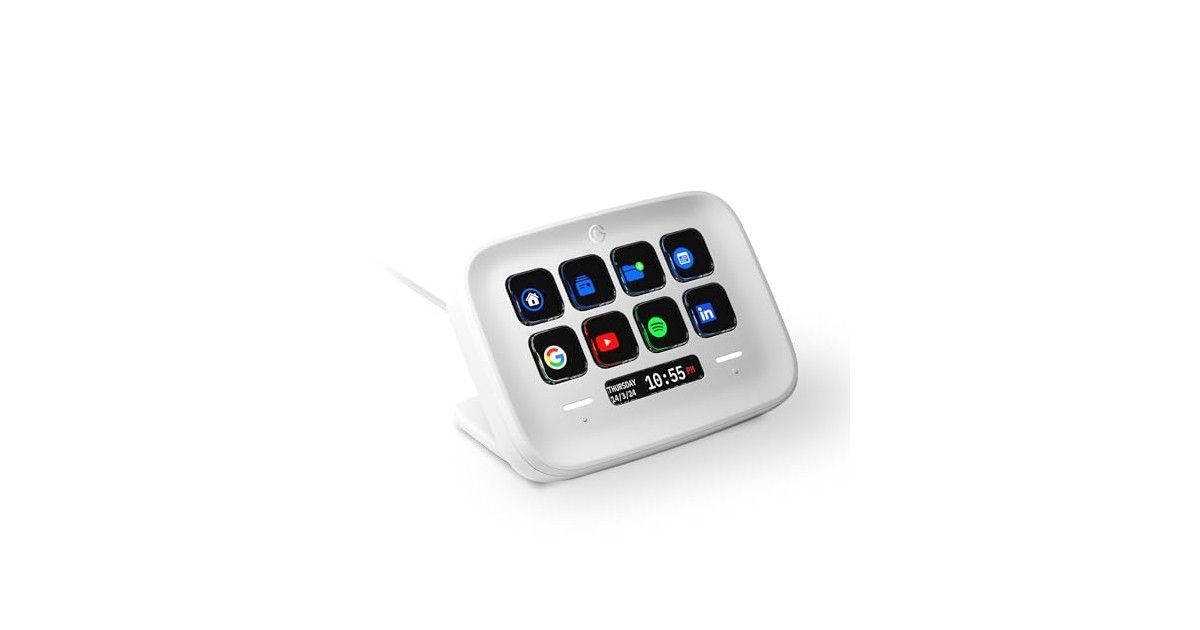
Neo offers eight LCD keys, an Infobar and two touch points for moving between pages. These navigation controls avoid reserving an LCD key just for page changes. Its adjustable, folding stand makes it appealing for a small desk or a laptop you move regularly.

For office use, begin with repetitive tasks: opening a project folder, inserting recurring text, launching an application and accessing communication controls. Integrations depend on the software, operating system and plugin; do not assume a meeting action works in every app without configuration.

The compromise is still the number of visible keys. Eight direct actions may be enough for office work, but a busier livestream requires more navigation. The USB-C cable is fixed: check the distance to your port and the connector available on your computer. Black and white versions are separate references; no current US offer has been verified for the black Neo in this selection.

Product photo of the white Stream Deck Neo Click to enlarge

Stream Deck+: buy the dials for a real reason

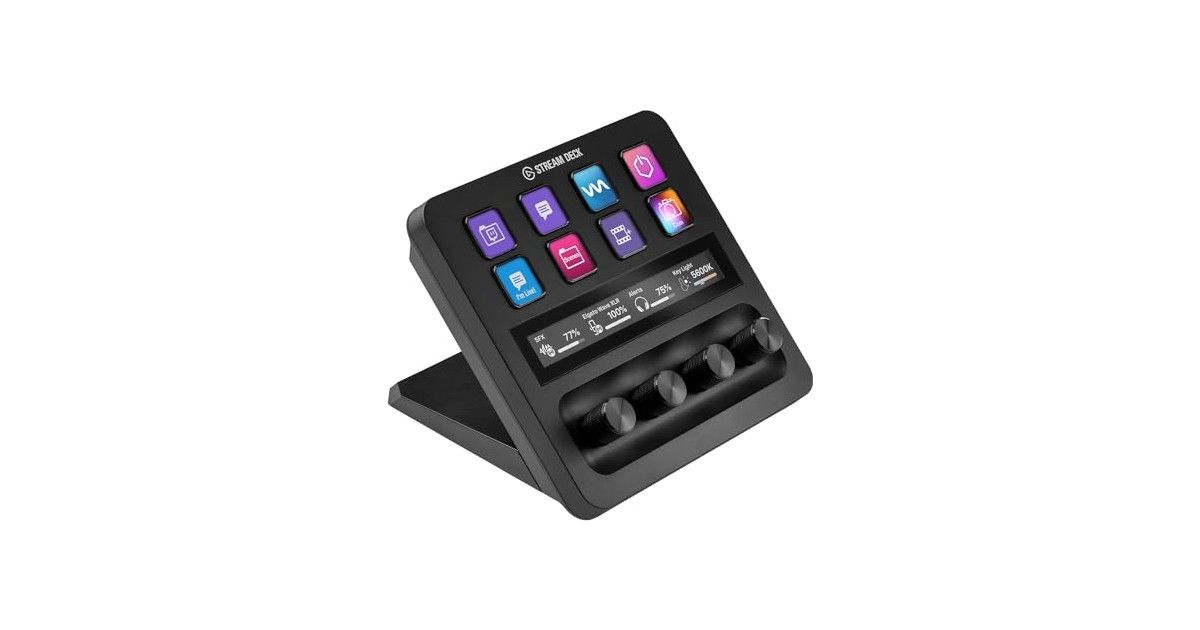
Stream Deck+ combines eight LCD keys, four push rotary encoders and a touch strip. It is not simply a more premium MK.2: you trade some physical keys for a different way to control things. The right reason to buy it is frequent adjustment of values, such as audio levels through a compatible integration.

For a podcast or stream, adjusting several levels without aiming at sliders can be convenient. In creative work, usefulness depends on which commands your software and plugin actually expose to the dials. Check your intended integration before buying rather than assuming every editing or retouching function will be controllable.

Watch out for an outdated assumption: Wave Link 3.0 is now free and does not require Elgato hardware. Do not choose Plus merely to “unlock” that software. Its value remains the physical interface. Wave Link 3.0 also has its own system requirements, separate from Stream Deck’s.

Product photo of the black Stream Deck+ with eight keys and four dials Click to enlarge

Stream Deck XL: 32 keys when you do not want to navigate

XL targets users who want many commands visible simultaneously. Its 32 LCD keys can organize production controls, several scene groups or a large shortcut collection without constantly opening folders. It has a detachable cable and magnetic stand.

Before moving to XL, sketch your grid. If half of it contains actions you rarely use, MK.2 may be the more sensible choice. If navigating pages during a live show genuinely gets in your way, the extra surface solves a concrete problem. This is mainly a purchase for direct access and visibility.

Allow space around your keyboard and mouse. A large grid far from your hand is not necessarily more convenient than a small one placed well. XL has no dials: more keys do not replace Plus’s control method when you need continuous adjustments.

Stream Deck Mini: six keys, provided you keep things simple

Mini has six LCD keys and uses the same software environment as the other models. It suits a small set of recurring actions: launching an app, opening a folder, muting a microphone with the appropriate action or triggering a shortcut. Folders let you store more than six actions in total.

The limitation is precisely what you must do to reach those additional actions. A back or navigation key reduces the immediately available surface. We would recommend it for a well-defined need, not automatically for an installation you already intend to expand.

Its USB-A cable is integrated. That is convenient if your computer has a nearby matching port, less obvious on a USB-C-only laptop. Compare Neo too: its two additional LCD keys and touch navigation may matter more than the small difference in size.

Scissor Keys or MK.2: check the switch variant

Scissor Keys keeps 15 LCD keys but uses scissor switches, whereas classic MK.2 uses membrane keys. Elgato also specifies a ¼-inch mounting thread on Scissor Keys. Both devices have a detachable USB-C cable and removable stand.

That is not a reason to replace an MK.2 you already enjoy. This choice is primarily about key feel and possibly mounting. We do not present scissor switches as proof of better reliability: no lifespan measurements are provided here.

One documentation caveat deserves attention: the official comparison page contradicts itself about Scissor Keys faceplates. Its table says they are not supported, while a general paragraph mentions removable faceplates. As a precaution, do not order an MK.2 faceplate for this model without explicit compatibility confirmation.

How many keys do you really need? A practical exercise

Separate your commands into three groups: urgent, frequent and occasional. Urgent commands belong on the main page. Frequent ones can be grouped by application. Occasional ones can live in a folder. This avoids buying a large grid merely because you have a long shortcut list.

The following table is a planning example, not a mandatory layout or downloadable profile. Exact actions depend on installed plugins. Keep critical controls in consistent positions, especially the microphone and break scenes, so you do not have to hunt for them at the wrong moment.

User profile Examples of commands to keep visible Suggested starting point
Office Project folder, app, recurring text, communication control Neo; Mini for very limited needs
Streaming Main scenes, break, microphone, priority sources MK.2
Audio A few direct actions and several adjustable levels Stream Deck+
Production Many scenes and sources immediately accessible XL if 15 keys are genuinely insufficient
Creative work Tools and shortcuts for the active application MK.2; Plus if dial control is supported
Swipe to view more

Try Stream Deck Mobile before buying hardware

Stream Deck Mobile lets you test six keys free on a compatible iOS or Android device. You still need a computer running the desktop app and a connection on the same local network; your phone does not replace the PC or Mac executing the actions. Mobile documentation lists iOS 15 or Android 9 as minimums, but also check the desktop version you plan to install.

Use the trial to prepare a few genuinely useful shortcuts. If you do not use those commands, a larger physical grid probably will not solve the problem. If you like the concept but want tactile keys and a device always available next to your keyboard, hardware becomes easier to justify.

Some additional features belong to the Pro version, and not all ecosystem content is free. The free test should not be understood as unlimited access to every resource and every key layout.

Mistakes to avoid and a setup checklist

Do not buy Plus just because its name sounds like the best model. Do not buy XL to compensate for a poorly organized profile either: first identify actions that truly need to stay visible. Finally, do not confuse a change of finish with a switch mechanism change; Scissor Keys needs its own checks.

For a clean start, install the official software, connect the controller and assign a few simple actions. Then add the plugins you need and test every command in its actual context. A shortcut depending on the active window does not behave like an integration directly controlling an application.

Back up your profiles after configuration. Avoid storing passwords or other secrets in text actions, and keep risky commands away from the main page. The aim is to simplify frequent gestures, not make accidental mistakes easier.

FAQ: questions before choosing your Stream Deck

What is the best Stream Deck for beginners?

Neo works well for office tasks and straightforward first-time use. MK.2 is our versatile pick if you already want several scenes and shortcuts visible. Mini is enough for a small set of stable actions; XL should meet a concrete need for more surface.

What is the difference between Stream Deck Neo and MK.2?

Neo has eight LCD keys, an Infobar and two navigation touch points. MK.2 has fifteen keys, a detachable cable and removable stand. The former prioritizes compactness and dedicated navigation; the latter keeps more commands directly visible.

Is Stream Deck+ better for every streamer?

No. Its four dials and touch strip mainly help if you regularly adjust values with compatible integrations. It has only eight LCD keys against fifteen on MK.2. If you mostly switch scenes, additional keys can be more useful.

Do physical Stream Deck devices require a subscription?

Stream Deck software is free. Some plugins, profiles or other content may be paid, and Mobile has a separate Pro offering. Check resources essential to your own workflow instead of assuming the entire ecosystem is included.

Can you use Stream Deck without being a streamer?

Yes. Launching applications, opening folders, triggering shortcuts and organizing software-specific profiles are useful for office and creative work too. Results depend on configuration and habits; no universal time saving is guaranteed.

Does Stream Deck replace an audio interface?

No. It can control software and mixing, but does not itself provide microphone interface connections. Check the microphone, any interface and necessary accessories separately. Wave Link 3.0 is free without requiring Elgato hardware.

Can you use Stream Deck on Linux?

The official application is offered for Windows and macOS. Linux community solutions exist, but their operation and integrations need separate verification. Do not choose a device assuming full official Linux compatibility.

What is the difference between MK.2 and Scissor Keys?

Both have fifteen LCD keys, but classic MK.2 uses membrane keys and Scissor Keys uses scissor switches. The latter adds a ¼-inch mounting thread. Check accessories explicitly: faceplate documentation is contradictory.

Our final picks and guides to complete your setup
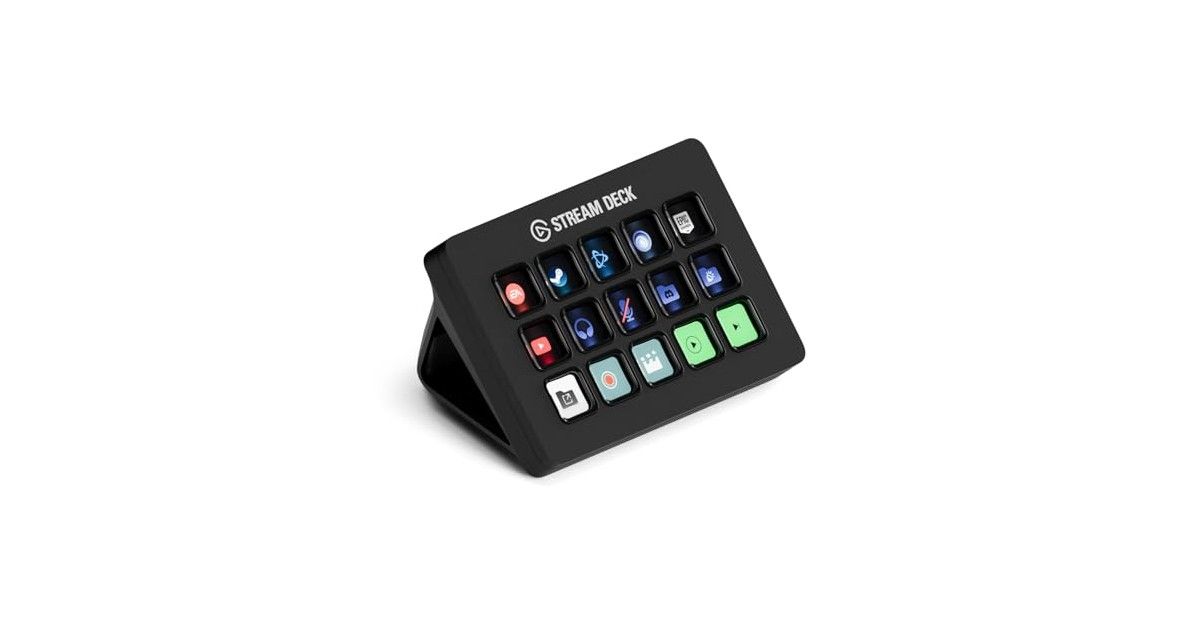
Choose MK.2 for a versatile fifteen-key recommendation, Neo for a compact workstation and Stream Deck+ only when you already have a use for the dials. XL addresses a need for many direct commands; Mini suits a small stable list. Scissor Keys is an alternative key feel, not a mandatory upgrade.

For the rest of your setup, see our graphics cards for streaming guide, wireless 75% keyboard comparison and video editing laptop guide. A controller complements those tools; it does not fix an underpowered computer.

Hardware specifications come from the official Elgato comparison. For software limitations, consult the Stream Deck system requirements, Stream Deck Mobile overview, Wave Link requirements and MK.2 / Scissor Keys comparison. Documentation checked on November 8, 2026.