yuux
Co-founder of DropReference, I'm here to give you the best tips to build the gaming PC of your dreams!
yuux
Co-founder of DropReference, I'm here to give you the best tips to build the gaming PC of your dreams!
PCPartPicker does not cover Europe well and lacks community. Here are 3 alternatives that do better in 2026: DropReference, BuildCores, and Pangoly.
PCPartPicker , everyone knows. It is the a site that is recommended to you as soon as you mention "building a PC" on Reddit or any forum. And for good reason: the database is massive, the compatibility check does the job, and you have compared prices from quite a few retailers.
But here it is. If you're in France — or more broadly in Europe — the retailer coverage of PCPartPicker remains quite uneven. Some merchants are missing, the displayed prices may be 24 hours late, and you end up checking manually on LDLC, Amazon.fr or Rue Du Commerce anyway. And we don't even talk about the rest: no integrated community to help you if you're a beginner, no FPS estimation, no really useful price alerts on mobile.
So in 2026, is there anything better? Not necessarily "better" in the strict sense — PCPartPicker remains solid for the US market. But there are alternatives that bring features that PCPartPicker does not offer. We have selected three that are really worth a look: DropReference (a European community configurator), BuildCores (an American 3D simulator), and Pangoly (a US comparator with AI suggestions).
We start with the one we know best, and for good reason. DropReference was born in France but now covers all of Europe and the United States. The basic concept: compare prices of all the PC gaming components in real time on more than 28 merchant sites. As of the time of writing these lines, the platform references more than 37,000 products and 318,000 available offers. That's no small feat.
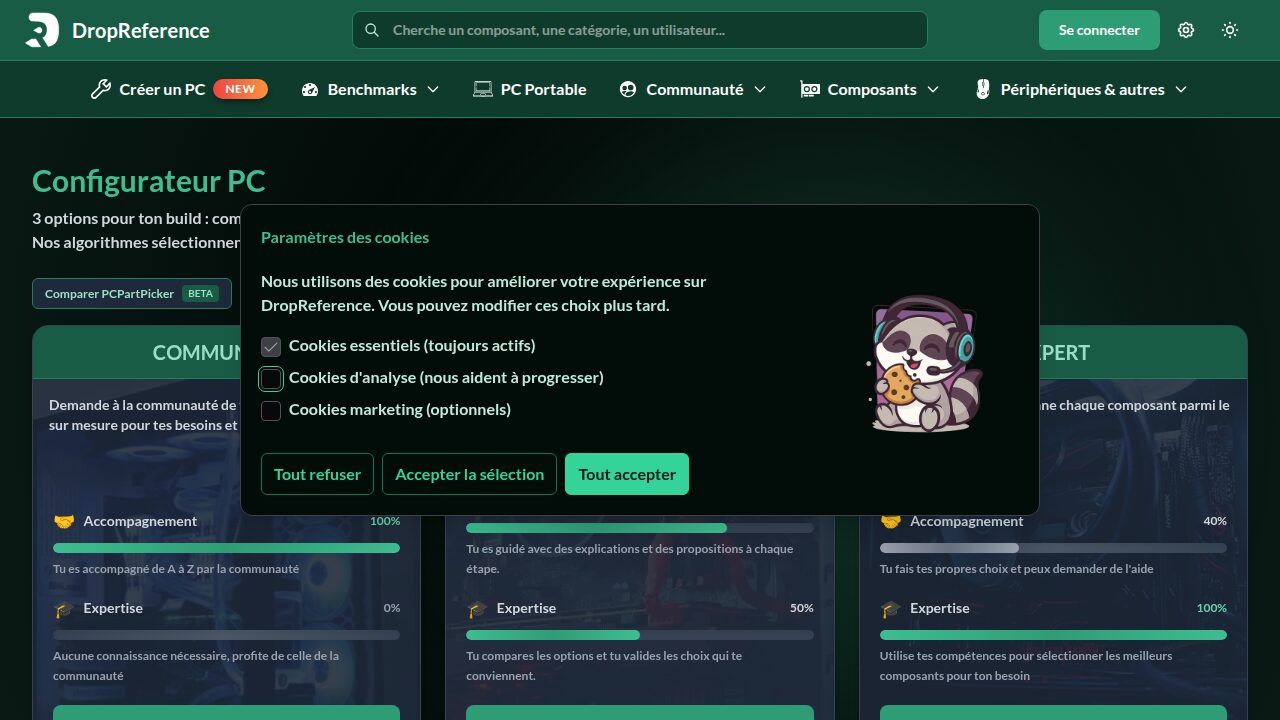
But where DropReference really stands out from PCPartPicker is on the approach . The site offers three configuration modes that adapt to your level :
 Click to enlarge
The thing that is sorely missing from PCPartPicker is the side human . On DropReference, the community is not just a forum next to the site — it is integrated directly into the configuration process. You can post your config and receive feedback, suggestions, warnings ("your power supply is a bit tight for this card, take 100W of margin"). For a beginner, it changes everything.
On the alerts side, DropReference offers a custom alert system accessible from mobile . You set your alerts on the components that interest you — GPU, CPU, RAM, it doesn't matter — and you receive a notification as soon as a price drops or a product is back in stock. No more refreshing LDLC every 30 minutes hoping that the RTX 5070 drops below 600 bucks.
And the site is designed to be accessible to everyone . No need to know what a B650 chipset is to get by. The guided mode and the community mode are made exactly for that: to assist you without drowning you in jargon. The interface is clean, fast, and it works just as well on phone as on desktop.
Little bonus: the DropReference blog regularly releases complete guides on components, GPU comparisons, price analyses. It's not just a tool — it's a complete ecosystem for the gamer PC.
Let's be honest. DropReference is still growing. The database is impressive in Europe (France, Spain, Germany, Netherlands, Italy...) and the US, but it does not yet cover all global markets as well as PCPartPicker. And the 3D rendering of your setup is not the focus — if you want to see your PC in augmented reality, you need BuildCores (we'll talk about it right after).
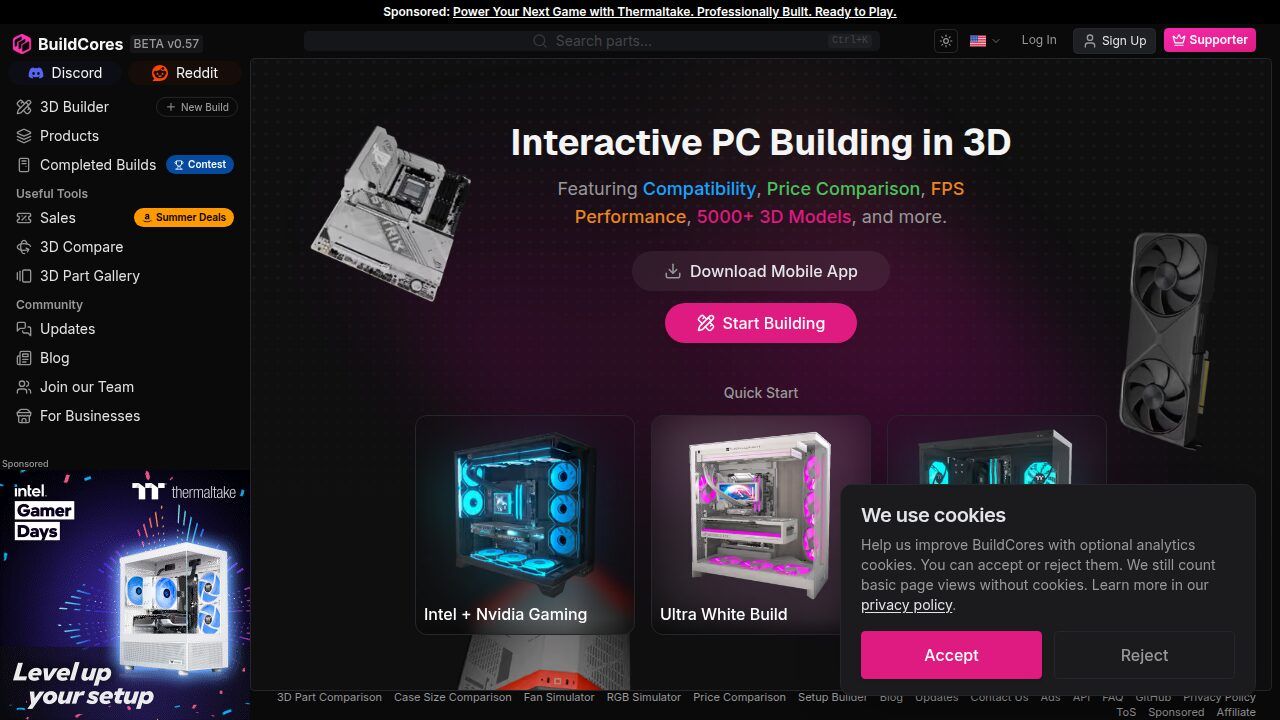
If you're the type to want see your PC before buying it, BuildCores is made for you. This American site (also available in iOS and Android app) offers a 3D fully assembled PC manufacturer . You assemble your components in an interactive 3D space, you rotate the machine, you zoom in on the details, and you check that everything fits in the case. It's amazing.
 Click to enlarge
The catalog contains more than 5 000 3D models — cases, motherboards, GPUs, fans, AIOs, everything goes through it. You can even preview the RGB in real time with the SignalRGB integration, simulate the airflow of your fans, and on iOS, project your setup in augmented reality in your room. Yes, really.
BuildCores works in freemium . The basic builder is free, but some advanced features (more 3D models, high-resolution export) require a Pro subscription at $4.99/month or $14.99/year. It's a fair price, but it's still a point to note compared to 100% free alternatives.
BuildCores shines on visuals, but it's not a price comparator at the same level as DropReference or PCPartPicker. Price comparison exists, but it is less comprehensive on European retailers. And on the community side, it's almost nonexistent — you're alone with your 3D PC. If you're looking for human advice and help to choose, this is not where it happens.
Pangoly is a bit of the outsider in this selection. Less known than PCPartPicker, this free American configurator has existed since 2014 and gets the job done without fuss. The interface is simple, sometimes a bit visually dated, but the tool is solid.
The principle: you build your config component by component, with some filters by technical specs and by price . The engine checks compatibility, suggests alternatives, and compares prices at several retailers. Nothing revolutionary, but it works well.
Pangoly is very US market oriented. The displayed prices are in dollars, the resellers are American, and if you're in Europe, you will quickly go around in circles. No integrated community either — it's you and the algorithm, period. The interface could also use a good coat of paint, we are in 2026 and some pages give off 2018 vibes.
For an American buyer looking for a lightweight alternative to PCPartPicker with smart suggestions, Pangoly does the job. For a European, it's much less relevant.
| Criterion | DropReference | BuildCores | Pangoly |
|---|---|---|---|
| Price | Free | Freemium (Pro $4.99/month) | Free |
| Coverage Europe | 28+ resellers (FR, DE, ES, IT, NL, US) | Limited | Almost nonexistent |
| Coverage US | Yes | Yes | Yes (main focus) |
| Real-time price comparison | Yes, every second | Yes, hourly update | Yes |
| Auto compatibility | Yes | Yes | Yes |
| Integrated community | 15,000+ members, direct help | No | No |
| Price/stock alerts | Yes, mobile + web | No | Yes (email only) |
| Beginner mode | Community + Guided mode | No (technical interface) | Preconfigured builds |
| 3D visualization | No | Yes (5,000+ models, AR) | No |
| FPS estimation | No | Yes (3DMark) | No |
| AI Suggestions | No | No | Yes |
| Mobile app | Optimized mobile web | iOS + Android | Web only |
Yes, PCPartPicker is completely free. The site makes money through affiliate links to retailers. It's the same model as DropReference and Pangoly. BuildCores is the only one on the list that offers a paid subscription for advanced features.
DropReference, without hesitation. The Community mode literally allows you to ask enthusiasts to build you a setup. You describe your budget and your needs, and you receive personalized proposals with explanations. No other site offers this in such an integrated way.
DropReference covers France, Germany, Spain, Italy, the Netherlands, and the United States with local resellers (LDLC, Amazon, Rue Du Commerce, PC Componentes, alternate...). BuildCores mainly compares US/UK prices. Pangoly is almost exclusively US. For Europe, DropReference is clearly the most suitable.
Yes, on DropReference you can set up custom alerts accessible from your mobile. You choose the component, the price threshold, and you are notified as soon as the price drops or the product is back in stock. Pangoly offers email alerts only. BuildCores does not offer alerts.
It depends on what you are looking for. If you're in Europe, a beginner, or you want a community to help you → DropReference. If you want to visualize your PC in 3D before buying → BuildCores. If you're in the US and you want AI suggestions and price tracking → Pangoly.
And nothing prevents you from using several. DropReference for prices and community help, BuildCores to check that everything fits in the 3D case, Pangoly to monitor US price trends. Each tool has its strength — it's up to you to combine.