Best PC Case Fans in 2026: Arctic P12 Pro, Noctua NF-A12x25 G2, Silent Wings 4 or Lian Li Uni Fan, Which Ones to Choose?

best pc fans pc case fans quiet pc fans 120mm argb fan best 140mm fan noctua nf-a12x25 g2 arctic p12 pro lian li uni fan

Which PC case fans should you choose in 2026? We compare the Noctua NF-A12x25 G2, ARCTIC P12 Pro, be quiet! Silent Wings 4, ARCTIC P12 Pro A-RGB, Lian Li UNI FAN SL Wireless and the 140 mm Noctua NF-A14x25 G2: airflow, static pressure, noise, PWM, ARGB and daisy-chaining, with specs checked against manufacturer spec sheets.

The short answer: which case fans to choose in 2026

We picked six fans whose specs are checked against the manufacturers’ spec sheets. The right choice depends first on your priority: silence, budget or lighting.

  • Best for silence and performance: the Noctua NF-A12x25 G2 PWM, very effective even on a radiator.
  • Best value for money: the ARCTIC P12 Pro PST, powerful and easy to daisy-chain to fill a whole case.
  • Quietest at full speed: the be quiet! Silent Wings 4 120 mm PWM.
  • Affordable ARGB: the ARCTIC P12 Pro A-RGB.
  • Cable-free ARGB: the Lian Li UNI FAN SL Wireless 120 3-pack and its wireless control.
  • In 140 mm: the Noctua NF-A14x25 G2 PWM.

On budget, the entry-level 120 mm fans we track (ARCTIC P12, P12 Pro A-RGB, Thermalright TL-C12RB-S V2) are among the cheapest options, while Lian Li UNI FAN SL 3-packs sit in a clearly higher bracket. Up-to-date offers are shown in each box. Before buying, check how many fan mounts your case has and where to put them with our guide to PC fan placement.

How to choose a PC case fan

120 or 140 mm

120 mm is the most common and most compatible size (cases, 240 or 360 mm radiators, air coolers). A 140 mm fan moves more air at the same speed, so it can spin slower for the same cooling: a good choice at the front if your case supports it. Also check the thickness: the standard is 25 mm, but some models such as the Lian Li UNI FAN SL are 28 mm.

Airflow or static pressure

Airflow (in CFM or m³/h) matters for an unobstructed spot, for example rear exhaust. Static pressure (in mmH2O) matters as soon as there is resistance: dust filter, a front panel with little ventilation, a liquid cooling radiator or an air cooler. The best current models, such as the Noctua G2 and the ARCTIC P12 Pro, are good in both cases.

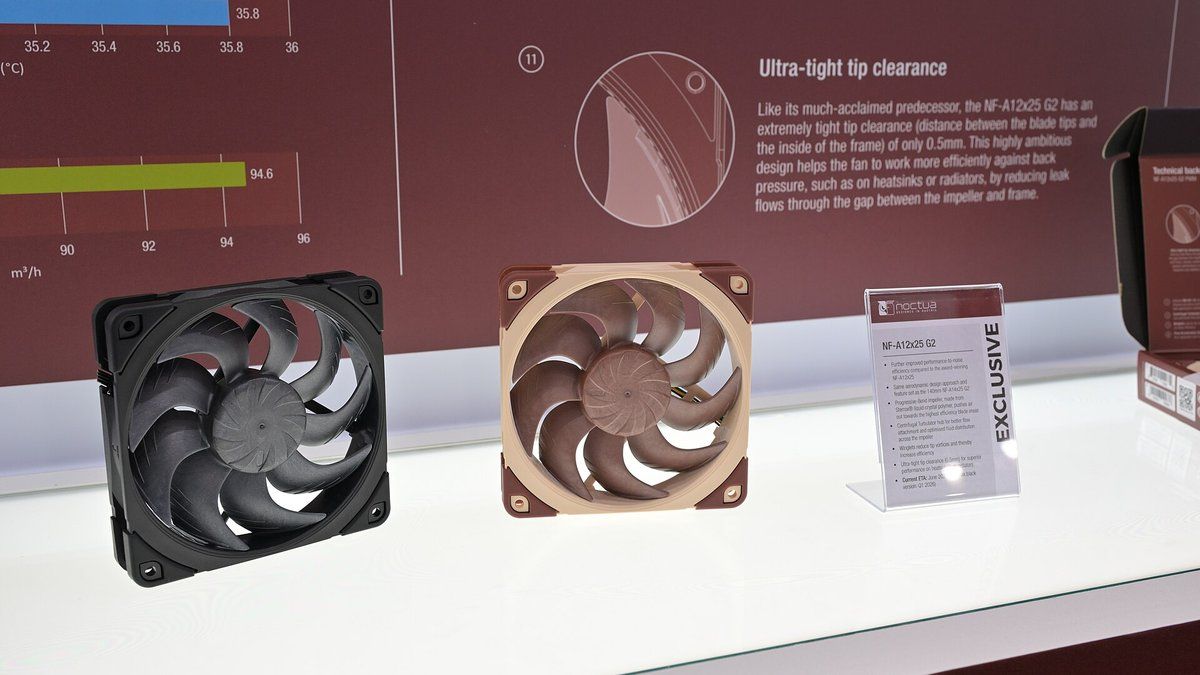
Ventilateurs Noctua NF-A12x25 G2 exposés au Computex 2025 Click to enlarge

4-pin PWM rather than 3-pin

A PWM (4-pin) fan is finely controlled by the motherboard: it spins slowly at idle and speeds up under load. Many recent models even stop completely at a very low setting. A 3-pin model is controlled by voltage, with less precision.

Rated noise is not comparable from one brand to another

The dB(A) figures on spec sheets are measured by each manufacturer with its own method. They give an idea within the same range, but do not let you compare two brands decibel for decibel. The real criterion is the airflow achieved at a given noise level, which is what independent tests measure.

5 V ARGB or 12 V RGB

ARGB lighting uses a 3-pin 5 V connector, classic RGB a 4-pin 12 V connector. Never plug an ARGB fan into a 12 V header: you risk damaging the LEDs. Check your motherboard’s headers or plan for a controller.

Daisy-chaining and motherboard headers

A motherboard often has only 3 to 6 fan headers, and each one is current-limited (often around 1 A, check the manual). Daisy-chainable fans (ARCTIC PST, Lian Li UNI FAN) or a Y-cable save you from buying a hub. Finally, check the warranty: 6 years at Noctua and ARCTIC, 5 years at be quiet!, 3 years at Lian Li.

Fan Size Rated speed Max airflow Max static pressure Max rated noise Warranty
Noctua NF-A12x25 G2 PWM 120 x 25 mm 0 / 360 to 1,800 rpm 63.15 CFM 3.14 mmH2O 22.5 dB(A) 6 years
ARCTIC P12 Pro PST 120 x 25 mm 0 / 600 to 3,000 rpm 77 CFM 6.9 mmH2O not disclosed 6 years
be quiet! Silent Wings 4 120 PWM 120 x 25 mm up to 1,600 rpm, 0 rpm mode 48.7 CFM 1.79 mmH2O 18.9 dB(A) 5 years
ARCTIC P12 Pro A-RGB 120 x 25 mm 0 / 600 to 3,000 rpm 77 CFM 6.9 mmH2O not disclosed 6 years
Lian Li UNI FAN SL Wireless 120 120 x 124.5 x 28 mm 0 / 250 to 2,000 rpm 65.4 CFM 2.19 mmH2O 32 dB(A) 3 years
Noctua NF-A14x25 G2 PWM 140 x 25 mm 0 / 300 to 1,500 rpm 91.58 CFM 2.56 mmH2O 24.8 dB(A) 6 years
Swipe to view more

The best 120 mm fans for silence and performance

These three models without lighting aim for a cool, quiet PC. To go further on acoustics, our selection of silent PC cases pairs well with these fans.

Noctua NF-A12x25 G2 PWM (120 mm)

The benchmark for quiet 120 mm fans. According to Noctua, it reaches 1,800 rpm for 63.15 CFM and 3.14 mmH2O of static pressure, with 22.5 dB(A) at most (18.1 dB(A) with the included low-noise adapter). It stops completely at 0% PWM and uses an SSO2 bearing. Its strength: it stays effective behind a dense filter or on a radiator, where many fans lose airflow. An all-black chromax.black version is also available.

Pros
  • Excellent airflow-to-noise ratio, even on a radiator
  • Stops at 0% PWM, low-noise adapter and Y-cable included
  • 6-year warranty
Cons
  • High price per fan
  • Brown and beige colorway (chromax.black version sold separately)
  • No lighting
FranceCheck the price in my country
ARCTIC P12 Pro PST (black, 120 mm)

The best value for filling a whole case. Arctic rates it at 600 to 3,000 rpm, 77 CFM and 6.9 mmH2O, with a full stop below 5% PWM. The PST version adds an extra PWM socket on the back of the cable to chain several fans on a single motherboard header. Its wide speed range makes it versatile: nearly silent at low speed, very powerful flat out.

Pros
  • Very high airflow and static pressure for the price
  • PST daisy-chaining: several fans on one header
  • 6-year warranty
Cons
  • Can get audible at high speed (up to 3,000 rpm)
  • Arctic does not publish a maximum noise level
  • No lighting
FranceCheck the price in my country
be quiet! Silent Wings 4 120 mm PWM

The pick for silence-focused builds. be quiet! rates it at 1,600 rpm max for 18.9 dB(A), 48.7 CFM and 1.79 mmH2O, with a 6-pole motor, a 0 rpm mode and a 300,000-hour lifespan. 7 V and 5 V adapters are included to slow it down even further if your motherboard handles low speeds poorly.

Pros
  • Very quiet at full speed according to the manufacturer
  • 7 V and 5 V adapters included
  • 5-year warranty
Cons
  • Lower airflow than the Noctua or the Arctic
  • No cable daisy-chaining
  • No lighting
FranceCheck the price in my country

The best ARGB fans for a glass-panel case

If your case has a glass panel, lighting matters. The ARCTIC P12 Pro A-RGB keeps the P12 Pro’s performance, while the Lian Li UNI FAN SL Wireless focus on a build with no visible cables. For an all-white build, take a look at our guide to white PC cases.

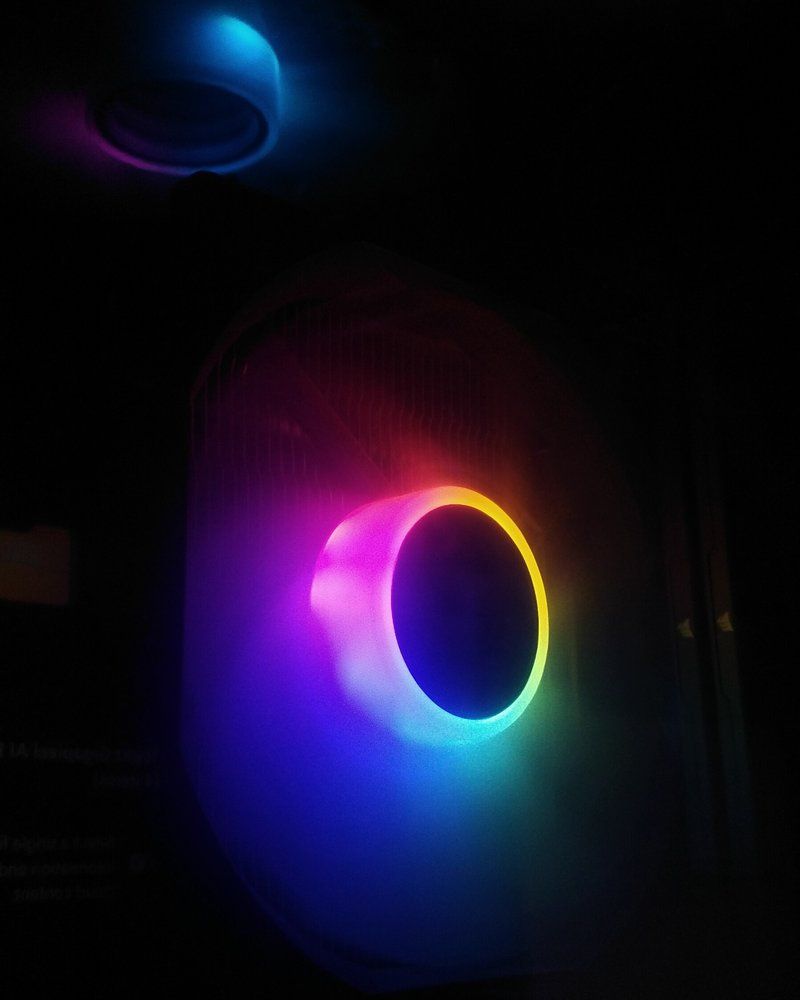
Ventilateurs RGB allumés dans un boîtier de PC, dans le noir Click to enlarge
ARCTIC P12 Pro A-RGB (white, 120 mm)

The lit, white version of the P12 Pro, with the same rated performance: 600 to 3,000 rpm, 77 CFM and 6.9 mmH2O. Its 12 A-RGB LEDs connect at 5 V to a 3-pin header, and each cable (PWM and A-RGB) has a socket to chain the next fan. It is a simple, affordable solution for a glass-panel case, especially in a white build.

Pros
  • 5 V A-RGB lighting that syncs with the motherboard
  • PWM and A-RGB daisy-chaining
  • Same performance as the P12 Pro, 6-year warranty
Cons
  • Two cables per fan to manage
  • Can get audible at high speed
  • Requires a 5 V ARGB header on the motherboard (or a controller)
FranceCheck the price in my country
Lian Li UNI FAN SL Wireless 120 (white, 3-pack)

For an RGB build without cable clutter. The fans slide together and are controlled wirelessly (2.4 GHz) by the L-Wireless controller included in the 3-pack, which plugs into a PWM header and a USB port. Lian Li rates them at 250 to 2,000 rpm (stop possible), 65.4 CFM, 2.19 mmH2O and 32 dB(A) max. Lighting and fan curves are set through the L-Connect 3 software.

Pros
  • Snap-together mounting, very few cables
  • Wireless control of lighting and speed, controller included
  • Can stop at 0 rpm
Cons
  • Wider and thicker than a standard 120 mm fan (120 x 124.5 x 28 mm)
  • L-Connect 3 software required to adjust everything
  • 3-year warranty, shorter than the others
FranceCheck the price in my country

The best 140 mm fan

A 140 mm fan is worthwhile at the front or top of a case, provided the mounts allow it. Cases that accept 280 mm radiators generally have 140 mm mounting points.

Noctua NF-A14x25 G2 PWM (140 mm)

The 140 mm big brother, ideal if your case accepts this size at the front or top. According to Noctua, it spins from 300 to 1,500 rpm (stops at 0% PWM) for 91.58 CFM, 2.56 mmH2O and 24.8 dB(A) max. At the same noise level, a 140 mm fan moves more air than a 120 mm one because it can spin slower. A chromax.black version is also available.

Pros
  • High airflow at moderate speed
  • Stops at 0% PWM, low-noise adapter and Y-cable included
  • 6-year warranty
Cons
  • 140 mm size: check your case’s compatibility
  • High price per fan
  • Original brown and beige colorway
FranceCheck the price in my country

How many fans and where to put them

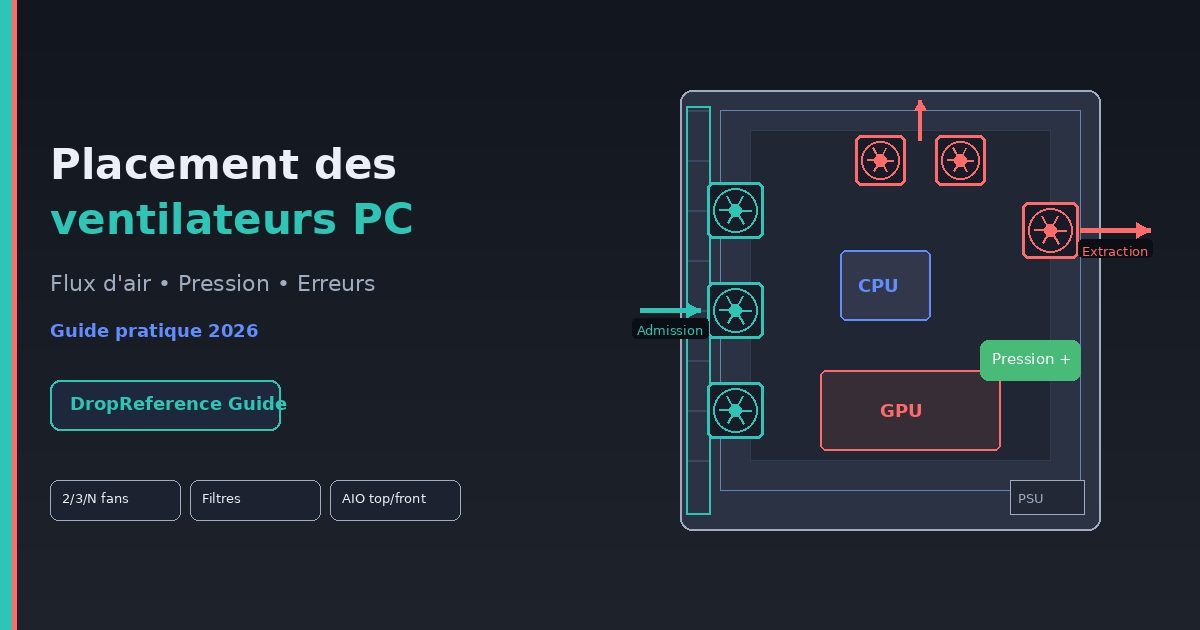
  • Basic setup: 2 intake fans at the front and 1 exhaust at the rear suit most gaming PCs.
  • Heavier build: 3 at the front, 1 at the rear and 1 or 2 at the top if your graphics card and CPU run very hot.
  • Slightly positive pressure: a little more air coming in than going out limits dust getting in through unfiltered gaps.
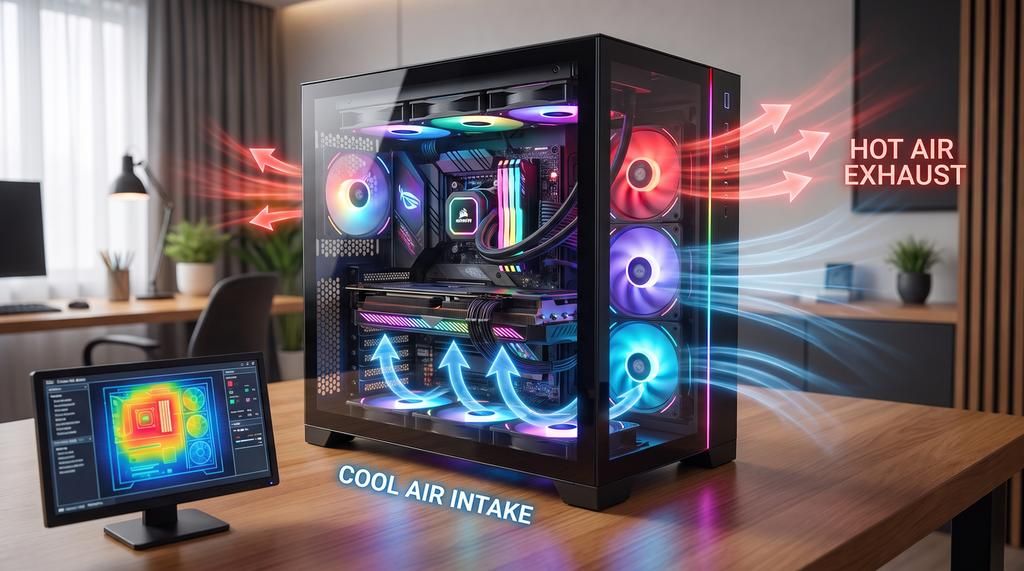
  • Cool air in at the front and bottom, hot air out at the rear and top: hot air rises, so you might as well help it along.

For detailed diagrams, read our guide to PC fan placement and the one to optimize your PC’s airflow.

Fans for radiators and air coolers

On a liquid cooling radiator or an air cooler, static pressure becomes the priority. The Noctua NF-A12x25 G2 and the ARCTIC P12 Pro are designed for this. To choose the cooler itself, see our AIO comparison and our guide to choosing the right air cooler.

Tuning your fans properly

  1. Set a curve in the BIOS. Tie the case fans to the CPU or motherboard temperature, with a gradual ramp rather than abrupt steps.
  2. Use the 0 rpm mode. The models in this guide can stop at idle, which eliminates all noise during office work.
  3. Avoid speeds that are too close. Several identical fans at the same speed can create an audible beat. Noctua actually sells its Sx2-PP packs with a slight speed offset between the two fans to avoid it.
  4. Use the low-noise adapter if needed. Included with Noctua fans, it caps the maximum speed (1,500 rpm for the NF-A12x25 G2) for an even quieter PC.

FAQ: PC case fans

What is the quietest PC fan?

In our selection, the be quiet! Silent Wings 4 has the lowest rated maximum noise level (18.9 dB(A)), but with less airflow. The Noctua NF-A12x25 G2 offers the best balance of airflow and silence, according to independent tests.

Do you need PWM fans?

Yes, if your motherboard has 4-pin headers, which is the case for almost all recent boards. PWM gives you a PC that is quiet at idle and responsive under load.

Can you mix fan brands?

Yes, but each model has its own speed and noise curve. Identical models are better on the same radiator or front panel.

How many fans can you connect to one motherboard header?

It depends on the current drawn and the header’s limit, given in the motherboard manual. Add up the draw of the chained fans, or use a powered hub if you have many.

Is a 140 mm fan better than a 120 mm one?

At the same noise level, it generally moves more air. But it all depends on your case and radiator mounts: 120 mm remains the most compatible size.

Conclusion: the right fan depends on your priority
For the quietest, highest-performing PC possible, the Noctua NF-A12x25 G2 (or the NF-A14x25 G2 in 140 mm) remains the benchmark. To fill a whole case without breaking the bank, the ARCTIC P12 Pro PST is unbeatable. The be quiet! Silent Wings 4 targets silent builds, and for lighting, the ARCTIC P12 Pro A-RGB and the Lian Li UNI FAN SL Wireless cover every budget. Either way, good placement and a well-tuned fan curve matter as much as the model you choose.