How to optimize your PC's airflow in 2026: the complete guide

PC airflow cooling optimization PC ventilation

Discover how to optimize your PC's airflow with the right fans, cases, and cooling strategies. Complete guide for low temperatures.

Introduction

Are you building your first PC or looking to improve the thermal performance of your existing setup? Airflow - how air circulates inside the case - is often overlooked. And honestly, that's a big mistake. Good airflow is the difference between a CPU that breathes and a thermal bomb running at 95°C during intense gaming.

We will show you how to optimize your airflow without spending a fortune. The secrets? They are not the most expensive. It's mostly about logic and a little planning.

Why airflow is really important

Well, one question first: why do we talk about it so much? Your CPU and GPU produce heat. If this heat accumulates inside the case without escaping, your components suffocate. You will see throttling (the graphics card or the processor slow down on their own to avoid exploding), a hellish fan noise, and ultimately, components that die prematurely.

With good airflow, you will have lower temperatures under load. Less noise. Hardware that lives longer. Stable performance even after 8 hours of continuous gaming.

And it's not complicated to set up. You just need to understand how the air moves.

The fans: the fundamentals

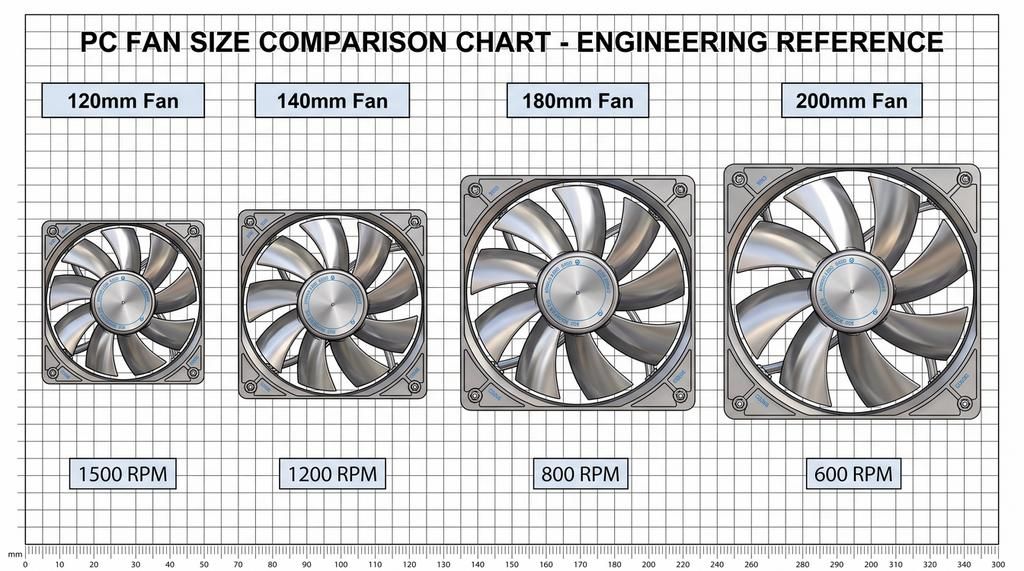
fan-sizes-comparison.jpg Click to enlarge

This is the basic element. Without fans, no air circulation. There are several sizes and each has its role.

The standard dimensions: 120 mm, 140 mm, 180 mm, and 200 mm. The larger the diameter, the more air the fan can move at a lower rotation speed. That's why 140 mm fans are popular: they do the same job as a 120 mm but with 15 to 20% less noise.

Beyond the diameter, two parameters really matter: the CFM (cubic feet per minute, expressed in m³/h) which measures the volume of air displaced, and the dBA which measures the noise. You want a good CFM, but without turning your PC into a hairdryer.

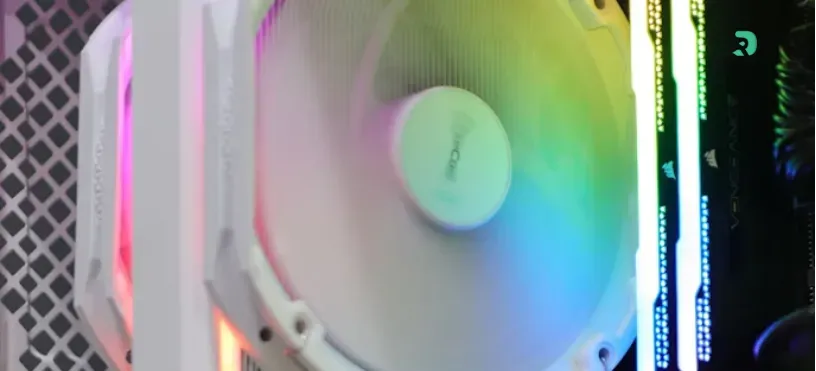
RGB fans? Yes, it's pretty. No, it doesn't improve airflow. The best fans (Noctua, Be Quiet, Arctic) are often neutral colors. Aesthetics are secondary to thermal performance.

Some solid models in 2026: the Noctua NF-A14 in 140 mm, it's the reference. Silent, efficient, 8 years warranty. Be Quiet responds with the Silent Wings, very respectable. And for the budget, the Arctic P12 PWM in 120 mm, it's 12-15€ well invested.

My advice: mix sizes rather than putting 120 mm everywhere. 140 mm or 180 mm at the intake for passive cooling, and 120 mm more aggressively at the exhaust to create depression.

The cases: not all equal in airflow

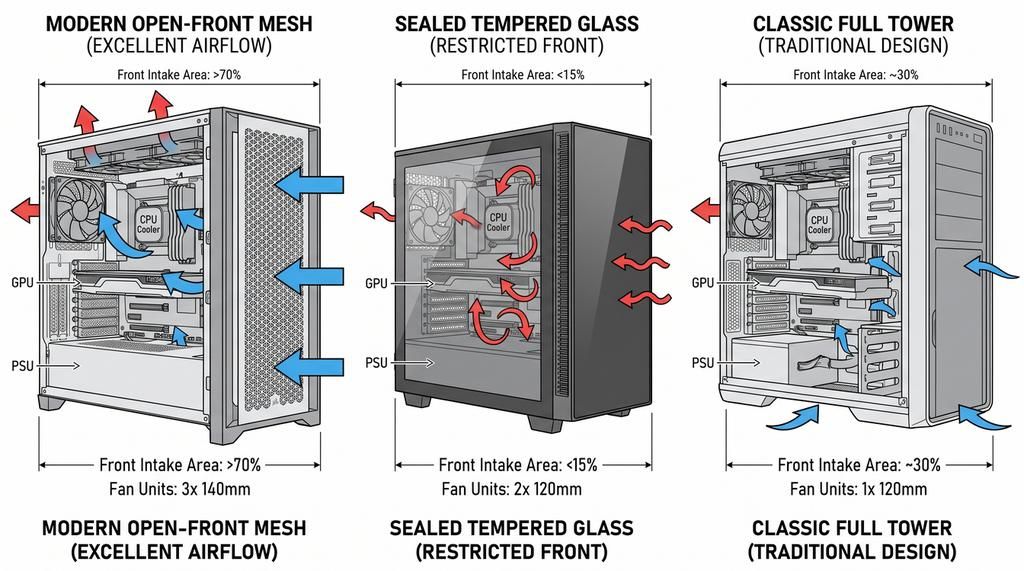
case-types-airflow.jpg Click to enlarge

The case you choose shapes 50% of your airflow. Two trends dominate.

Open-front mesh cases have become the norm. Lian Li Lancool, Fractal Design Meshify, Corsair iCUE Flow — all have a large open mesh front. Air enters without resistance. The airflow is exceptional. The downside? A little more dust gets in.

Closed front panel cases with tempered glass, that's the style for 3-4 years. It looks really good. But it creates resistance to air intake. Do you make this choice? Plan for more fans at the front to avoid creating a hot zone at the front.

And then there are the dual chambers (Corsair 5000T, Lian Li O11 Dynamic) that physically separate the power supply and component areas. Cool for aesthetics, but it complicates airflow.

If you aim for airflow, a mesh case is safer. If you want aesthetics, accept that you will need more fans to compensate.

In practice: Lian Li Lancool 303 (fine mesh, around 60€), Fractal Design Meshify 2 (excellent reputation, soundproofing bonus), Corsair iCUE Flow (RGB, software control, 120-150€).

The strategy: intake vs exhaust

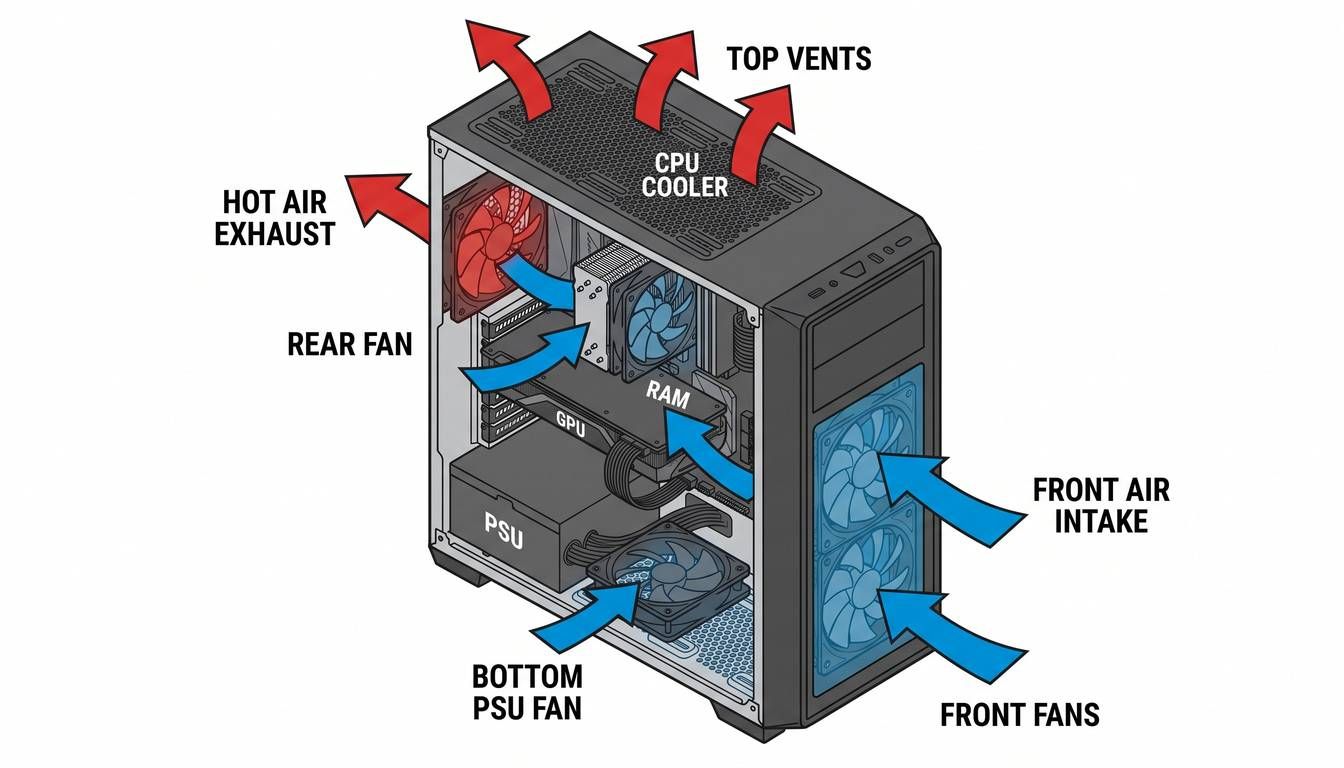
airflow-diagram.jpg Click to enlarge

This is where many people go wrong. You have to create a directional airflow. Not just "put fans everywhere".

The model that 90% of setups use: front fans (ideally 140 mm or 180 mm to bring in cool air), fans at the top and/or rear to exhaust hot air.

Why? Hot air rises. So you let in cool air at the front, it circulates above your components, and it escapes through the top and back. It's basic physics.

A slight depression (more extraction than intake) is good: it forces the air to circulate rather than stagnate. But not too much either — you're not creating a vacuum.

Typical configuration: 2x 140 mm or 1x 180 mm at the front, 1x 140 mm at the rear, 1x 140 mm at the top (optional but recommended). Total: 3-4 fans. It costs 40-60€ and it's one of the best thermal upgrades you can make.

GPU-priority vs CPU-priority: adapt to the hardware

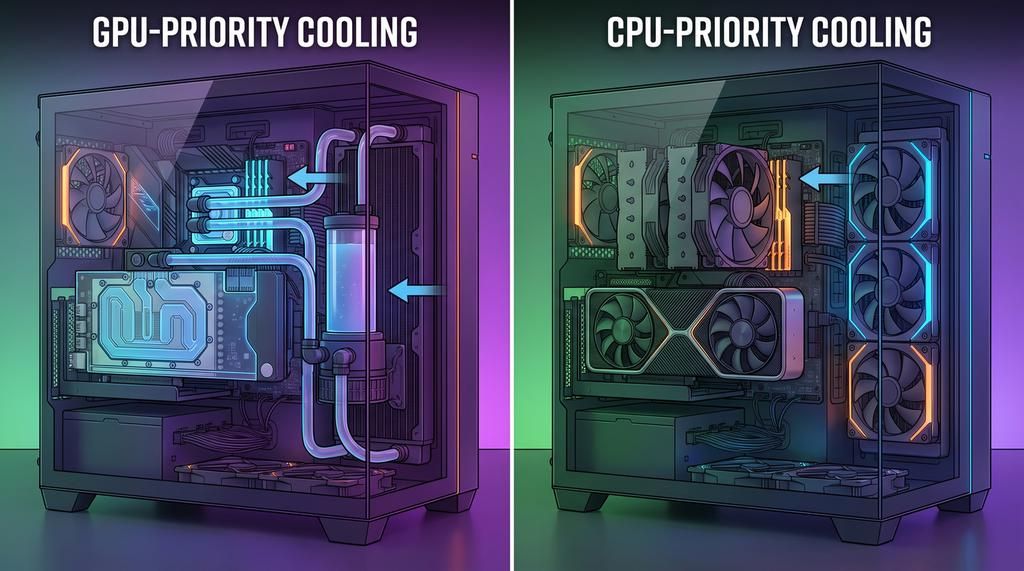
gpu-cpu-priority-cooling.jpg Click to enlarge

Here, it gets interesting depending on what you do. The question is not "which is better" but "what excites you the most?"

With an RTX 4090 or an RX 7900 XTX? Your graphics card becomes the dominant source of heat. It emits quite a bit of hot air. The solution: position your air intakes so that the cool air arrives directly towards the card. A 140 mm fan at the bottom in the front, directly at the level. Some opt for custom cooling (custom water loop). It is effective but complicated.

On the other hand, a Ryzen 9 or Core Ultra with a big air cooler (Noctua NH-D15, be quiet Dark Rock Pro) is CPU-priority. You want the airflow to come frontally towards your cooler. Air coolers naturally exhaust air to the rear.

Most modern gaming setups are CPU-priority by default. Modern GPUs are already well cooled from the factory. But if you are doing 3D rendering, mining, or streaming with an RTX 4090, it's a different calculation.

Air coolers vs liquid coolers: what really works

A lot of debate on this subject. I will be direct: in 2026, for 95% of people, a good air cooler is more than enough.

The big air coolers (NH-D15, Dark Rock Pro): 60-80€, insanely effective, silent, zero maintenance. They cool as well as 150€ AIOs.

The AIO (All-in-One liquid coolers): 100-150€ for a good, maximum cooling, premium design. But there is a pump that can be noisy, and in the long term it is one of the few elements of the PC that can fail.

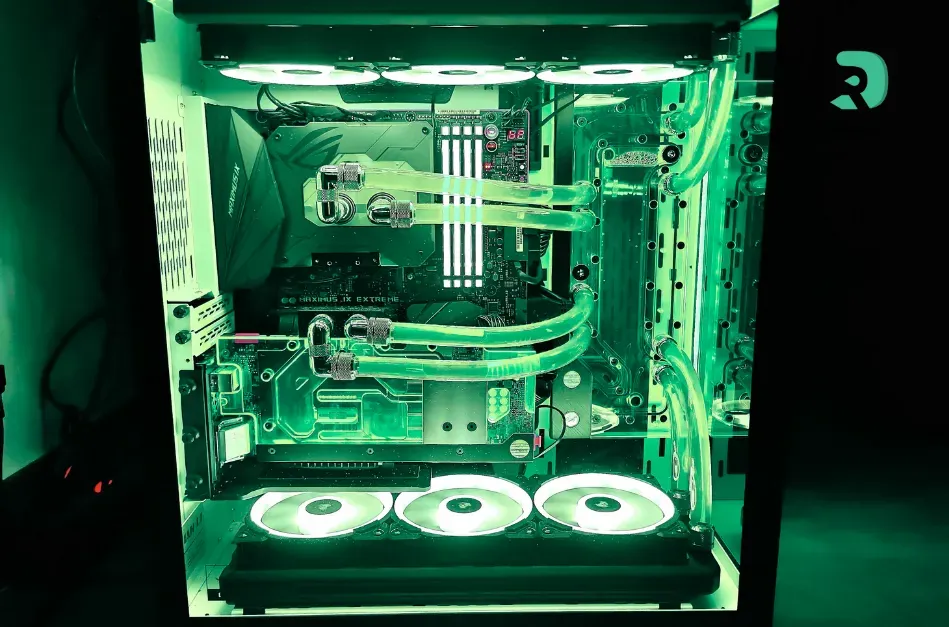
Custom cooling: 300€+ easily, very effective, but you have to like complications.

If your budget allows for a good air cooler, go for it. If you want maximum cooling and have €150 to invest, an Arctic or NZXT AIO is solid. Custom liquid cooling is for those who enjoy tinkering.

Special cases: SFF, full tower, and company

The Small Form Factor (SFF)? It's cramped. Airflow is your worst enemy. Lian Li A4-H2O, Cooler Master NR200 — they are designed for space optimization. Fewer fans but better positioning. Often one at the intake, one at the exhaust, compact coolers. You will thermally suffer a bit compared to ATX. It's the price to pay for portability.

Full towers are the opposite. Huge volume. Airflow is easier. 2x 140 mm intake, 2x 140 mm exhaust without any problem. Advantage: lower temperatures simply by dilution. The downside: it's massive and heavy.

ITX vs Micro-ATX is a compromise. Less cramped than SFF, more compact than ATX. Modern ITX cases (Corsair Bulldog, Lian Li Lancool 1) can have excellent airflow if chosen well.

For the majority of builders, a good ATX mesh + basic airflow case is the sweet spot.

Common errors that we see everywhere

Stacking 12 fans without a strategy? Are you sure they are turning in the right direction? Is there a logical circulation? Often not. Result: air spinning in circles and zero thermal improvement.

Ignoring dust is common too. Good airflow without filters, your PC fills up with dust in 3 months. And so the airflow worsens. Filter at the intake yes, but accept that you won't be at zero dust. Cleaning every 6 months minimum.

A cable hanging in front of an air intake? It reduces the flow. Route your cables behind the cable tray or use Velcro ties. It really makes a difference.

Choosing a case without checking compatibilities is a classic mistake. Your big air cooler doesn't fit, your graphics card is too long creating a dead zone. Check the specifications beforehand.

And then spending 200€ on fans while neglecting the case? That's backwards. Case first, fans later.

Practical advice and checklist

How are you going to transform your airflow:

Assess the current situation: CPU and GPU temperatures under load, fan speeds, noise. This is your baseline.

Choose a good case if you're building. Mesh is safer. Yes, it's less beautiful, but you gain thermal levels.

Cable routing before installing fans. Route your cables carefully. It's boring but it's worth it.

Set up a simple flow: 2-3 inputs front, 1-2 outputs top/back. No more complicated than that.

Test and adjust. Measure the temperatures afterwards. If it doesn't improve, you may have a bottleneck elsewhere (incompatible cooler, dried thermal paste).

Regular maintenance: input filter, cleaning every 6 months. It's not sexy but it's crucial.

Adjust fan curves. Even with good passive airflow, fans that intelligently regulate their speed mean gained silence. BIOS or software like Argus Monitor.

FAQ: what you are asked all the time

How many fans do I really need?

Minimum three for a standard config (2x input, 1x output). But honestly it's "it depends" on the case and the hardware. A mesh case erases many limitations.

Air cooler or liquid cooler, no kidding?

Air cooler in 2026. A Noctua NH-D15 cools as well as a €150 AIO, costs €80, and never fails. Do the math.

I have an old case that suffocates my PC, what should I do?

Two options: buy a decent mesh case (60-100€) and you will see thermal gains of 10-15°C. Or accept that it's cramped and add fans. The first choice is better.

Does RGB change anything to the airflow?

No. Zero. The best fans are brown (Noctua), gray, or black. RGB is pretty, but it's a tax on performance.

I hear noise now, help!

Fans spinning too fast. Adjust speed curves in BIOS. With good airflow, fans can stay slow and quiet. Or invest in a good isolation pad under the PC.

I want to build an ultra-silent setup?

Mesh case + large slow fans (140 mm or 200 mm) + large cooler air + soundproofing. Budget: 150-250€ just for airflow and cooling. And it's worth every euro.

The verdict 2026

Airflow is something we think of as "fancy" but it's really basic engineering. Air comes in, circulates, goes out. That's it.

If you build new: mesh case, 3-4 basic fans, a good cooler. €150 all included. You are thermally quiet.

If your existing PC is overheating: the problem is usually the case or the cooler. Change one of the two, you will see an immediate difference.

Don't look at RGB fans. Look at CFM and dBA. The best brands (Noctua, Be Quiet, Arctic) know what they're talking about.

Airflow is not an exact science. It's logic. You don't want your CPU or GPU to suffocate. Position your fans so that the air comes directly, circulates, and goes away. Done.

In 2026, there is no excuse for having a PC running at 95°C under load. A few euros, a little thought, and you have a system that breathes.