yuux
Co-founder of DropReference, I'm here to give you the best tips to build the gaming PC of your dreams!
yuux
Co-founder of DropReference, I'm here to give you the best tips to build the gaming PC of your dreams!
From 2.1-inch IPS to 6.67-inch AMOLED, required software, and 360 or 420 mm case fit: which AIO with a screen to pick in 2026, and is the display worth it?
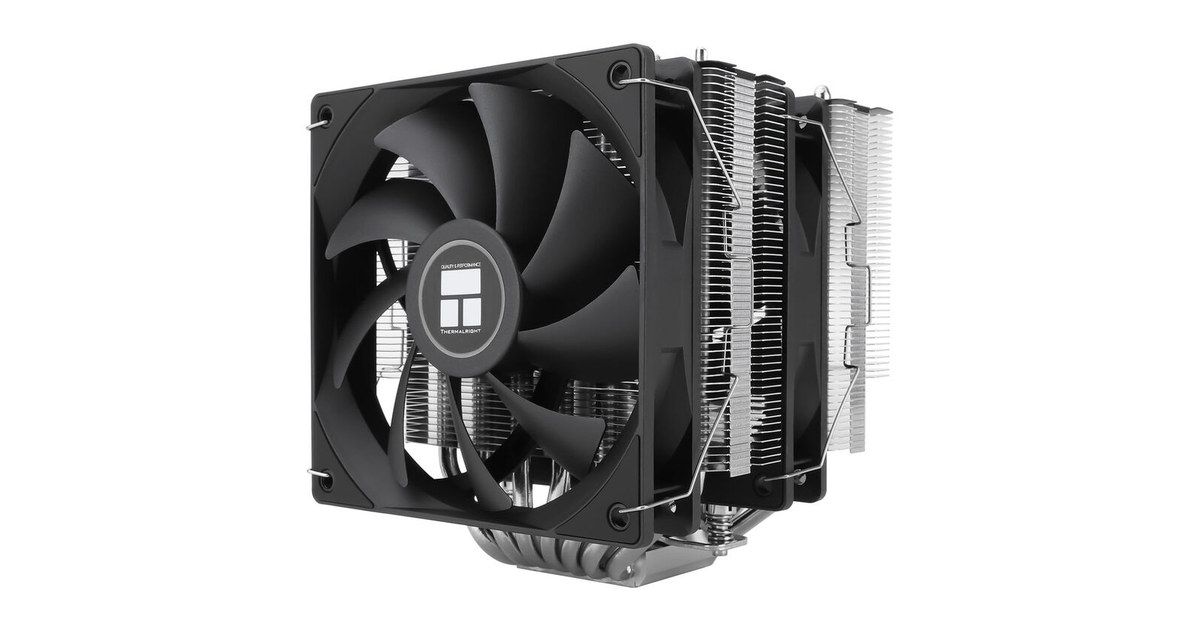
The short version. For a demanding CPU at the vendor’s default limits, a dual-tower air cooler or an AIO without a screen is often enough, as we laid out for the 270K Plus. The screen becomes interesting if you want a showpiece, permanent monitoring, or a second Windows display — a special case, that of the Titan II and its DisplayPort input.
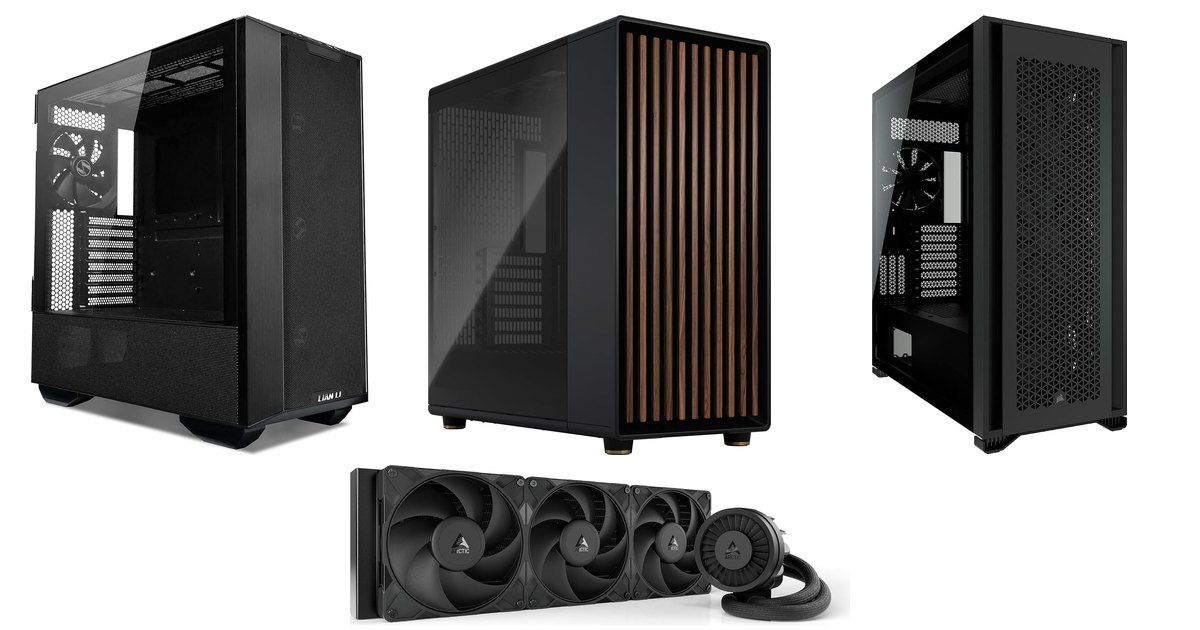
The small IPS panels (2.1 to 2.72 inches) cover the Kraken Elite, the HydroShift II, the LM360, the Frozen Warframe 240 and the TOUGHLIQUID Ultra. The large formats are the Titan II (5-inch IPS), then the Panorama, the Panorama SE and the Wonder Vision, all with a 6.67-inch panel. The MAGFloe 420 Ultra requires a case that accepts a 420 mm radiator: see our guide to cases built for a 420 mm AIO.
On price, the kits split into four brackets: compact entry-level coolers with a small screen, mid-range 360 mm models with a 2- to 5-inch panel, the large 6.67-inch AMOLED kits, and the Ryujin III Extreme, which sits clearly above the other 360 mm screen coolers in this roundup. Several models in the first group had no verified in-stock US listing at the time of writing.
 Click to enlarge
| Model | Screen | Software | Format | Takeaway |
|---|---|---|---|---|
| NZXT Kraken Elite 360 | IPS 2.72" 640×640, 690 cd/m² | NZXT CAM | 360 mm | Safe pick, 6-year warranty |
| Lian Li HydroShift II LCD-C 360TL | IPS 2.1" 480×480, 500 nits | L-Connect 3 | 360 mm slim (24 mm) | Side tubes, modes without USB |
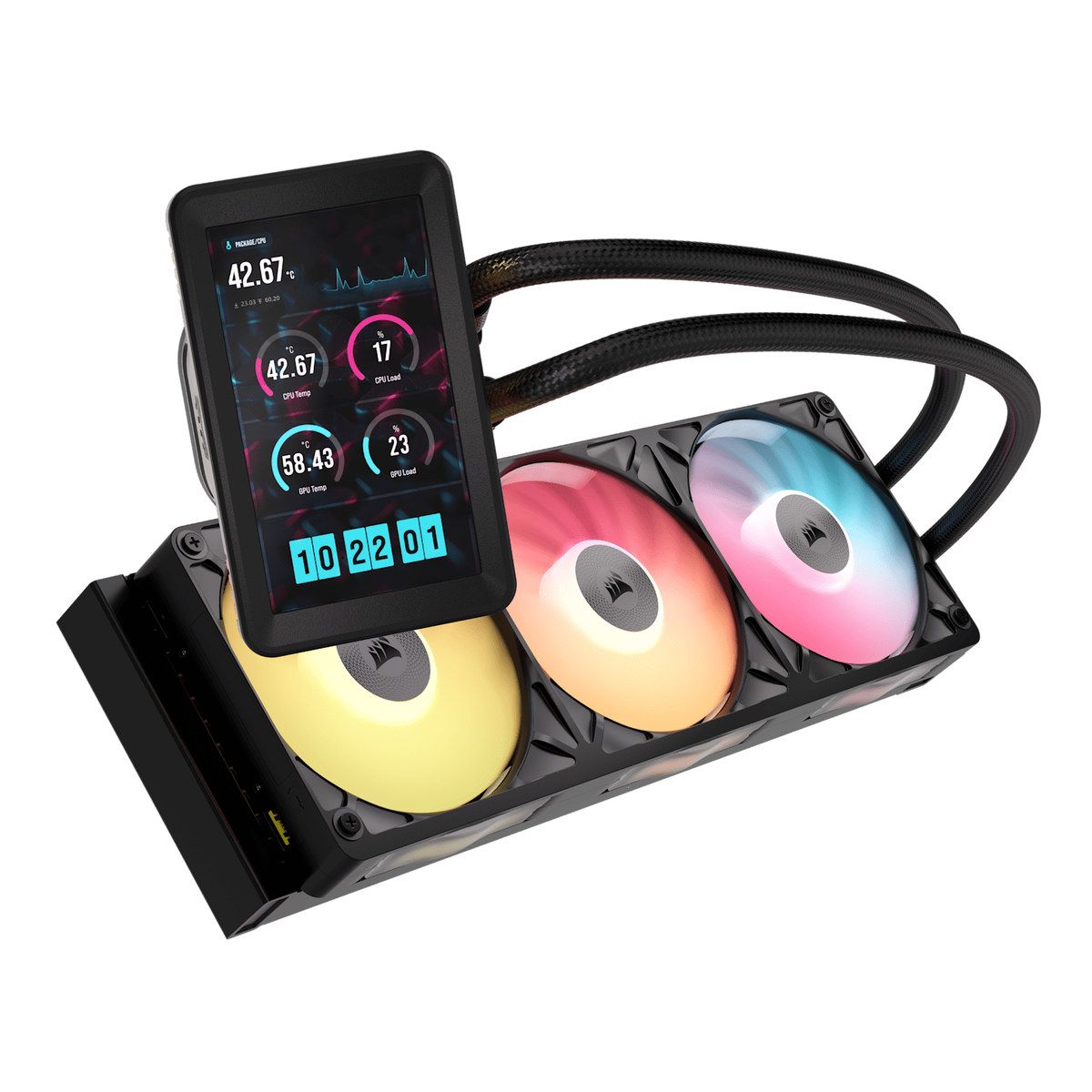
| Corsair Titan II 360 RX LCD | IPS 5" 720×1280, 500 cd/m² | iCUE | 360 mm | DisplayPort: a real Windows display |
| TRYX Panorama ARGB 240 | Curved AMOLED 6.67" 2K 60 Hz | KANALI | 240 mm | A large screen on a 240 mm radiator |
| TRYX Panorama SE 360 | Same panel, rotates 90°/180° | KANALI | 360 mm | Asetek Adela pump, 280 W TDP claimed |
| ASUS ROG Ryujin III 360 Extreme | LCD 3.5" 640×480 60 Hz | Armoury Crate | 360 mm | VRM fan, Asetek Gen8 V2 |
| Thermalright Wonder Vision 360 Turbo | 6.67" 2,400×1,080 | TRCC | 360 mm | Tall pump; EU availability is limited |
| DeepCool LM360 | IPS 2.4" 320×240 | DeepCreative | 360 mm | Entry-level 360 mm |
| Thermalright Frozen Warframe 240 | IPS 320×240 | TRCC | 240 mm | Entry-level 240 mm |
| Thermaltake MAGFloe 420 Ultra | TFT 3.95" 480×480 (not 4.9") | TT RGB PLUS 3.0 | 420 mm | Only for 420 mm cases |
| Thermaltake TOUGHLIQUID Ultra 360 | TFT-IPS 2.1" 480×480, rotatable | TT RGB Plus 2.0 | 360 mm | Previous generation |
Not if you are buying it to gain degrees. The radiator, the fans and the CPU power limit do the work. The screen adds weight on the pump, an extra cable, mandatory software, and often a shorter warranty on the panel than on the cooler itself.
In the 270K Plus cooler guide, a good dual tower is enough at Intel’s default limits; a 240 or 360 mm AIO mainly pays off when the motherboard raises the power cap. None of that gap depends on a screen being present. If you are still choosing between air cooling, a classic AIO and a custom loop, or you want a broader AIO roundup that is not limited to models with a display, see also our AIO comparison.
The screen is worth it in three cases. First: you are building a windowed PC and want a showpiece (animation, gauges, a GIF). Second: you want to watch temperatures and loads without a software window in the foreground. Third, and rarer: you want a real second Windows display on the pump — today, that is the Titan II, thanks to its DisplayPort input. Other “second screen” kits generally just stream an image through the vendor’s software, without appearing as a monitor in Windows.
Watch the panel warranty. On the TRYX Panorama and Panorama SE, the manufacturer quotes 6 years on the cooling kit, but only 2 years on the screen. That matters: the screen is precisely what you pay extra for.
At the bottom of the range, the 2.1-inch IPS panels (480×480) on the HydroShift II LCD-C and the TOUGHLIQUID Ultra stay readable for gauges, not for dense content. The Frozen Warframe 240 and the DeepCool LM360 step up to an IPS 320×240 panel; the LM360 is listed as 2.4 inches, while the Frozen Warframe has no official diagonal in inches, only that resolution. The Kraken Elite moves to a round 2.72-inch IPS (640×640, 690 cd/m²) at 60 Hz: some listings still say 2.36 inches, which is wrong — the NZXT spec is 2.72 inches.
Above that, the Ryujin III Extreme uses a 3.5-inch LCD (640×480 at 60 Hz). The MAGFloe 420 Ultra has a square 3.95-inch TFT (480×480): several listings say 4.9 inches, which is not the official figure. The Titan II changes category with a 5-inch IPS (720×1,280, 60 Hz, 500 cd/m²), in portrait, designed as a small monitor.
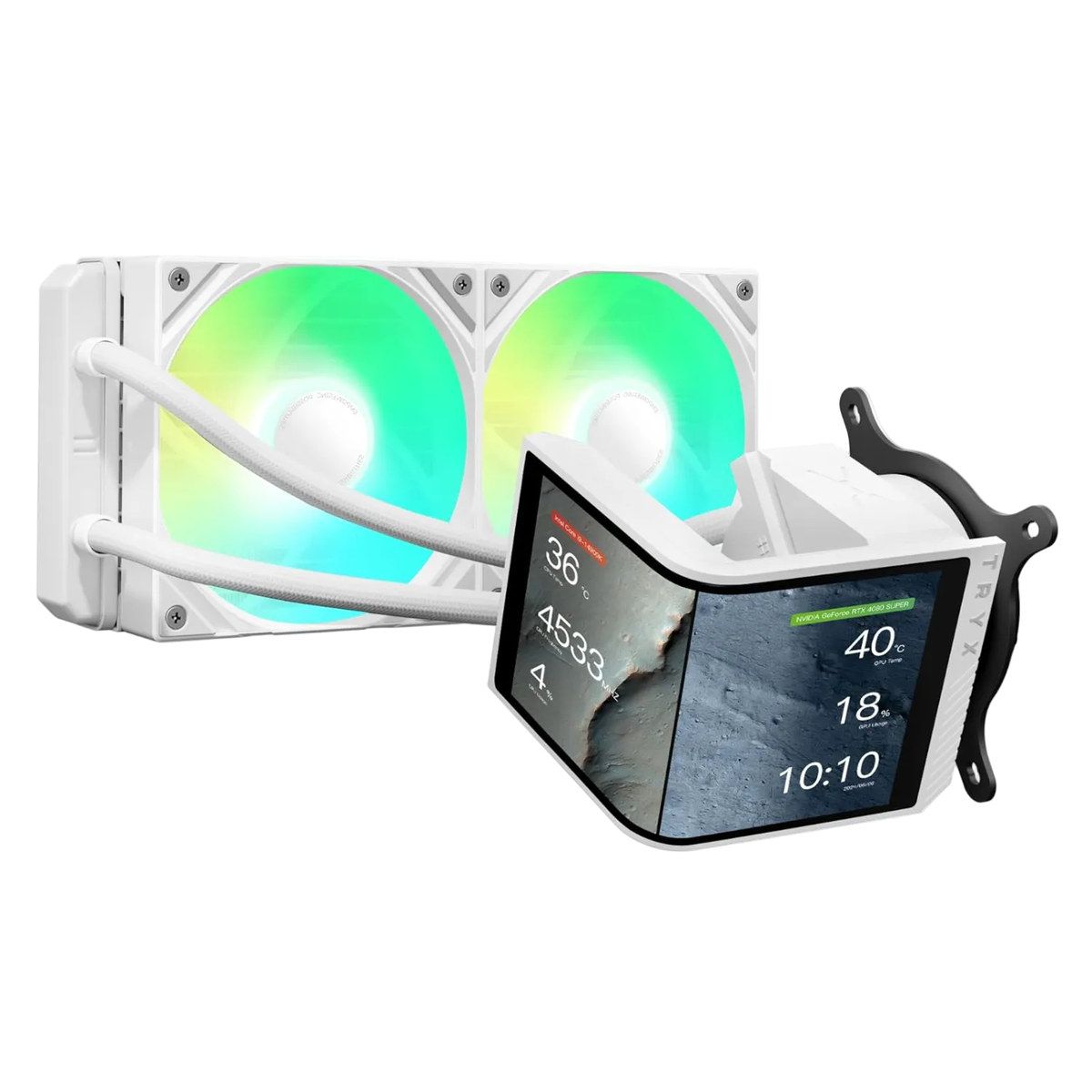
At the top, TRYX and Thermalright bet on 6.67 inches. The Panorama and Panorama SE use a curved AMOLED panel listed as 2K at 60 Hz, 372 pixels per inch (the typical equivalent is 2,240 × 1,080). Some listings say 6.5 inches: we keep the official 6.67 inches. The Wonder Vision 360 Turbo lists 2,400 × 1,080 on 6.67 inches. On the Panorama SE, the screen module rotates 90° and 180°.
Each brand imposes its ecosystem. NZXT CAM for the Kraken Elite, L-Connect 3 for the HydroShift II, iCUE for the Titan II, KANALI for TRYX, Armoury Crate for the Ryujin, TT RGB PLUS 3.0 (and TT PlayLink) for the MAGFloe 420, TT RGB Plus 2.0 for the TOUGHLIQUID Ultra, DeepCreative for the LM360. At Thermalright, the TRCC utility appears on the support pages, even when it is not always listed in the product specification table.
L-Connect 3 offers offline, wireless and USB modes. Over USB you can send an image or an animation to the panel: that does not make it a DisplayPort monitor. If you want Windows to detect a real second display (wallpaper, taskbar, a window moved over), you should look at the Titan II, not the HydroShift.
 Click to enlarge
A 240 mm kit (Panorama ARGB 240, Frozen Warframe 240) fits in more cases, often in the front or the roof. A 360 mm radiator remains the most common format in this selection. The HydroShift II LCD-C is careful about bulk, with a slim 400 × 122 × 24 mm radiator and tubes folded along the side. The Kraken Elite 360 lists a 401 × 120 × 27 mm radiator and 420 mm tubes. The Wonder Vision has a taller than average pump (120.1 × 80 × 107 mm): check clearance above the socket and the height of your memory.
The MAGFloe 420 Ultra, with three 140 mm fans, only fits a case designed for a 420 mm radiator. Before you buy, check the clearances in the 420 mm AIO case guide.
The Thermalright Frozen Warframe 240 (FW 240) is the simplest entry point in this list: a 240 mm radiator, an IPS 320×240 panel, a compact pump (69.2 × 69.2 × 60 mm), a 5-year official warranty, and AM5/AM4 plus LGA 1851/1700 sockets. It is not a 6.67-inch showpiece, but it puts a screen on an accessible kit. At the time of writing, there was no verified in-stock US listing for the exact model, so there is no product card here.
The DeepCool LM360 takes the same idea of a small IPS, this time on a 360 mm radiator, with a 2.4-inch 320×240 panel and DeepCreative. It is the most affordable 360 mm kit in the selection if you already want three fans without stepping up to a mid-range model with a larger screen. At the time of writing, there was no verified in-stock US listing for the exact model, so there is no product card here.
The NZXT Kraken Elite 360 (black, MPN RL-KN36E-B2) remains the safe pick: a 2.72-inch IPS 640×640 at 690 cd/m² and 60 Hz, a “Turbine” pump, a 401 × 120 × 27 mm radiator, 420 mm tubes, CAM software, a 6-year warranty, and LGA 1851/1700/1200/115X plus AM5/AM4 sockets. The white RGB version (MPN RL-KR36E-W2) uses the same panel with RGB fans: it is a color variant, not another performance tier. CAM works well, but you stay inside the NZXT ecosystem.
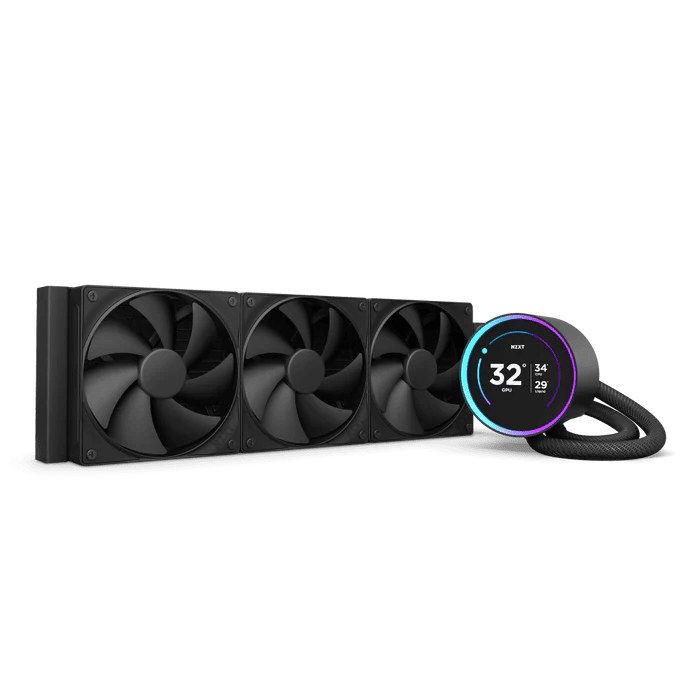
A 360 mm AIO with a round 2.72-inch IPS (640×640, 690 cd/m²), CAM software and a 6-year warranty. A safe pick if you want a readable screen without stepping up to 5 or 6.67 inches.
 Check the price in my country
The Lian Li HydroShift II LCD-C 360TL (black, MPN LL-HS2-LCD-360TL-BK) is about integration: a slim 400 × 122 × 24 mm radiator, side-mounted tubes, UNI FAN TL fans, a 2.1-inch IPS 480×480 at 500 nits and 60 Hz, and L-Connect 3. The kit can run offline, wirelessly or over USB. The stated warranty is 6 years on the AIO and 3 years on the fans. The screen is small: you buy it for the cabling and a clean front, not for an immersive panel. We did not find a verified in-stock US listing for the exact model, so there is no product card here.
The Thermaltake TOUGHLIQUID Ultra 360 remains a 360 mm kit with a rotatable 2.1-inch IPS 480×480, driven by TT RGB Plus 2.0 — an older software generation than the 3.0 on the MAGFloe. It is an alternative in the same family, without the 420 mm radiator. No verified in-stock US listing for the exact model was available at the time of writing, so there is no product card here.
The Corsair iCUE LINK Titan II 360 RX LCD (black, MPN CW-9061045-WW) is the only kit in this list with a 5-inch IPS 720×1,280 at 60 Hz and 500 cd/m², plus a DisplayPort input. Windows detects it as a secondary monitor: wallpaper, taskbar, a window moved over. Pause Hardware confirmed that in its review (updated 25 August 2026, on a Ryzen 9 9950X3D test bench). The kit uses iCUE LINK, a FlowDrive 2 pump, an RX II Unified Frame, a 70 mm fan for the power stage, a PCIe passthrough bracket and XTM70 paste. Official sockets: AM5/AM4 and LGA 1851/1700.
This is also the model whose screen most clearly justifies the extra cost… if you will actually use it as a display. If you only want a temperature gauge, a Kraken Elite or a HydroShift is enough, and an AIO without a screen cools just as well. The current rating is still based on a small number of reviews.
A 360 mm AIO with a 5-inch IPS 720×1,280 and a DisplayPort input: Windows sees it as a real secondary display. The one to pick if the screen should do more than show a gauge.
Check the price in my countryThe TRYX Panorama ARGB 240 (black, MPN L-P240A-AS2M-G0K) breaks the usual pattern: a curved 6.67-inch AMOLED, listed as 2K at 60 Hz and 372 ppi, on a 240 mm radiator. Asetek Gen8 pump, KANALI software, a claimed 280 W TDP, a 6-year cooler warranty and 2 years on the screen. You get an oversized showpiece in a format that fits more cases, in exchange for a smaller radiator than a 360 mm kit. The exact US listing existed but was out of stock at the time of writing, so there is no product card.
The TRYX Panorama SE ARGB 360 (white, MPN L-P360L-AM3M-G0W) uses the same 6.67-inch panel, rotating 90° and 180°, on a 360 mm radiator, with an Asetek Adela pump, the same claimed 280 W TDP, KANALI, and the same 6-year / 2-year warranty. The SE is not the flagship Panorama 360: it is the SE variant, here in white, that we have in the catalogue. If you want the large AMOLED and three fans, this is the model to look at in this list.
The same curved 6.67-inch AMOLED as the Panorama, rotating 90° and 180°, on a 360 mm radiator and an Asetek Adela pump. The 360 mm showpiece in this selection, with a 2-year screen warranty.
Check the price in my countryThe Thermalright Wonder Vision 360 Turbo ARGB (black) also lists 6.67 inches, at 2,400 × 1,080, with a 403 × 120 × 27 mm radiator and Turbo fans up to 3,000 rpm (44.7 dBA claimed). The pump is tall (107 mm). The official warranty is 6 years. Offers in Europe were too thin to quote a reliable price band in the other languages; a verified in-stock US listing for the exact model was available.

A 360 mm AIO with a 6.67-inch 2,400 × 1,080 panel, a tall pump and Turbo fans up to 3,000 rpm. Official 6-year warranty. The rating is still based on a very small sample.
Check the price in my countryThe ASUS ROG Ryujin III 360 ARGB Extreme (white) is aimed at the ROG ecosystem: a 3.5-inch LCD 640×480 at 60 Hz, an Asetek Emma Gen8 V2 pump, a dedicated VRM fan in the pump, magnetic ARGB fans, and Armoury Crate. The screen is larger than a Kraken, smaller than a Titan II or a Panorama. It is also clearly the most expensive 360 mm kit in this selection. It mainly makes sense if you are already in Armoury Crate and want this pump, not just a panel.
A 360 mm ROG AIO with a 3.5-inch LCD 640×480, an Asetek Gen8 V2 pump, a VRM fan and Armoury Crate. The most expensive 360 mm kit in this list, best reserved for the ASUS ecosystem.
Check the price in my countryThe Thermaltake MAGFloe 420 Ultra (black) is the only 420 mm kit in the list: three 140 mm fans, MAGForce 2.0, TT RGB PLUS 3.0 and TT PlayLink, and an official square 3.95-inch TFT at 480×480 — not 4.9 inches, despite what some listings say. Without a case made for a 420 mm radiator, it is not a candidate. French offers were too fragile to quote a reliable price band; a verified in-stock US listing for the exact model was available.
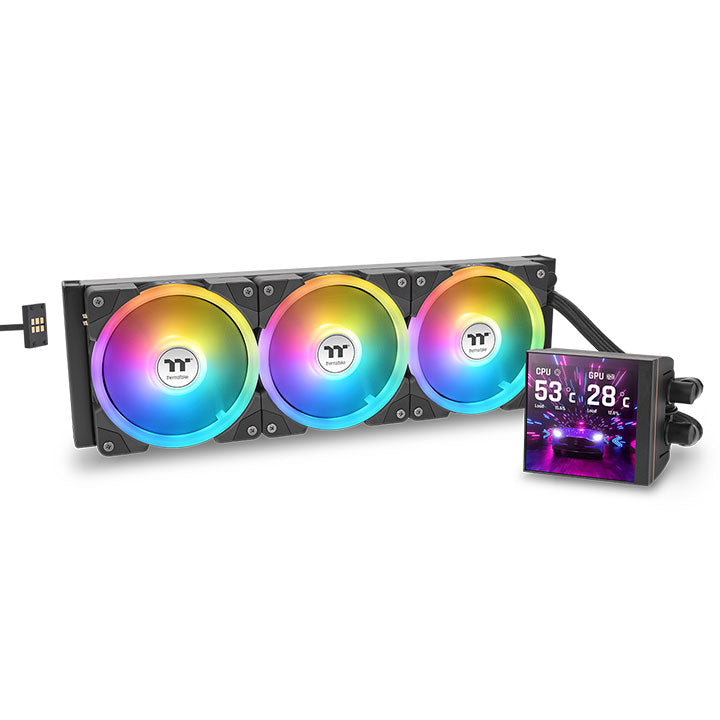
A 420 mm AIO (3×140 mm) with an official 3.95-inch 480×480 TFT, MAGForce 2.0 and TT RGB PLUS 3.0. Only if your case accepts a 420 mm radiator. Some listings wrongly say 4.9 inches.
Check the price in my country
Click to enlarge
You just want a readable screen, without overspending. The Frozen Warframe 240 or the DeepCool LM360, depending on whether you prefer a 240 mm kit that is easier to fit or already a 360 mm radiator. At the time of writing, neither had a verified in-stock US listing for the exact model.
You want a polished 360 mm kit, with a compact screen. The Kraken Elite 360 for the 2.72-inch panel and CAM, or the HydroShift II LCD-C if you care more about the slim radiator and side tubes (no verified in-stock US listing for the HydroShift at the time of writing).
You want a real second Windows display. The Titan II 360 RX LCD, and only that model in this list, thanks to DisplayPort.
You want a 6.67-inch showpiece. The Panorama ARGB 240 if the case is tight (US listing out of stock at the time of writing), or the Panorama SE 360 if you have room for three fans. The Wonder Vision aims at the same kind of panel.
You are already with ASUS, or you want a 420 mm kit. The Ryujin III Extreme for Armoury Crate and the Gen8 V2 pump. The MAGFloe 420 Ultra only with a 420 mm case.
You do not need a screen. Go back to an air cooler or an AIO without a panel, or to our AIO comparison: you skip the extra cost of the display without losing thermal headroom.
No. It adds neither radiator area nor airflow. At the same format, an AIO without a screen does the same thermal job. The screen is for display, not dissipation.
No. Most models in this guide are 240 or 360 mm. The 420 mm MAGFloe Ultra only makes sense if the case accepts it and you want three 140 mm fans.
Yes: the DisplayPort input makes Windows detect the 5-inch panel as a secondary monitor, with wallpaper and a taskbar. That is not the case for “second screen” modes that only go through the vendor’s software, such as L-Connect 3 USB streaming.
6 years on the cooling kit, 2 years on the screen, according to the official Panorama and Panorama SE pages. It is not a single 6-year warranty on the panel.
Often yes, at the vendor’s default limits. That is exactly the finding of our guide for the 270K Plus: a dual tower is enough in that setting, and a 240 or 360 mm AIO pays off if the BIOS lifts the limits. The screen, once again, does not enter that calculation.
Yes, in the large majority of cases, at least to customize the display and the fans (CAM, iCUE, L-Connect 3, KANALI, Armoury Crate, TT RGB PLUS, DeepCreative). Some kits, such as the HydroShift II, also offer a more limited offline mode.