Best Thermal Paste 2026: Kryonaut, Kryonaut Extreme… Which One for Your CPU and Graphics Card?

best thermal paste CPU thermal paste GPU thermal paste how to replace thermal paste Kryonaut review

Which thermal paste should you choose in 2026 for your CPU or graphics card? The gaps measured in tests, why W/mK figures mislead, and our take on the Kryonaut, Kryonaut Extreme, Arctic MX-4/MX-6 and Noctua NT-H1.

The short answer: which thermal paste should you pick in 2026?

Good news for your wallet: among good thermal pastes, independent tests measure differences of around 1 °C, sometimes less. The brand matters far less than how you apply it and how good your cooler is. Here are our picks by use case, with prices checked on October 11, 2026:

  • Tight budget or first build: Arctic MX-4 (4 g) — No current US offer. In Tech4Gamers’ test, it finishes just 1.5 °C behind the best paste and 1.1 °C behind the Noctua NT-H2.
  • Best value per gram: Arctic MX-6 (8 g, No current US offer) or Noctua NT-H1 (3.5 g, No current US offer).
  • The enthusiasts’ benchmark: Thermal Grizzly Kryonaut — No current US offer (1 g tube) / No current US offer (5.55 g).
  • Extreme overclocking (liquid nitrogen): Kryonaut Extreme — No current US offer (2 g). Pointless for a regular gaming PC.

Fitting a new CPU cooler? Start with our guide to choosing a CPU cooler: better cooling wins you far more degrees than a pricier paste.

What the tests actually measure

We only kept measurements published with their test conditions. No temperature is extrapolated.

  • Tech4Gamers (May 2024), 8 pastes on a Ryzen 7 7700: CPU locked at 5.2 GHz and 1.33 V (105 to 110 W), cooled by an Alphacool Eisbaer Pro Aurora 360 AIO with pump and fans at full speed. Maximum temperature under stress: 59.4 °C with the Noctua NT-H2, 59.9 °C with the Kryonaut and 60.5 °C with the Arctic MX-4. The best paste in the test (Thermal Hero Quantum, 59 °C) and the fourth are only 1.5 °C apart.
  • EnosTech, Arctic MX-6 vs Noctua NT-H1: the MX-6 lowers temperatures by 1 °C compared with the NT-H1, which the site uses as the reference paste on its bench. The tester calls the gap “barely” significant.
  • Igor’s Lab, Kryonaut vs Kryonaut Extreme: measured in the lab, the two pastes are “de facto tied” at thicknesses of 25 to 150 µm, the range of a normal CPU install. The Extreme remains a paste designed for very low temperatures.

Bottom line: for a gaming PC, the cheapest paste in this roundup does almost as well as the most expensive one. What really matters is the air cooler or AIO, the right amount of paste and proper mounting pressure.

Conductivity in W/mK: why you shouldn’t rely on it

Many roundups rank pastes by their thermal conductivity in W/mK. The problem: these figures aren’t measured the same way, and manufacturers don’t always publish them.

  • Thermal Grizzly used to quote 12.5 W/mK for the Kryonaut and 14.2 W/(m·K) for the Kryonaut Extreme (spec sheet reported by Guru3D in December 2020). The brand’s current product pages and datasheets no longer list a W/mK value (checked on October 11, 2026).
  • Arctic refuses to publish a value: the brand explains that thermal paste sits between 1 and 4 W/mK and that figures like 12.5 W/mK “do not correspond to the truth”.
  • Noctua doesn’t give a conductivity figure for its NT-H1 and NT-H2 either.
  • In the lab, Igor’s Lab measured an effective conductivity of 4.264 W/(m·K) for the Arctic MX-6 under the ASTM D5470 standard.
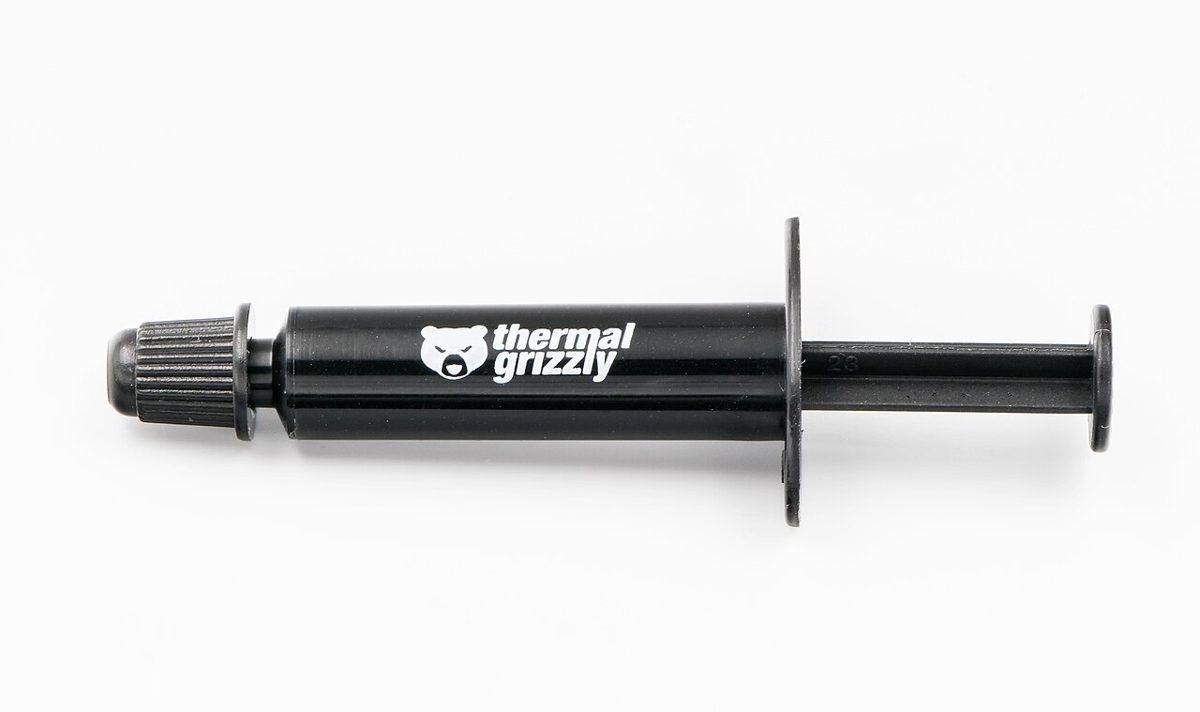
Seringue de pâte thermique Thermal Grizzly Kryonaut Click to enlarge

A syringe of Thermal Grizzly Kryonaut — photo Jacek Halicki, CC BY-SA 4.0, via Wikimedia Commons.

So go by measured temperatures rather than the W/mK printed on the box. If a roundup promises you 3 to 5 °C better thanks to a higher conductivity figure, with no test to back it up, be wary.

Thermal paste Size Claimed conductivity Published measurement (source) US price (Oct 11, 2026) Block below
Thermal Grizzly Kryonaut 1 g No longer listed on the current spec sheet 59.9 °C, Ryzen 7 7700 (Tech4Gamers) No current US offer DropReference listing
Thermal Grizzly Kryonaut 5.55 g (1.5 ml) No longer listed on the current spec sheet 59.9 °C, Ryzen 7 7700 (Tech4Gamers) No current US offer DropReference listing
Thermal Grizzly Kryonaut Extreme 2 g 14.2 W/(m·K) in 2020 Tied with the Kryonaut (Igor’s Lab) No current US offer Amazon
Thermal Grizzly Kryonaut Extreme 33.84 g (9 ml) 14.2 W/(m·K) in 2020 Tied with the Kryonaut (Igor’s Lab) No current US offer DropReference listing
Arctic MX-4 4 g Not disclosed 60.5 °C, Ryzen 7 7700 (Tech4Gamers) No current US offer Amazon
Arctic MX-6 8 g Not disclosed −1 °C vs NT-H1 (EnosTech) No current US offer Amazon
Noctua NT-H1 3.5 g Not disclosed EnosTech’s reference paste No current US offer Amazon
Swipe to view more

Sources: Thermal Grizzly product pages and datasheets, Arctic (MX-6 page and FAQ) and Noctua; Guru3D (December 2020); Tech4Gamers (May 2024), EnosTech and Igor’s Lab tests, checked on October 11, 2026. Prices: on October 11, 2026, none of the Thermal Grizzly pastes had a US offer in the DropReference catalog, and Arctic and Noctua aren’t in our catalog yet (checked on October 11, 2026), so we show no dollar price rather than converting euros. Prices may have changed since.

Thermal Grizzly Kryonaut: the enthusiasts’ benchmark

The Kryonaut is the paste you see most often in high-end PCs. According to its datasheet, it doesn’t start drying out at 80 °C, it isn’t electrically conductive (0 pS/m), it works from −250 °C to +350 °C and it comes in four sizes: 1 g, 1.5 ml (5.55 g), 3 ml and 10 ml.

In Tech4Gamers’ test, it finishes 0.5 °C behind the NT-H2 and 0.6 °C ahead of the MX-4, for a much higher price per gram. The 1 g tube is enough for one build: No current US offer as of October 11, 2026 (DropReference catalog). If you swap coolers often or have several PCs, the 5.55 g size: No current US offer (DropReference catalog).

On Amazon, Kryonaut listings bundle several sizes under titles that don’t match the chosen product, so we show our DropReference catalog listings instead.

Thermal Grizzly Kryonaut 1 g

Thermal Grizzly Kryonaut 1 g

The benchmark paste, in a single-build size

Prix
Application
Durabilité
Performances

Pros

  • • No current US offer (DropReference catalog, Oct 11, 2026)
  • • 59.9 °C on a Ryzen 7 7700 at Tech4Gamers, among the front-runners
  • • Doesn’t dry out at 80 °C according to Thermal Grizzly
  • • Electrically non-conductive, spatula included

Cons

  • • Expensive per gram compared with an MX-4
  • • 1 g: only one or two builds
  • • No better than an NT-H2 in the cited test
Thermal Grizzly Kryonaut 5.55 g

Thermal Grizzly Kryonaut 5.55 g

The large size for several PCs

Prix
Application
Durabilité
Performances

Pros

  • • No current US offer (DropReference catalog, Oct 11, 2026)
  • • Same paste as the 1 g tube, in 1.5 ml
  • • Several builds, or repasting both a CPU and a graphics card
  • • Electrically non-conductive

Cons

  • • Higher upfront cost
  • • Pointless if you only build one PC
  • • Limited measured gain over cheaper pastes

Kryonaut Extreme: only for extreme overclocking

The Kryonaut Extreme (pink, 3.76 g/cm³) uses finer particles and is aimed first at liquid-nitrogen overclocking. Thermal Grizzly presents it as a paste for very low temperatures, but also for watercooling. It comes in 2 g, 6 g and 9 ml (33.84 g).

For a gaming PC, its results don’t justify the price gap: Igor’s Lab puts it on par with the regular Kryonaut at normal mounting thicknesses. The 2 g size: No current US offer as of October 11, 2026 (DropReference catalog; no dollar price shown). The 33.84 g tub, No current US offer (DropReference catalog), is meant for overclockers and workshops.

Thermal Grizzly Kryonaut Extreme 2 g

The extreme overclockers’ paste, in a 2 g size (ASIN B08R6QG2CQ, linked to our product listing).

Pros
  • No current US offer (DropReference catalog, Oct 11, 2026)
  • Designed for liquid nitrogen and very low temperatures
  • Electrically non-conductive
  • Two applicators included
Cons
  • On par with the regular Kryonaut in normal use (Igor’s Lab)
  • Pricier than the regular Kryonaut for the same measured result
  • Pointless for a gaming PC
FranceCheck the price in my country
Thermal Grizzly Kryonaut Extreme 33.84 g

Thermal Grizzly Kryonaut Extreme 33.84 g

The 9 ml tub for overclockers and workshops

Prix
Application
Durabilité
Performances

Pros

  • • No current US offer (DropReference catalog, Oct 11, 2026)
  • • 9 ml: enough for a great many builds
  • • A paste designed for extreme overclocking
  • • Three spatulas included

Cons

  • • Very high entry price
  • • No measured gain over the Kryonaut in normal use
  • • Oversized for a home user

Arctic MX-4 and MX-6: the best value

The MX-4 is the budget paste par excellence: No current US offer for the 4 g tube as of October 11, 2026. Arctic says the formula hasn’t changed despite the new packaging. In Tech4Gamers’ test, it finishes just 1.1 °C behind the NT-H2.

The MX-6 succeeds it. According to Arctic, its thermal resistance is measurably lower than the MX-4’s (“20%” better, measured by the brand on its lab machine). It is very viscous (45,000 poise) and doesn’t spread with a spatula: the cooler’s mounting pressure spreads it. The 8 g tube: No current US offer as of October 11, 2026.

ARCTIC MX-4 (4 g)

The go-to cheap thermal paste, non-conductive (ASIN B07L9BDY3T).

Pros
  • No current US offer (Oct 11, 2026)
  • 60.5 °C on a Ryzen 7 7700 at Tech4Gamers, 1.1 °C behind the NT-H2
  • Electrically non-conductive
  • Easy to apply from the syringe
Cons
  • Slightly behind the NT-H2 and Kryonaut in the cited test
  • Not yet in the DropReference catalog
  • Replaced by the MX-6 in Arctic’s lineup
FranceCheck the price in my country
ARCTIC MX-6 (8 g)

The MX-4’s successor, in a big 8 g tube (ASIN B09VDLH5M6).

Pros
  • No current US offer (Oct 11, 2026); best price per gram of this roundup in Europe
  • 1 °C cooler than the Noctua NT-H1 at EnosTech
  • Effective conductivity measured at 4.264 W/(m·K) by Igor’s Lab
  • Electrically non-conductive
Cons
  • Doesn’t spread with a spatula
  • 8 g: a lot for a single PC
  • Not yet in the DropReference catalog
FranceCheck the price in my country

Noctua NT-H1 and NT-H2: easy to apply, built to last

The NT-H1 doesn’t need spreading: you put the paste down and the cooler spreads it. Noctua says it keeps for at least 3 years at room temperature and can stay 5 years or more on a processor. The 3.5 g tube is enough for 3 to 20 applications depending on CPU size. Price: No current US offer as of October 11, 2026.

The NT-H2 is its second generation, with a new blend of metal-oxide micro-particles according to Noctua. At Tech4Gamers it comes second (59.4 °C), behind only the Thermal Hero Quantum and ahead of the Kryonaut. We don’t show it as a block: the Amazon listing we found has a wrong title (“0.1 g”) that doesn’t match the 3.5 g tube.

Good to know: recent Noctua coolers ship with paste, like the NH-D15 G2 in our Ryzen 7 9800X3D cooler guide.

Noctua NT-H1 3.5 g

The easiest paste to apply, designed to last for years (ASIN B002CQU14A).

Pros
  • No current US offer (Oct 11, 2026)
  • No need to spread it: the cooler does the job
  • Up to 5 years on the CPU according to Noctua
  • 3 to 20 applications per 3.5 g tube
Cons
  • 1 °C behind the MX-6 at EnosTech
  • Replaced by the NT-H2 at the high end
  • Not yet in the DropReference catalog
FranceCheck the price in my country

Thermal paste for a graphics card: what changes

On a desktop processor, the paste sits between the CPU’s metal lid (IHS) and the base of the cooler. On a graphics card there is usually no lid: the paste touches the GPU die directly.

  • Pick an electrically non-conductive paste: every one in this guide is. Avoid liquid metal on a graphics card unless you know exactly what you’re doing.
  • Before taking a graphics card apart, check its warranty: some manufacturers refuse it if the card has been opened.
  • For a GPU repaste, a bigger size (Kryonaut 5.55 g, MX-6 8 g) keeps you from running short, since the die must be fully covered.
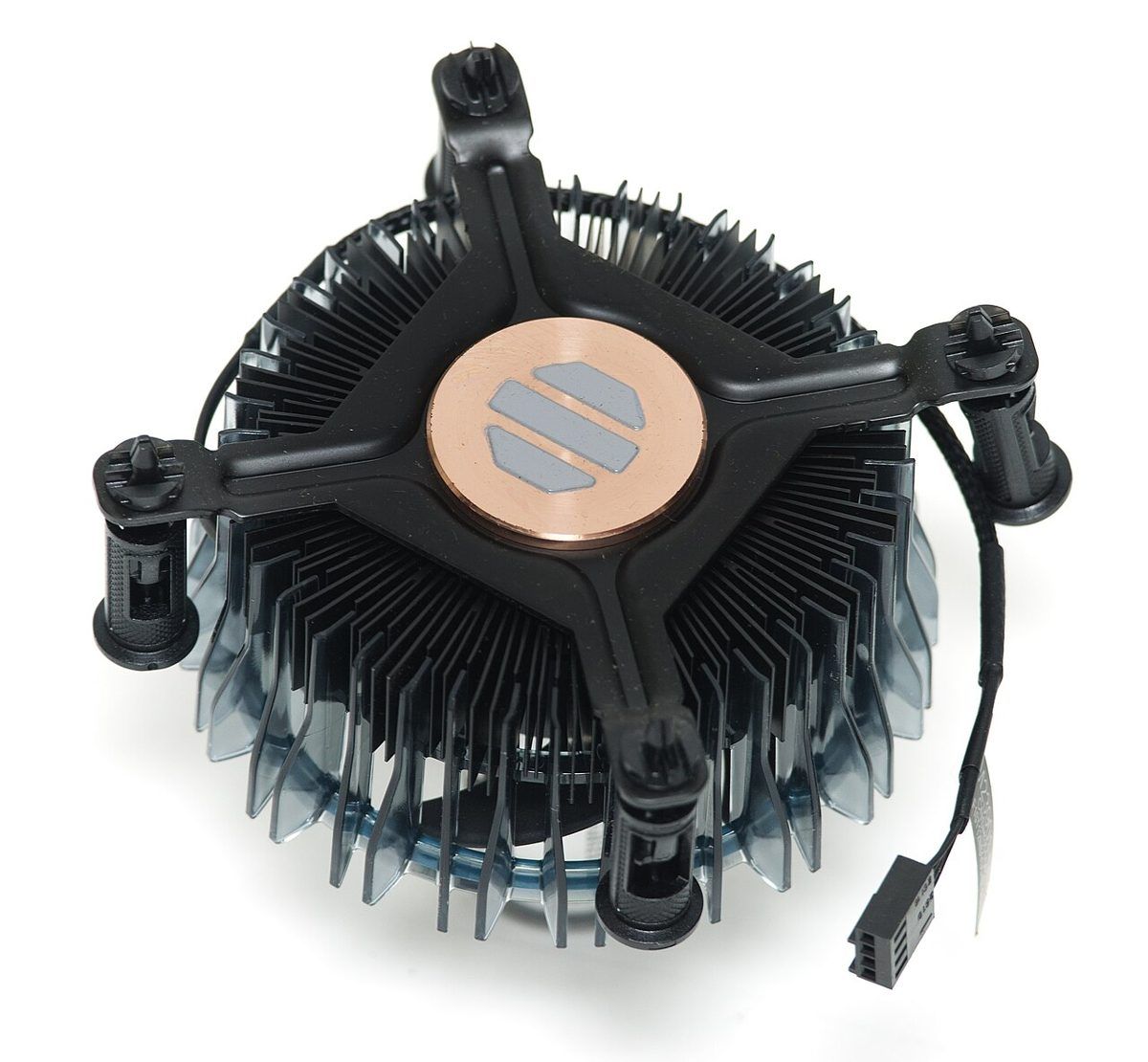
Ventirad Intel d’origine avec pâte thermique pré-appliquée sur la base en cuivre Click to enlarge

A stock Intel cooler with its pre-applied paste (grey, on the copper base) — photo Ashley Pomeroy, CC BY 4.0, via Wikimedia Commons.

The pre-applied paste on a stock cooler or an AIO is generally fine for a first build. You only replace it if you remove the cooler. To compare AIOs, read our AIO liquid cooler comparison.

Changing your thermal paste: the method

  • Remove the cooler or AIO after a few minutes of use: warm paste comes off more easily.
  • Wipe off the old paste with a lint-free cloth and isopropyl alcohol, or the brand’s own cleaner (Arctic sells an MX Cleaner).
  • Put a small amount in the center of the processor. With an MX-6 or NT-H1, don’t spread it: the cooler’s pressure takes care of it.
  • Refit the cooler, tightening the screws crosswise, a little at a time, then check temperatures under load.
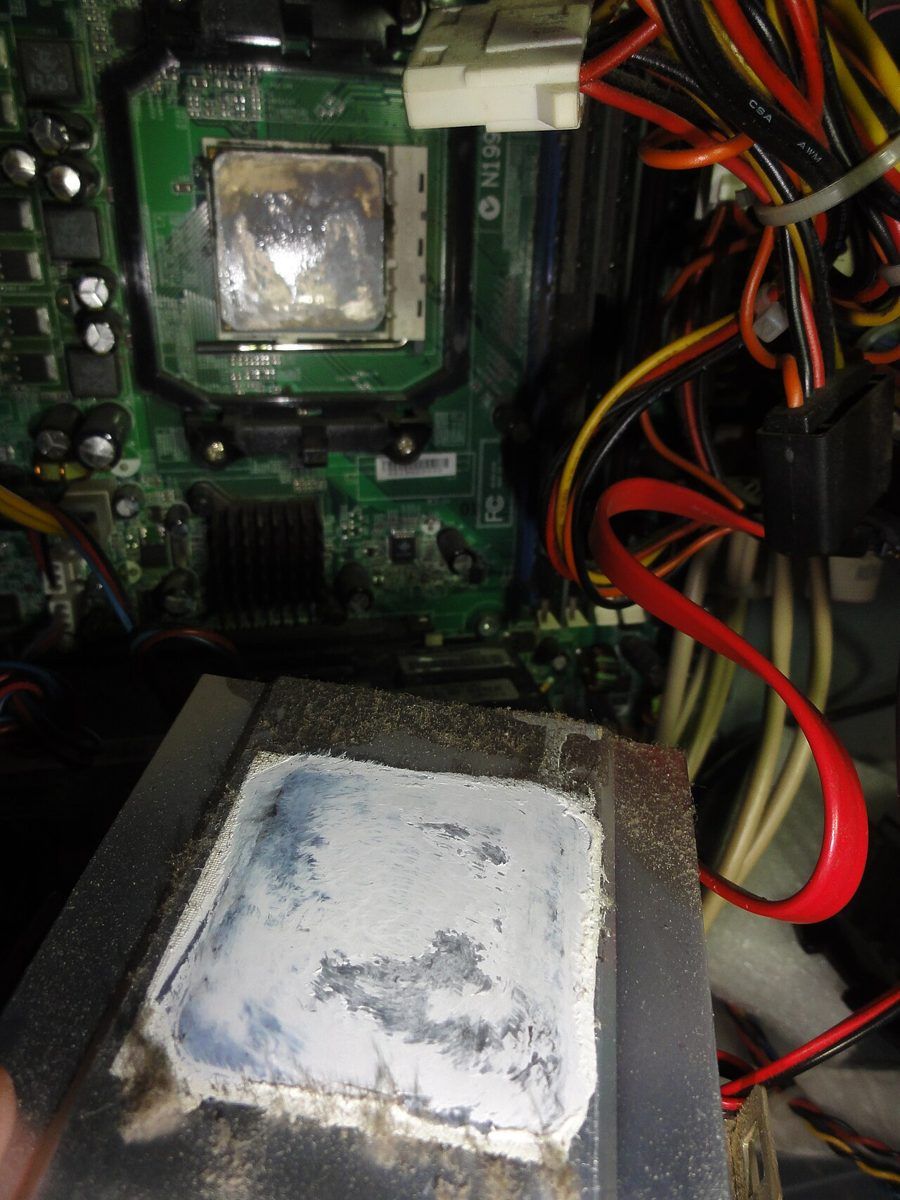
Ventirad démonté avec l’ancienne pâte thermique sur sa base, au-dessus du processeur Click to enlarge

A removed cooler with the old thermal paste still on its base — photo Mattes, CC BY-SA 2.0, via Wikimedia Commons.

If your temperatures stay high after a repaste, the problem often lies with the cooler itself. For a Ryzen 7 9800X3D, check our air cooler and AIO comparison for the 9800X3D.

Thermal paste FAQ

Is the Kryonaut worth the price?

For an enthusiast, yes: it’s among the front-runners in tests. But the measured gap with an MX-4 is only 0.6 °C at Tech4Gamers, for a much higher price per gram.

Kryonaut or Kryonaut Extreme?

The regular Kryonaut. Igor’s Lab measures the two pastes as tied at normal mounting thicknesses; the Extreme is designed for liquid nitrogen.

Which cheap thermal paste should I choose?

The Arctic MX-4 (4 g), the cheapest paste in this roundup in Europe; on October 11, 2026 there was no current US offer in our catalog. For more paste, the MX-6 comes in an 8 g tube.

Should you change your thermal paste regularly?

Not without a reason. Noctua claims 5 years or more on the CPU for the NT-H1, and the Kryonaut’s datasheet says it doesn’t start drying out at 80 °C. Change it when you remove your cooler or if temperatures rise with no other explanation.

Conclusion: what is the best thermal paste in 2026?
For a gaming PC, get an Arctic MX-4 (No current US offer) or an MX-6 (No current US offer): tests show only about 1 °C of difference from premium pastes. If you want the easiest paste to apply and the longest-lasting, choose the Noctua NT-H1 (No current US offer). The Kryonaut (No current US offer for the 1 g tube) remains the enthusiasts’ benchmark, and the Kryonaut Extreme (No current US offer for the 2 g) is for extreme overclocking only.

Prices checked on October 11, 2026: DropReference catalog (no US offer for any paste in this guide); Amazon blocks for Arctic, Noctua and the Kryonaut Extreme 2 g.