Paralives Build Mode: the complete guide to building everything in 2026

Paralives build mode Paralives construction guide Paralives 2026

Curved walls, split-levels, customized roofs, resizable furniture... Everything you need to know to master the Build Mode of Paralives in Early Access.

Introduction

Paralives was released in Early Access on May 25, 2026, and the Build Mode is already a hit. Walls at any angle, gridless construction, furniture that can be resized as desired, color customization on each part of an object... We are far from the grid-based placement known in other life sims.

This guide covers all building mode as it is today, in May 2026. Tools, shortcuts, advanced techniques, and the limits of Early Access. No chitchat — just what you need to build cleanly.

How to enter Build Mode

Press on Tab or click on the house icon at the bottom left. You land on your lot in Melino, the city of the game. You can also build on an empty plot created specifically for this — handy for testing things without constraints.

The interface is divided into four main categories in the top left:

  • Build Mode — all structural tools (walls, doors, windows, stairs, roofs, fences)
  • Room Tool — items sorted by part type
  • Furnishing — furniture and objects by detailed category
  • Terrain Tools — plants, sculpting the terrain, floor painting
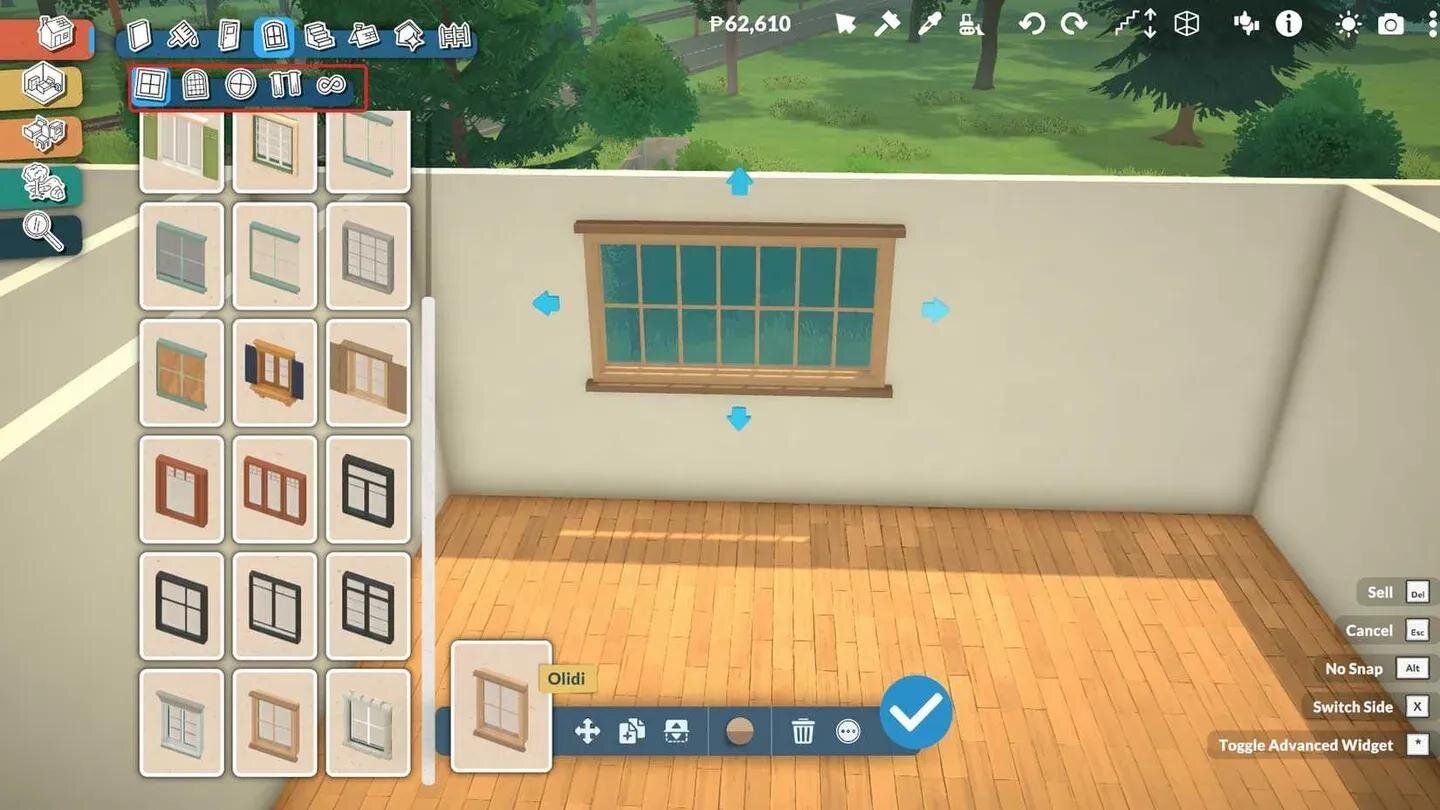
Interface du Build Mode dans Paralives avec le catalogue de fenêtres et les outils de construction Click to enlarge

The walls: straight, curved, at any angle

It's THE feature that sets Paralives apart from everything else. Three types of walls available: standard wall, half-wall, and invisible wall The three are built straight or curved, and you can place them at any angle. Triangular pieces, hexagonal, twisted L-shaped - everything works.

At the bottom of the screen, you adjust the height and thickness of the wall once selected. Thicker walls give a solid appearance, brutalist style or old house. Hold Shift by tracing to activate half-grid placement - more precision without completely disabling the grid.

For curved walls, zoom in well before drawing. The closer you are, the more you control the arc. Small drawback of the Early Access: the doors and windows are not yet installed on the curved walls . Use them for decorative facades or exterior walls without openings, pending the update.

One thing that a lot of people miss: the walls that are already placed move freely. No need to break everything and start over if a wall is shifted by two pixels.

Split-levels and mezzanines: playing with heights

The platform system allows you to adjust the floor height of each room independently. In concrete terms, you can create a sunken living room, a raised entrance, or a real mezzanine — all on the same floor.

The method: build your base piece first, then adjust the floor height using the platform controls. Then place a short staircase to connect the two levels. The separator tool helps to cleanly cut the space if you want clear transitions between levels.

Be careful with the ceiling height when stacking indoor levels. The camera may struggle if the space is too tight. Test visibility with Accueil and End (shortcuts to change the visibility state of walls) before finalizing everything.

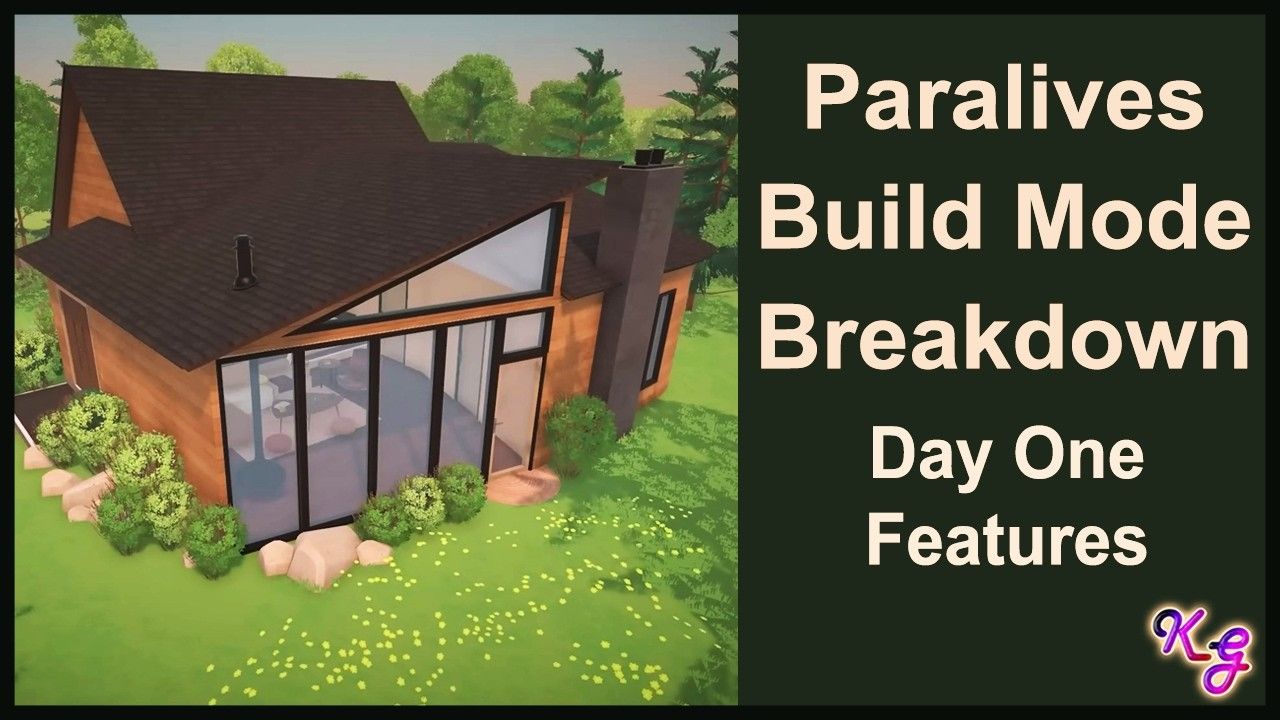
Maison moderne avec architecture angulaire construite dans Paralives Click to enlarge

Roofs: 18 styles and adjustable chimneys

18 styles of roofs. Each adjustable in height and width, with the color managed via the Roof Paint tool (7 textures available for now). The chimneys are in the same category and their height is also adjustable.

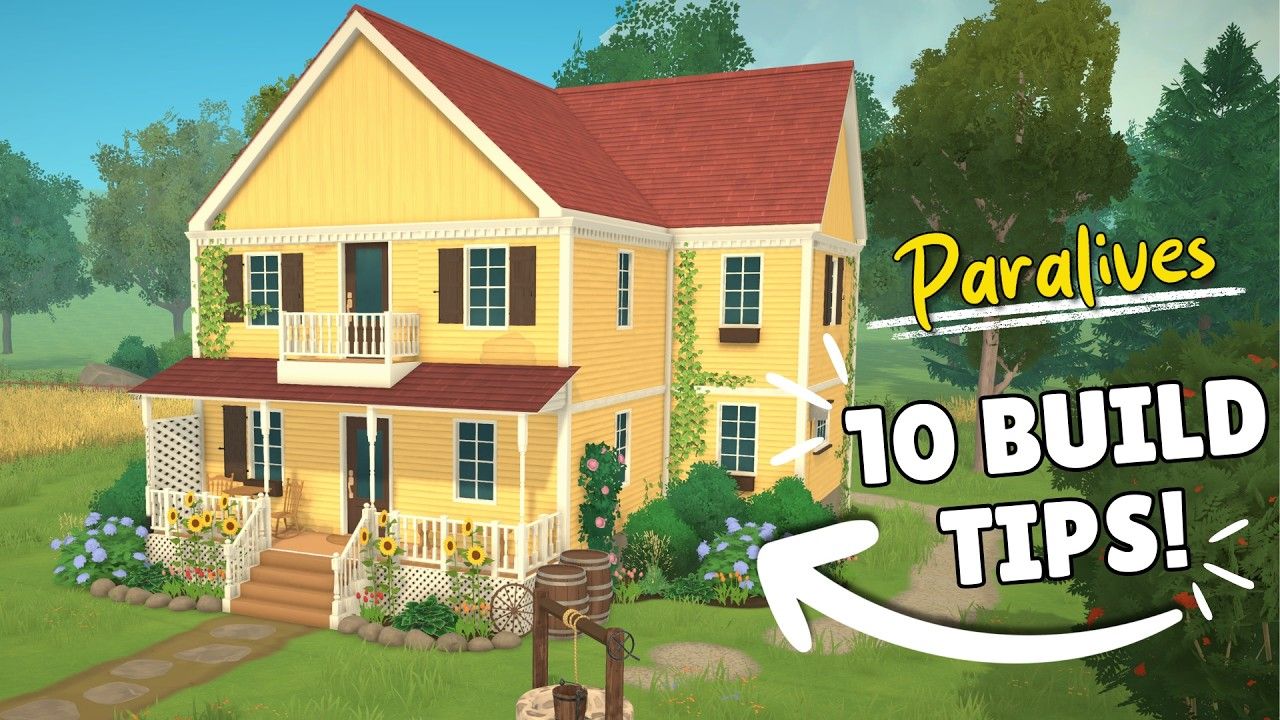
Let's be honest: the roof system is still incomplete. The devs say it themselves. On uneven floor plans, roofs may not fit well and require manual tweaking. If you build an L-shaped or T-shaped house, be prepared to spend time on the connections.

For simple and rectangular houses, on the other hand, it works perfectly. And even with the current limitations, the variety of styles (slope, flat, mansard, hipped...) already allows to differentiate each build.

Maison fermette jaune avec toit complexe construite dans Paralives Click to enlarge

Doors, windows, and stairs

5 categories of doors (exterior, interior, patio, closet, arches) and 3 of windows (angular, arched, decorative) plus curtains and blinds. Each door and window can be customized in color and texture, with the choice of the exterior side and the opening direction.

The arches are an underestimated tool. You can stretch them in width and height by sliding - perfect for cathedral-style openings or wide passages between rooms. Many windows are also resizable by dragging.

On the stairs side, 8 styles available. After placement, you drag the arrows to adjust width and height. Options at the bottom of the screen to remove the wall under the stairs (useful for an open rendering), and switch the railings: both sides, one side, or none. You can even place them diagonally.

An automatic tool sets a barrier around the floor opening to prevent your Parafolk from falling. Convenient — but you can remove it if you like danger.

Painting: walls, floors, ceilings, and roofs

Four painting tools cover all surfaces. Wall paint offers rocks, bricks, panels, tiles, wallpaper - applicable wall by wall or to the entire room at once. The floor is painted by entire room with wood, tiles, stone, carpet, linoleum...

Ceilings and roofs have their own categories of textures (industrial, wood, simple for ceilings; 7 textures for roofs). It's basic for now, but functional.

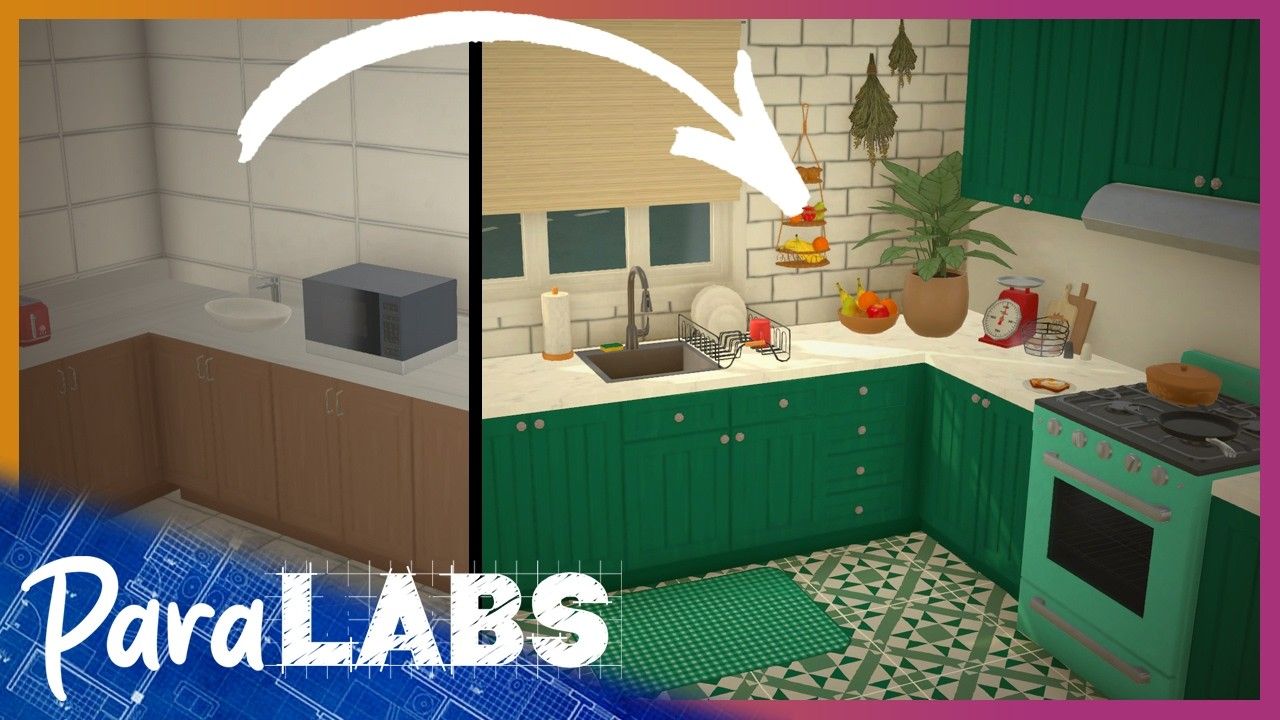
The real game-changer is the color wheel You change the color of anything, anytime. And not just the overall color — on a bed, you can separately modify the frame, the sheet, the blanket, and the throw. Same for kitchens: number of drawers, shape of doors, handles, everything is configured piece by piece.

Avant et après décoration cuisine dans Paralives Build Mode Click to enlarge

Resizing and advanced editing of objects

Most furniture and objects can be resized horizontally, vertically, or both. No theoretical limit - you can stretch a sofa infinitely. However, some objects become non-functional if you exaggerate. A bed stretched to 4 meters remains a bed for two people.

The advanced editing mode (dedicated button in the toolbar) unlocks the ability to lift, lower, rotate, and flip objects freely. Combined with gridless placement (hold Alt to deactivate snapping), it opens up decoration possibilities that no other life sim offers without mods.

Modular sofas deserve attention. You assemble individual sections, move the armrests, change the configuration - to fit corners of a room or create a U around a coffee table. Textures and patterns can be changed per part. You can also import your own images for the photo frames hanging on the walls.

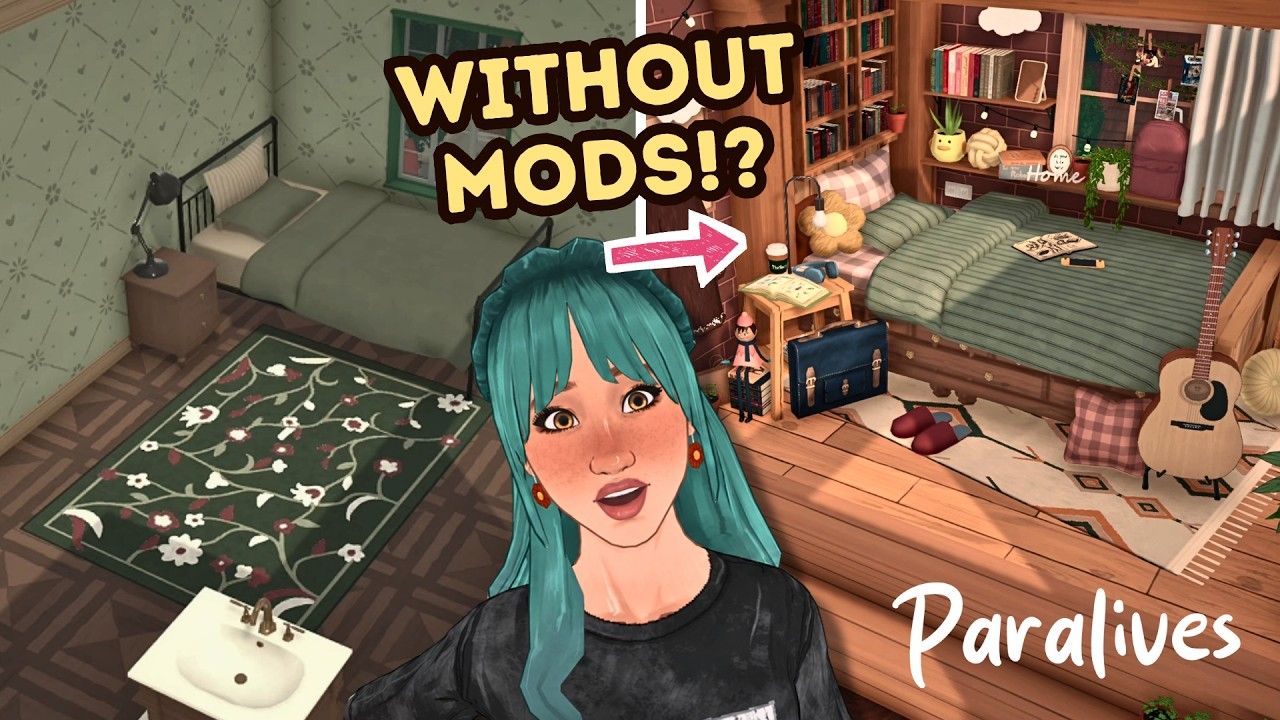
Avant et après décoration chambre dans Paralives Build Mode Click to enlarge

Field: sculpture, painting, and 3D plants

Two settings for terrain sculpting: brush size and intensity. Four tools: raise, lower, smooth, and flatten. You can create slopes, terraces, and even give the impression that part of the house is buried — useful while waiting for the underground tool that will arrive later.

Plants are in 3D, not just a texture stuck to the ground. Seven categories: trees, bushes, flowers, weeds, vines, rocks, and planters. Everything resizes and recolors. The Creation Style system even allows you to switch from realistic vegetation to fantasy or alien designs — if that's your thing.

Important detail: grass and flowers do not clip through walls. A classic issue in life sims that the Paralives devs have addressed from the start. Sculpt the terrain before placing the landscape, this will prevent having to reposition everything afterwards.

Architectural details and exterior decoration

Four subcategories: moldings, columns, details, and miscellaneous. Moldings add friezes and borders to walls — ideal for classic or period style. Columns adjust in height and width for grand porches or entrances.

The category Details and Miscellaneous is a hidden treasure. Graffiti, stains, cracks, nailed boards, wall openings... This is where you give character to a construction. An abandoned house, an industrial loft, an aged cottage — everything goes through these elements.

Fences work like walls but do not yet support curves. Adjustable height, no functional gates at the moment. Sufficient for delimiting gardens and terraces.

Shortcut Action
Tab Enter/exit Build Mode
B Wall tool
G Enable/disable grid
I Pipette (copy an object)
K Weight (quick release)
L Off-road mode
O Display catalog
X Rotate 90°
, / . Rotation 45° left/right
Shift Half-grid placement
Alt Disable snapping
Delete Delete selected item
Ctrl+Z / Ctrl+Y Undo / Redo
Page Up / Page Down Go up / go down a floor
Accueil / Fin Change the visibility of walls
Ctrl+F Search in the catalog
Swipe to view more

Advanced tips for builders

Some techniques that are not obvious at first glance:

Think in zones, not in pieces. Paralives manages unusual shapes much better than traditional builders. An open space living room with nooks, an integrated kitchen without walls - everything feels more natural when you forget about room-by-room segmentation.

Use stretching to cheat on sizes. A piece of furniture too small? Stretch it. But test the functionality afterwards — some objects break when resizing is abused.

Customization by part to differentiate duplicates. You put the same shelf three times? Change the colors and textures of each part on each one. Result: three furniture pieces that look different without needing mods.

Sculpt the terrain before landscaping. Slopes and terraces first, plants and rocks next. The opposite forces you to replace everything.

The lighting tool to test your materials. Change the time of day while you decorate. A tile that looks good at noon can be awful in the evening light.

Steam Workshop from day 1. You can upload your builds and download those of others. If you struggle on the roofs, see how the good builders do it — it's the best school.

What is missing (and what is coming)

Early Access is Early Access. That's what's not here yet but is confirmed in the roadmap:

  • Doors and windows on curved walls — the most frustrating limitation currently
  • Basements — no dedicated tool yet, but terrain sculpting allows for cheating
  • Swimming pools — absent for the moment
  • Advanced roof tools — the current system will be improved
  • Functional fence gates
  • City creation — players will be able to create and edit entire cities (no release date announced)
  • Functional cars and bicycles

All future content will be free. No paid DLC, no "construction kit" for 10 bucks. The devs have confirmed it several times - Early Access sales are enough to fund development over several years.

FAQ

How many floors can be built in Paralives?

No official limit. In theory, as much as you want — but the game's performance will decrease beyond 4 or 5 floors depending on your setup. Be reasonable.

Does Build Mode support mods?

The Steam Workshop is available from launch. You can share and download complete builds. For object or texture mods, it's still early - the modding community is coming together.

Does Paralives run on Mac?

Yes, PC and Mac from Early Access. Available on Steam for €35.99 (with a 10% launch discount).

Is Build Mode better than that of Sims 4?

For the pure freedom of construction - yes, clearly. Free angle walls, object resizing, customization by part, no mandatory grid. In terms of content quantity (furniture, styles, variety), The Sims 4 with its DLCs still has the advantage. But Paralives quickly catches up, without asking you for €500 worth of packs.

How long does Early Access last?

About two years according to the devs. Version 1.0 should arrive in 2028, with pets, cars, boats-houses, and a city creation tool.