Subnautica 2: complete guide to building and placing your base (best locations, power, modules)

subnautica 2 base subnautica base construction best base location 2026

Where to place your base in Subnautica 2? How to manage energy, hull integrity, and interior modules? We provide you with the best spots by biome and a step-by-step construction plan.

Building your base in Subnautica 2 is not just about laying corridors

You just crashed on an ocean planet, you have your Habitat Builder in hand, and there — what do you do? Do you plant your first piece anywhere hoping it will hold? Bad idea. In Subnautica 2, the placement of your base determines all your progress . A bad spot and you will spend your next 20 hours swimming absurd distances to catch some copper.

This guide covers everything: the best locations by game phase, how to manage energy without struggling, interior modules to unlock as a priority, hull integrity (the thing everyone ignores until the base starts leaking), and construction tips that even veterans of the first game may not necessarily know.

The game has been in Early Access since May 2026, and the map continues to expand — but the fundamentals of construction are already solid. We've tested everything so you don't have to do it blindly.

The best basic locations by game phase

Before talking about modules and decoration, we need to solve the number one problem: where do you place your base? Because no, "just below the lifepod" is not always the answer. Well... for the beginning, yes. But after, it changes.

Early game: under the Lifepod (Shallows, 0-150m)

Your first instinct is correct. The area directly below your lifepod in the Shallows is the safest and most convenient place to put your first base. You have titanium and quartz everywhere, the creatures are friendly (or almost), and you have access to the Welcome Center right next door to advance the story.

For energy, one or two solar panels are more than enough at this stage. Place a Fabricator, one or two Wall Lockers, and you're good to go. No need to build a palace - it's a temporary base.

Resources nearby: titanium, copper, quartz, silver, lead. The bare minimum to craft your first tools and your Tadpole.

Mid game: Old Habitat (Plateaus, ~300m north of the lifepod)

Once you have a Tadpole and start exploring, the Ancien Habitat becomes your best friend. Located in the Plateaus about 300 meters north of the lifepod, it's the perfect transition spot. The terrain is flat, there's room to build, and most importantly — the surrounding caves are packed with copper, silver and titanium You're going to need it. A lot.

This is also where you come across points of interest like Camp One and the Colonist Bunker (Sophie's Retreat), which advance the narrative progression. In short, you kill two birds with one stone: you build AND you progress.

In terms of energy level, you can start installing some hydroelectric turbines if you spot an underwater current in the area. Otherwise, solar still works at this depth, but it's getting close to the limit at night.

Mid game alternative: Cicada Wreck / Lander Garage (~400m northeast)

If you prefer a more oriented spot resource farming , the area around the Cicada wreck is an excellent choice. About 400 meters northeast of the lifepod, you will find an unusual density of lead for this area, plus copper, quartz, and titanium. It is a bit more advanced than the Old Habitat, and it is a good stepping stone towards the deeper zones.

The downside? It's a little more exposed to creatures. Nothing dramatic, but don't build in zen mode like in the Shallows.

Late game: Northeast Thermal Zone (Eastern Mountain)

Here we are talking about the real endgame HQ. The area around the Eastern Mountain and its thermal sources, it's the place where you want to end up. Why? Because you have access to some unlimited thermal energy thanks to the hot winds, you are close to the deep biomes to farm lithium and magnetite, and the narrative progression naturally pushes you in that direction.

It is also the perfect spot for your Moonpool and your Modification Station — you will need both for Tadpole depth upgrades. Count on lithium, silver, copper, and titanium in quantity nearby.

A piece of advice: do not dismantle your mid-game base. Keep it as a relay. Having two bases connected by back-and-forth trips in Tadpole is much more efficient than moving everything.

Location Phase Biome Key Resources Recommended Energy
Under the Lifepod Précoce Shallows (0-150m) Titanium, copper, quartz Solar
Ancien Habitat Mid Plateaus (~300m N) Copper, silver, titanium Solar + hydro
Cicada Wreck Mid Plateaus (~400m NE) Lead, copper, quartz Hydro
Eastern Mountain Late Thermal zone (NE deep) Lithium, magnetite, silver Thermal
Swipe to view more

Building modules: what you can place and how to unlock them

In Subnautica 2, your base is composed of structural pieces that you assemble with the Habitat Builder. Some are available from the start, others require scanning fragments or finding data boxes in specific biomes. Here is the complete list.

Structural parts (the frame of your base)

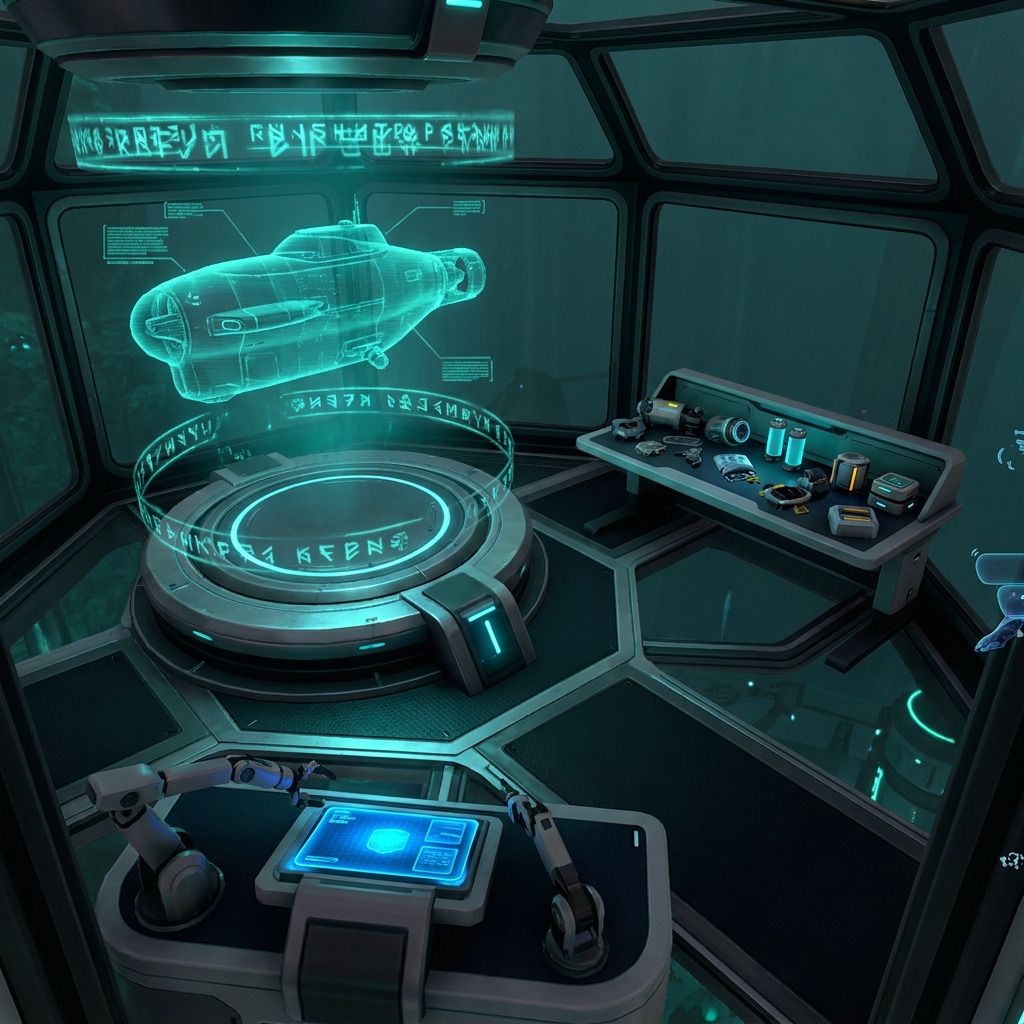
The Corridor (2 titanium) is your starting piece. You put one on, you glue a Hatch on it, and technically you have a base. Not glamorous, but functional. Room (5 titanium) this is the real hub — it supports all systems when powered, and this is where you'll stick your Fabricator, your lockers, and your Modification Station.

Next, the more advanced modules:

  • Nook (3 titanium + 2 glass) — small module with window on top, blueprint in a data box in Hot Sea
  • Half Round Room (5 titanium + 5 glass) — panoramic piece, data box in Tadpole Pens
  • Moonpool (4 titanium) — vehicle dock, essential for the Vehicle Fabricator, data box in Tadpole Pens
  • Interior Wall (2 titanium) — decorative partition, data box in Hot Cave Laboratory
  • Interior Arch (1 titanium) — same source as the Interior Wall

The Hatch (1 titanium + 1 quartz) and the Fenêtre are available from the start. Don't forget the window — it's not just aesthetic, it naturally lights up the interior.

Module Recipe Unlocked by Purpose
Corridor 2 titanium Available as standard Connection between parts
Room 5 titanium Available by default Main hub, supports all systems
Trappe 1 titanium + 1 quartz Available as standard Base input/output
Fenêtre Quartz Available by default Natural lighting + view
Nook 3 titanium + 2 glass Data box (Hot Sea) Compact observation module
Half Round Room 5 titanium + 5 glass Data box (Tadpole Pens) Panoramic room / recreation
Moonpool 4 titanium Boîte de données (Stylos Tadpole) Dock vehicle + Vehicle Fabricator
Interior Wall 2 titanium Data box (Hot Cave Lab) Decorative partition
Interior Arch 1 titanium Data box (Hot Cave Lab) Open separation between zones
Swipe to view more

The interior modules: Fabricator, Processor, Biolab, and company

Building walls and corridors is good. But an empty base is useless. Here's what you need to install inside, in order of priority.

The Manufacturer (1 titanium, 1 copper, 1 quartz) is your first mandatory craft. Without it, you can't craft anything in your base. Place it as soon as your first Room is set up. Right after, the Processor (2 titanium, 1 soft acid, 1 copper cable) allows you to transform raw materials — essential for glass, cables, and acid.

The Biolab (3 titanium, 1 copper cable, 1 mild acid) arrives a little later in the progression. This is where you analyze biological samples and unlock recipes related to fauna and flora. Not urgent at the beginning, but you will want it for the mid-game.

And then there is the Modification Station (2 titanium, 2 celestine, 2 copper). This one is the lifeblood for Tadpole upgrades. Engine Efficiency, Depth Mk.1, Strike Armor — everything goes through it. The blueprint is in a data box, so you have to explore a bit before getting it.

Storage, a real subject

You will accumulate materials. Quickly. And if you don't have a storage system from the start, your base will become a filthy mess. The options:

  • Wall Locker (2 titanium) — the classic, sticks to the wall, compact
  • Floor Locker (3 titanium + 1 quartz) — larger, on the ground
  • Tailing Chest (3 titanium) — field chest, good for outposts
  • Wall Rack (1 titanium + 1 copper) — to display tools or objects

A tip that no one gives: mentally label your lockers. One for metals (titanium, copper, lead), one for minerals (quartz, celestine), one for organics. Your future self will thank you when you urgently need to find 6 titanium.

Energy: solar, hydro or thermal?

It is THE subject that makes or breaks a base. A base without power is a titanium box underwater. Nothing works — not the Fabricator, not the lights, not the Moonpool. And contrary to what one might think, the choice of your power source mainly depends on where you build , not what you prefer.

Solar panels

The starting option, free in renewable energy. It works well on the surface and in shallow areas — but at night, you produce zero. And the deeper you go, the less efficient they are. Beyond 100-150 meters, forget it. It's a temporary solution for your first base, nothing more.

Hydroelectric turbines

The real game changer of the mid game. If you find a powerful underwater current , you put turbines in it and you have constant energy, day and night. You can even stack several in the same current zone to multiply production. It's reliable, it's clean, it's what you want for your main base.

The catch: not all areas have currents. You need to spot the spots before building, otherwise you'll set up your base and find out there's no current within a 200-meter radius. Bad plan.

Thermal generators

The late game option and the most powerful. Near thermal sources and hot winds — mainly in the northeast area around Eastern Mountain — you place a generator and you have almost unlimited energy. The problem is that thermal sources are often far from your base And that's where the Power Transmitters come into play.

Power Transmitters: the underwater electrical network

When your generator cannot be stuck directly to your base, you create a chain of transmitters that connects the power source to the wall of your base. The last transmitter must touch the base, not just be "next to" it. It's a detail that many players miss — and they end up with a generator spinning in the void while the base is in the dark.

Tip: plan the route of your transmitters BEFORE placing the generator. Count the number of transmitters needed and make sure you have enough materials. Nothing worse than placing 4 transmitters and realizing that you are missing one to reach your base.

Hull integrity: the thing everyone learns too late

Your base has a structural integrity gauge. Each piece you add - corridor, room, window - reduces this gauge When it drops to zero, the water starts to come in. And a leaking base is a dying base.

The deeper you build, the stronger the pressure, the more your shell suffers. A corridor that runs smoothly at 50 meters can become a weak point at 200. That's why deep foundations require more planning than surface foundations.

How to prevent leaks

  • Add reinforcements BEFORE enlarging. The reinforcement modules increase integrity without you needing to dismantle everything. Place them at corridor junctions and connections of large rooms — that's where the structure costs the most.
  • Check the depth of your parts. The basic sections have a depth limit. Beyond that, it's a guaranteed leak if you haven't reinforced.
  • Monitor your gauge constantly. Pin the hull integrity on your HUD if possible. Better to see the problem coming than to discover it with your feet in the water.
  • Windows are expensive in terms of integrity. Yes, panoramic views are beautiful. But each large window weakens your structure. In depth, choose your windows sparingly.

Result? A base that holds up even at 300 meters deep, without you spending your time mopping. Strengthen first, enlarge later — that's the golden rule.

Advanced construction tips

Now that you have the basics (pun intended), let's move on to the things that beginner guides never mention.

Build vertically, not horizontally

The temptation is to make a long horizontal corridor with rooms on both sides. The result? You run for 30 seconds to go from the Fabricator to the Moonpool. Not optimal. Stack your rooms on different levels — crafting and storage at the bottom, workshop in the middle, bedroom and decoration at the top. Your base remains compact and navigable.

Choose a flat ground

It seems obvious when put like that, but the number of players who build on rough terrain and then spend hours trying to fit the pieces together... look for a flat area with good visibility before placing your first piece. The Old Habitat is perfect for that.

Indoor zoning changes everything

Organize your base by function, not by "I had space here". Ideally: a crafting area (Fabricator + Processor + Biolab + Modification Station), a storage area (aligned lockers), a rest area (bed, decorations), and the Moonpool in its own wing. When you have 200 hours of gameplay, you appreciate knowing exactly where each module is without searching.

Use the roofs

The large flat surfaces on top of your Rooms? It's not just decorative. You can place growbeds (for food and useful plants) or solar panels on them. It saves space on the ground and gives a more polished look to your base from the outside.

Keep your mid-game base as a relay

Classic mistake: you build a nice base at the Old Habitat, then you move everything to the late-game thermal zone and end up without a supply point between the two. Keep your intermediate base. Put a Fabricator there, some lockers of basic materials, and a recharger. It's a pit stop worth its weight in gold when you're shuttling back and forth in the Tadpole.

Biomes and their resources: where to farm what

The game is in Early Access and the map is not yet complete — the western part is still in development. But the current biomes are already well defined and each has its specialties in terms of resources.

The card is divided into two large regions: Coral Gardens and Karakorum . Inside, you will find eight identified biomes:

  • Shallows (0-150m) — titanium, copper, quartz. Your starting area with the Welcome Center.
  • Shelves — silver, copper, titanium, lead. Contains the Old Habitat, Camp One, and Sophie's Retreat.
  • Anemone Hills — intermediate zone, good density of copper and quartz in rock formations.
  • North Raceway / South Raceway — strong underwater currents, perfect for hydroelectric turbines.
  • Leadzone — the name says it all. If you're short on lead, it's here.
  • Blighted Coral — degraded area, mixed resources but more aggressive creatures.
  • Graveyard — deep and dangerous area, rare materials but hostile environment.

In concrete terms, for the basic construction, your main needs are the titanium (everywhere in the Shallows), the quartz/glass (Shallows and Anemone Hills), and the copper (almost everywhere but especially in the Plateaus). For advanced modules, you will need Celestine and of copper cable — the cable is crafted at the Processor from raw copper.

Step-by-step construction plan

Here is the optimal path if you start from scratch. No chitchat, just the construction order that works.

  1. Craft the Habitat Builder as soon as you have the materials. It's your top priority.
  2. Install a Corridor + Hatch under your lifepod. Minimalist, efficient.
  3. Add a Room + Fabricator + solar panel. You now have a functional base.
  4. Install 2-3 Wall Lockers and start organizing your materials.
  5. Craft the Processor to transform copper into cable and quartz into glass.
  6. Explore to find the Modification Station (data box) and the Moonpool blueprint.
  7. Build your mid-game base at Old Habitat or at Cicada Wreck. Room + Moonpool + hydro turbines.
  8. Install the Modification Station + Biolab in your mid game base.
  9. Upgrade your Tadpole (Depth Mk.1, Engine Efficiency) before descending.
  10. Build your late game base to the Eastern Mountain with thermal energy. It's your final HQ.

By following this order, you never find yourself blocked by a lack of materials or an energy problem. Each base serves as a stepping stone to the next.

FAQ

Can I move my base in Subnautica 2?

No, there is no block moving function. You have to deconstruct each piece individually with the Habitat Builder (you retrieve the materials) and rebuild elsewhere. That's why we recommend keeping your old bases as relays rather than dismantling everything.

How many bases can I build?

No official limit. In practice, 2 to 3 well-placed bases cover the entire current map. More than that and you start to scatter your resources for nothing.

Can creatures destroy my base?

In Subnautica 2 Early Access, hostile creatures can damage your base if they are attracted by light or noise. Build away from Leviathans' spawn zones and use reinforcement modules if you are in an active area.

What is the best type of energy?

It depends on your depth. On the surface: solar. In intermediate areas with currents: hydro. Deep near hot springs: thermal. Hydro remains the best compromise for the majority of bases.

How do I manage energy if my base is far from a power source or a thermal source?

Power Transmitters. You place a chain of transmitters between your remote generator and your base. The last transmitter must touch the wall of your base directly — otherwise the energy does not pass. Plan the number of transmitters needed before starting to build.

Will the card expand in the next updates?

Yes. The western part of the map is still in development according to Unknown Worlds' roadmap (June 2026). New biomes and points of interest will be added, potentially opening up new spots for bases. This guide will be updated accordingly.